
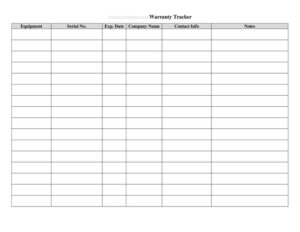
Warranty Tracker
Track product warranties, expiration dates, and claims in one place with this free Warranty Tracker template, available as a free download in PDF and DOCX.
PDF
DOCX
0
likes
Download Files
- DOCX
A Warranty Tracker is a simple log used to record every product warranty you own so you never miss a coverage window or lose a receipt when something breaks. People most often use one to keep appliances, electronics, tools, and equipment warranties organized in a single place. It’s free to download here in both PDF and DOCX formats, with no signup required.
What Is a Warranty Tracker?
A Warranty Tracker is a record-keeping document that captures the key details of each product warranty in a household or business. It typically lists the item name, where and when it was purchased, the warranty start and end dates, coverage terms, and where the proof of purchase is stored. Individuals use it to manage personal belongings, while businesses use it to monitor warranties on office equipment, machinery, vehicles, and IT assets. Rather than hunting through drawers of receipts and crumpled paperwork, you maintain one organized log. The tracker does not replace the original warranty contract or receipt — it simply summarizes and points to them, making it far easier to act before coverage expires.
When Do You Need a Warranty Tracker?
A Warranty Tracker becomes valuable any time you accumulate products with overlapping or differing coverage periods. Common situations include:
- Outfitting a new home or office — when you buy multiple appliances, furniture, or electronics at once and each carries a different warranty length.
- Managing business assets — tracking warranties on computers, printers, HVAC units, and manufacturing equipment across departments.
- Preparing for a possible claim — confirming an item is still covered before paying for an out-of-pocket repair.
- Filing taxes or insurance claims — quickly locating purchase dates and proof of purchase for high-value items.
- Managing a rental property or fleet — keeping warranty records for items spread across several locations or vehicles.
- Reselling or transferring items — some warranties are transferable, so an accurate log adds value at resale.
What a Warranty Tracker Should Have
A complete and useful Warranty Tracker captures enough detail to act on a claim without digging for the original documents. Strong entries include the product name and model number, the manufacturer or brand, the retailer where it was bought, the purchase date and price, the warranty type (standard, extended, or service plan), the coverage start and expiration dates, and what the warranty actually covers. It should also note the warranty document or receipt location, any registration confirmation number, and the manufacturer’s support contact. A status column — active, expired, or claim filed — helps you scan the list at a glance and prioritize items nearing their expiration.
How to Fill Out a Warranty Tracker
Work through the tracker one product at a time, completing every relevant column so each entry stands on its own:
- Product name and model: Enter the item’s full name plus the model or serial number printed on the label or packaging.
- Manufacturer/brand: Record the brand so you know whose support line to call.
- Retailer: Note where you bought it, since some claims must go through the seller.
- Purchase date: Add the exact date of purchase — this usually starts the warranty clock.
- Price paid: Log the amount for insurance and budgeting reference.
- Warranty type: Specify standard, extended, or a paid service plan.
- Coverage length: Write the duration, such as one year or 90 days.
- Expiration date: Calculate and record the end date so you can plan ahead.
- What’s covered: Briefly summarize parts, labor, or replacement terms.
- Proof location: Note where the receipt and warranty card are stored.
- Status: Mark each item active, expired, or claim filed, and update it over time.
Tips for Keeping Your Tracker Accurate
A warranty log is only as good as the habits behind it. Add each new purchase to the tracker the same day you buy it, while the receipt is still in hand. Photograph or scan receipts and warranty cards, then store the digital copies in a clearly labeled folder that matches the “proof location” column. Register products with the manufacturer when registration extends or activates coverage, and record any confirmation number you receive. Review the full tracker every few months and flag items expiring within 30 to 60 days so you can decide whether to use a warranty, buy an extension, or budget for replacement.
Warranty Tracker vs. Receipt Folder
A pile of receipts proves you bought something, but it tells you nothing at a glance about what is still covered or expiring soon. A Warranty Tracker turns scattered paperwork into actionable information: dates, terms, and status all in one view. Think of the receipts as your evidence and the tracker as your dashboard. The two work together — the tracker points you to the right receipt the moment you need it, and the receipt backs up any claim you file. For businesses, the tracker also doubles as a light inventory record of major assets and their values.
Common Mistakes to Avoid
- Recording only the purchase date and forgetting to calculate the expiration date, which is the figure you actually need.
- Skipping the model or serial number, which manufacturers almost always request when you file a claim.
- Failing to note the proof location, leaving you with a tidy log but no receipt to support a claim.
- Not updating the status column, so expired items clutter the list and active ones get overlooked.
- Ignoring extended warranties and service plans that you paid extra for and then forget to use.
- Letting registration deadlines pass, since some coverage only activates after you register the product.
Frequently Asked Questions
What is a Warranty Tracker used for? It is used to record and monitor all your product warranties in one organized log. By listing purchase dates, coverage terms, and expiration dates together, it helps you file claims on time and avoid paying for repairs that are still covered.
How do I fill out a Warranty Tracker? Enter one product per row, including its name, model number, retailer, purchase date, warranty type, and expiration date. Then note what the warranty covers, where the receipt is stored, and the current status, updating each entry as warranties expire or claims are filed.
Is a Warranty Tracker a legal document? No, it is a personal or internal record-keeping tool, not a legal contract. The actual warranty agreement and your proof of purchase are the binding documents — the tracker simply summarizes them and helps you locate them quickly.
Do I still need to keep my receipts? Yes. Most manufacturers and retailers require the original receipt or proof of purchase to honor a claim. Use the tracker’s proof-location field to record exactly where each receipt and warranty card is stored, whether physical or digital.
Can businesses use this tracker for equipment? Absolutely. It works well for offices, rental properties, and fleets that need to monitor warranties on computers, machinery, vehicles, and appliances. It also serves as a lightweight inventory record of major assets and their values.
How much does this Warranty Tracker template cost? It is completely free to download here in both PDF and DOCX formats, with no signup required. You can print it as-is or open the DOCX version to add columns, rename fields, or tailor it to your own products.
This Warranty Tracker template is a general example provided for informational purposes only and is not legal, financial, or tax advice. Warranty terms and consumer protection requirements vary by manufacturer and jurisdiction — always review your specific warranty documents and consult a qualified professional for guidance on a particular claim.
Related Forms
- Hotel Maintenance Request
- Baby Care Daily Log
- Individual Computer Inventory
- Telephone Time Tracker
- Ongoing Contracts List
- Document Tracker
Browse more in Log and Inventory.