
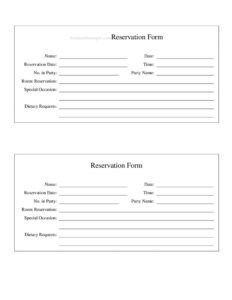
Reservation Form
Download a free restaurant Reservation Form template to capture guest details, party size, date, and time and manage bookings with ease — free download.
PDF
DOCX
0
likes
Download Files
- DOCX
A Reservation Form is a simple document a restaurant uses to record a guest’s booking details — name, contact, date, time, and party size — so a table is held for them in advance. It’s the most common reason restaurants collect a guest’s information ahead of a visit, and you can download this template free in both PDF and DOCX with no signup required.
What Is a Reservation Form?
A Reservation Form is a booking record that a restaurant, café, or private dining venue uses to capture the details needed to hold a table for a guest at a specific date and time. It is typically completed at the host stand, over the phone by a staff member, or filled out by the guest online or in person. The form documents who is coming, how many people, when they will arrive, and any special requirements such as a celebration or dietary need. By writing everything down in one consistent place, the venue avoids double-booking, prepares the right table, and gives guests a smooth arrival experience.
When Do You Need a Reservation Form?
Any establishment that holds tables in advance benefits from a written reservation record. Common situations include:
- Dinner-service bookings: A guest calls to reserve a table for four at 7:30 p.m. on Friday, and the host records it so the table is ready.
- Special occasions: Birthdays, anniversaries, or proposals where the kitchen and front-of-house need advance notice to prepare a cake, flowers, or a specific table.
- Large parties and group dining: Bookings of eight or more that require combining tables or assigning a section.
- Private events and buyouts: Corporate dinners, rehearsal dinners, or holiday parties that need a deposit and a confirmed headcount.
- Walk-in waitlists: Capturing contact details so guests can be called back when a table opens.
- Holiday and peak periods: Valentine’s Day, Mother’s Day, or New Year’s Eve, when demand far exceeds capacity and every seat must be tracked carefully.
What a Reservation Form Should Have
A complete Reservation Form keeps the booking unambiguous and easy for any staff member to act on. The essential elements are:
- Guest name and contact information — a phone number and ideally an email for confirmations.
- Reservation date and time — the exact arrival slot being held.
- Party size — the number of guests, including children.
- Table or seating preference — booth, patio, window, quiet area, or high chair needs.
- Special requests — allergies, dietary restrictions, occasions, or accessibility needs.
- Confirmation status — whether the booking is confirmed, pending, or cancelled.
- Staff member who took the reservation — for accountability and follow-up.
How to Fill Out a Reservation Form
Whether completed by a host or the guest, work through the form in order so nothing is missed:
- Guest name: Write the full name the reservation is under, exactly as the guest will give it on arrival.
- Phone number: Record a reachable number in case the kitchen runs behind or the booking needs confirming.
- Email address: Add it if the venue sends written confirmations or reminders.
- Date: Enter the calendar date of the visit; double-check the day of the week to avoid a mix-up.
- Time: Note the requested arrival time and clarify whether it is firm or flexible.
- Number of guests: Record the total party size so the right table is allocated.
- Seating preference: Capture any request such as outdoor seating, a booth, or a quiet corner.
- Special requests or occasion: Document allergies, dietary needs, or celebrations the team should prepare for.
- Confirmation and staff initials: Mark the booking confirmed and add the initials of the person who took it.
Managing and Confirming Reservations
A form is only as useful as the system around it. Keep all completed forms in one binder or transfer them to a daily reservation sheet so the host can see the full evening at a glance. Confirm bookings the day before by phone or email, especially for large parties, and note any changes directly on the form rather than rewriting it. For no-shows, mark the form so management can spot patterns and decide whether a deposit policy is needed for future high-demand dates. A clear, legible form also lets a new staff member step in without confusion during a busy shift.
Deposits, Cancellations, and Policies
For large parties, private events, or peak holidays, many venues attach a deposit or cancellation policy to the reservation. If you collect a deposit, note the amount and method on or alongside the form, and clearly state the cancellation window so the guest understands the terms before agreeing. Keep policy language simple and consistent across all bookings. Because consumer and payment rules vary by location, confirm that any deposit or cancellation fee complies with the regulations in your area before applying it.
Common Mistakes to Avoid
- Illegible handwriting: A name or time that can’t be read defeats the purpose; write clearly or type it.
- Missing contact details: Without a phone number you can’t reach the guest if plans change.
- Wrong date or day: Always confirm the calendar date and the day of the week together.
- Forgetting party size updates: Guests often add or drop people; note changes immediately.
- Overlooking special requests: An unrecorded allergy or occasion can turn a good visit into a bad one.
- No confirmation step: Skipping confirmation leads to no-shows and empty tables during peak service.
Frequently Asked Questions
What is a restaurant Reservation Form used for? It is used to record a guest’s booking details so a table is held for them at a specific date and time. The form captures the name, contact information, party size, and any special requests, giving the venue everything it needs to prepare for the visit and avoid double-booking.
How do I fill out a Reservation Form? Enter the guest’s name and contact details, the requested date and time, and the number of guests. Then add any seating preference or special request, mark the booking as confirmed, and note who took the reservation. Working top to bottom ensures no field is skipped during a busy shift.
Does a Reservation Form need to be signed or notarized? No. A standard restaurant reservation is not a legal contract that requires signatures or notarization. If your venue collects a deposit for large parties or private events, you may ask the guest to acknowledge a cancellation policy, but everyday table bookings simply need accurate, legible details.
Is a reservation legally binding? A typical reservation is a courtesy hold rather than a binding contract, and either party can usually cancel. When a deposit or signed event agreement is involved, the terms you have stated may carry obligations, so make any cancellation policy clear in writing and check the rules that apply in your area.
Can I use this form for online and phone bookings? Yes. The same fields work whether a host takes the booking over the phone, a guest fills it in at the door, or you adapt the layout for an online form. Keeping one consistent format across channels makes it easier for staff to read every reservation the same way.
How much does this Reservation Form template cost? It is completely free to download from Business Forms Pro in both PDF and DOCX formats, with no signup required. You can use the PDF as-is or open the DOCX to add your restaurant’s name, logo, and any policies before printing.
This Reservation Form template is a general example provided for informational purposes only and does not constitute legal, financial, or tax advice. Requirements for deposits, cancellation policies, and customer data handling vary by jurisdiction — consult a qualified professional to ensure your practices comply with local rules.
Related Forms
- No Outside Food Or Drink Sign
- Happy Hour Table Cards
- Daily Food Sales Log
- One Check Per Table Sign
- Wait To Be Seated Sign
- Section Reserved
Browse more in Restaurant.