
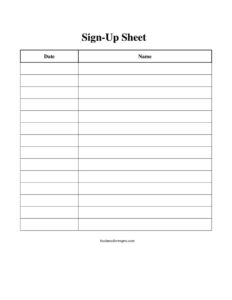
Sign Up Sheet Name and Date
Download a free Sign Up Sheet with name and date columns to collect attendee details for events, classes, and volunteer shifts — free PDF and DOCX template.
PDF
DOCX
4 downloads
0
likes
Download Files
- DOCX
A Sign Up Sheet Name and Date is a simple printable form that lets people add their name and the date they are committing to an activity, slot, or event. It’s the go-to tool whenever you need a quick, organized way to record who signed up and when. You can download it free in PDF or DOCX, with no signup required.
What Is a Sign Up Sheet Name and Date?
A Sign Up Sheet Name and Date is a single-page roster form built around two essential columns: a participant’s name and the date associated with their entry. Teachers, event organizers, office managers, volunteer coordinators, and small business owners use it to gather commitments on paper or as a fillable document. Unlike a digital form, it can sit on a clipboard at the door, a counter, or a sign-up table where anyone can add their information in a few seconds. The sheet documents who agreed to participate, when they signed, and creates a tidy record you can reference later. Its strength is simplicity — there are no complicated fields to slow people down.
When Do You Need a Sign Up Sheet Name and Date?
This form fits almost any situation where you want a lightweight record of who is taking part. Common uses include:
- Event registration: Collect names at the door of a workshop, seminar, fundraiser, or community meeting along with the date attended.
- Volunteer scheduling: Let volunteers write their name next to the date of the shift they are covering for a clean-up day, food drive, or charity run.
- Class or training sessions: Track who joined a fitness class, tutoring session, or staff training on a specific date.
- Potlucks and group activities: Have people commit to a date for bringing items, hosting, or attending a recurring gathering.
- Office and facility use: Record who reserved a conference room, used shared equipment, or visited on a given day.
- Appointment or interest lists: Capture names and preferred dates for callbacks, demos, or follow-up consultations.
What a Sign Up Sheet Should Have
Even a minimal sheet works best when it includes a few clear elements. At the top, add a title or heading that names the event or purpose so signers know exactly what they are committing to. Include a short instruction line if needed (for example, “Print your full name and the date you plan to attend”). The body should have a Name column wide enough for legible handwriting and a Date column formatted clearly. Numbered rows help you count entries at a glance and keep the list orderly. Leaving space at the bottom for additional rows or a note lets you adapt the sheet when more people show up than expected.
How to Fill Out a Sign Up Sheet Name and Date
This form is intentionally easy, but following a consistent order keeps your roster clean:
- Add the heading: Before printing or sharing, write the event name, class, or purpose at the top so every signer understands the context.
- Set the location: Place the sheet where participants will see it — a check-in table, front desk, or shared folder for the DOCX version.
- Enter your name: Each person prints their full name clearly in the Name column on the next available row.
- Enter the date: Beside the name, write the relevant Date — the day attended, the shift date, or the session date, depending on how you’re using the sheet.
- Use the next row: Subsequent signers fill in the following numbered line so entries stay sequential and easy to count.
- Review and store: When the activity ends, scan for blank or illegible rows, then file or photograph the completed sheet for your records.
Paper vs. Digital Versions
The PDF version is ideal for printing and using with a clipboard at in-person events — it prevents formatting from shifting and looks consistent every time. The editable DOCX is better when you want to customize the heading, widen columns, add your logo, or type entries directly. Many organizers keep both: a printed copy for walk-ins and a digital copy for those signing up remotely. If you collect names digitally, remember to combine the two lists afterward so you have one complete roster.
Tips for Getting Clean, Usable Entries
To make the sheet truly useful after the event, encourage signers to print rather than use cursive, since legibility matters most when you transcribe names later. Provide a working pen and a hard surface so entries stay neat. If the sheet covers multiple days, consider printing a separate page per date to avoid confusion. For recurring activities, label each sheet with the week or session so your archive stays organized. Finally, if you plan to follow up with participants, add a small column for email or phone — though keep in mind that collecting contact details may trigger privacy expectations, so only gather what you need.
Common Mistakes to Avoid
- No clear heading: Leaving the title blank confuses signers about what they’re committing to and what date to enter.
- Cramped columns: Narrow name fields lead to unreadable entries you can’t decipher later.
- Ambiguous dates: Mixing formats (such as 03/04 vs. April 3) causes errors — standardize the date format on the sheet.
- Letting the sheet wander: An unsupervised sheet can get lost or filled in out of order; assign someone to monitor it at busy events.
- Forgetting to save it: Failing to photograph or file the completed sheet means losing your only record of attendance.
- Collecting too much information: Adding unnecessary personal fields slows people down and creates privacy obligations you may not want.
Frequently Asked Questions
What is a Sign Up Sheet Name and Date used for? It’s used to record who is participating in an event, class, shift, or activity and the date tied to their entry. Organizers rely on it to track attendance, confirm commitments, and keep a simple roster they can reference later. It works for everything from volunteer days to training sessions.
How do I fill out the sign up sheet? Print your full name in the Name column and write the relevant date in the Date column on the next open row. Each new signer uses the following line so the list stays in order. Adding a clear heading at the top before circulating the sheet helps everyone know what they’re signing up for.
Is this sign up sheet free to download? Yes. You can download it free in both PDF and DOCX formats with no signup or account required. The PDF is ready to print, and the DOCX lets you customize the heading, columns, and layout to match your event.
Can I edit the columns or add more fields? Absolutely. Open the DOCX version in your word processor to widen columns, add rows, insert a logo, or include extra fields like time slot, email, or signature. Keep the form simple, though, so people can sign up quickly.
Does a sign up sheet need to be signed or witnessed? No. A name-and-date sign up sheet is an informal record and does not require signatures, witnesses, or notarization. It simply documents who joined and when, which is enough for most attendance and scheduling purposes.
How should I format the date column? Choose one clear format — such as MM/DD/YYYY or a written month and day — and note it on the sheet so entries stay consistent. Consistent dates make it far easier to sort, count, and reference attendance after the event.
This template is provided as a general example for informational purposes only and does not constitute legal, privacy, or professional advice. Requirements for collecting and storing personal information vary by jurisdiction, so consult a qualified professional if you have specific compliance questions.
Related Forms
- Football Sponsorship Form
- Sign Up Sheet
- Mailing List Sign Up Sheet
- Potluck Sign Up Sheet
- Bowling Sponsorship Form
- Workshop Registration Form
Browse more in Sign In / Sign Up Sheets.