
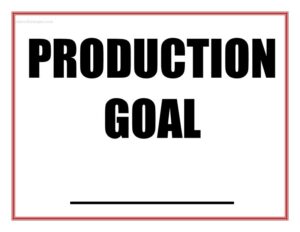
Production Goal Sign
Download a free Production Goal Sign template to display daily targets and actual output on the floor, keeping your team aligned and motivated — free download.
PDF
DOCX
2 downloads
0
likes
Download Files
- DOCX
A Production Goal Sign is a simple visual display that posts a team’s output target alongside actual results so everyone on the floor can see, at a glance, where they stand against the plan. The most common reason people use one is to keep a shift focused on a clear daily or hourly number and to surface problems early. You can download this Production Goal Sign free in PDF and DOCX, with no signup required.
What Is a Production Goal Sign?
A Production Goal Sign is a posted, visual tool used in manufacturing, warehousing, fulfillment, and other operations to communicate a production target and track progress toward it. It is typically issued by a shift supervisor, line lead, or operations manager and displayed where the team can see it — at a workstation, on a whiteboard frame, or above a line. The sign documents the goal (units, orders, cases, or pieces) for a defined period, the actual output achieved, and often the variance between them. Its purpose is to make expectations transparent, drive accountability, and prompt quick conversations when numbers fall behind. Unlike a detailed production report, it is meant to be read in seconds.
When Do You Need a Production Goal Sign?
This sign earns its place anywhere a team works to a measurable output number. Common situations include:
- Daily shift targets — posting the number of units, orders, or assemblies a line is expected to complete during a shift.
- Hourly pacing — breaking a daily goal into hourly checkpoints so the team can self-correct before the shift ends.
- Warehouse and fulfillment — displaying pick, pack, or ship targets during peak season or a high-volume day.
- Lean and continuous improvement — supporting daily huddles, Gemba walks, or visual management boards where goals and actuals are reviewed.
- New line ramp-up — setting a visible target while a team learns a new product or process and tracks progress toward standard rate.
- Catch-up or recovery days — communicating a stretch goal needed to recover from a backlog or missed quota.
What a Production Goal Sign Should Have
A useful Production Goal Sign is bold, uncluttered, and built around a few key elements. It should clearly identify the area, line, or team it covers so there’s no confusion about whose number it is. It needs the time period — a date, shift, or hour. The centerpiece is the goal stated as a single number with a unit (for example, 480 units or 1,200 picks). It should pair that goal with a space for actual output and, ideally, a variance or status indicator. Many signs add a notes line for explaining gaps, plus the name of the supervisor or lead responsible. Large fonts and high contrast matter more here than on most forms, because the sign is read from a distance.
How to Fill Out a Production Goal Sign
This template is intentionally simple so you can complete it in under a minute. Follow these steps:
- Enter the area, line, or team name at the top so the sign is clearly tied to one group.
- Write the date and, if relevant, the shift (first, second, third) or specific hour the goal covers.
- State the production goal as a clear number with its unit — units, cases, orders, or pieces.
- Record the actual output as it accumulates, updating at set intervals or at the end of the period.
- Calculate the variance (actual minus goal) or mark a simple on-track / behind status so the gap is obvious.
- Add a brief note explaining any shortfall — a downtime event, staffing shortage, or material delay.
- Sign or initial as the supervisor or lead, then post the sign where the team can see it.
Tips for Making the Sign Work on the Floor
A goal sign only helps if it is current and trusted. Update the actual number on a fixed cadence — every hour or at break points — rather than only at the end of the shift, so the team can adjust pace in real time. Keep the goal realistic but motivating; numbers that are impossible to hit teach people to ignore the sign. Use color or a simple icon to flag behind-target conditions so problems jump out during a quick walk. Place the sign at eye level near the work, not tucked in an office. Finally, tie the sign to a brief daily conversation: when the team reviews the number together, the sign becomes a tool for problem-solving instead of just scorekeeping.
Production Goal Sign vs. Production Report
These two documents serve related but different purposes. A Production Goal Sign is a real-time visual meant for the floor — short, bold, and focused on one target and its current status. A production report is a detailed record, usually compiled after the fact, that captures output by hour, downtime reasons, scrap, labor hours, and other metrics for analysis and management review. Think of the sign as the live dashboard the team watches during the shift and the report as the documented summary that feeds scheduling and improvement decisions. Many operations use both: the sign drives the moment-to-moment effort, and its numbers later roll into the report.
Common Mistakes to Avoid
- Vague goals — posting “work hard today” instead of a specific number the team can measure against.
- Stale numbers — leaving yesterday’s goal or an outdated actual on the sign, which erodes trust quickly.
- Missing units — writing a number without stating whether it’s units, orders, or cases.
- Print too small — using a font no one can read from the work area, defeating the purpose of a visual.
- No follow-up — posting goals but never discussing misses, so the sign becomes wallpaper.
- Unrealistic targets — setting numbers far above capacity, which demotivates rather than drives the team.
Frequently Asked Questions
What is a Production Goal Sign used for? It is used to visibly communicate a team’s output target and track actual progress against it during a shift, hour, or day. Posting the number where everyone can see it keeps the team aligned and helps supervisors spot problems early. It is a core tool in visual management and lean operations.
How do I fill out a Production Goal Sign? Enter the area or team, the date and shift, and the goal as a clear number with its unit. As work progresses, record the actual output, note the variance or status, and add a short explanation for any gap. Sign as the lead and post it where the team can read it.
How often should I update the sign? Update it on a fixed cadence that matches how you manage the work — hourly for fast-paced lines, or at each break and end of shift for steadier operations. Frequent updates let the team adjust pace before the period ends. The key is consistency so the number is always trustworthy.
What goal number should I set? Base the goal on your standard rate or takt time, adjusted for staffing, product mix, and any planned downtime that day. The number should be challenging but achievable; impossible targets teach people to ignore the sign. Review past actuals to set a realistic figure.
Is a Production Goal Sign a formal record? No. It is a real-time visual tool, not an official production record. For documented metrics like downtime, scrap, and labor hours, use a dedicated production report. The sign can feed that report, but it is meant for quick, on-the-floor communication.
Is this template free to download? Yes. You can download this Production Goal Sign template completely free in both PDF and DOCX formats, with no signup or payment required. Print it as-is or edit the DOCX to match your own units, intervals, and branding.
This Production Goal Sign template is a general example provided for informational purposes only and is not professional, legal, or operational advice. Workplace practices, safety rules, and measurement standards vary by organization and industry — consult your operations or management team to ensure the sign fits your specific processes.
Related Forms
- Todays Focus Sign
- Obedience School Intake Form
- Gantt Chart Eight Weeks
- Set List
- Military Time Chart
- Blank Memo
Browse more in Miscellaneous.