
Routing Label
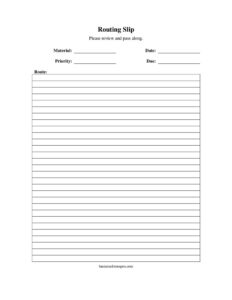
Download a free Routing Label template in PDF and DOCX to direct documents and packages through your office quickly and accurately—no signup required.
PDF
DOCX
6 downloads
0
likes
Download Files
- DOCX
A routing label is a small slip or sticker attached to a document, folder, or package that tells it where to go next and who must act on it. The most common reason people use one is to move paperwork through an office or distribution chain in the right order without anything getting lost or stalled. You can download this routing label template free in both PDF and DOCX formats, with no signup required.
What Is a Routing Label?
A routing label is a simple tracking tool that lists the people, departments, or steps a physical item must pass through before it reaches its final destination. It is typically affixed to the front of a file, attached to an envelope, or clipped to a stack of documents. Mailrooms, accounting departments, medical offices, and project teams all use routing labels to hand work off in a deliberate sequence—each recipient reviews or signs the item and then forwards it to the next name on the list. Unlike a shipping label, which only shows a destination address, a routing label documents an internal path, the action each person should take, and often a date or initials confirming the handoff.
When Do You Need a Routing Label?
Routing labels are useful any time an item needs to travel a predictable path and you want a record of who handled it. Common scenarios include:
- Circulating documents for review or sign-off—a contract or report that must be initialed by several managers before approval.
- Processing invoices and expense reports—routing paperwork from receiving to accounts payable to a final approver.
- Distributing mail and deliveries—directing incoming packages from the mailroom to the correct department or individual.
- Moving patient or client files—passing records between intake, a specialist, and billing while logging each stop.
- Managing project folders—sending a job jacket through design, production, and quality control in sequence.
- Forwarding shared reference material—circulating a single copy of a magazine, manual, or memo to a list of readers.
What a Routing Label Should Have
A clear, complete routing label removes guesswork. The most effective labels include a title that identifies the item being routed, the originating person or department, and a sequenced list of recipients. Each line should leave room for an action note such as “review,” “sign,” “file,” or “return.” Many labels add a column for the date received and a space for initials so each handoff is timestamped. A priority or due-date field helps urgent items jump the queue, and a final “return to” line ensures the item comes back to its owner once the loop is complete. Keep the label compact enough to fit on a folder tab or envelope front.
How to Fill Out a Routing Label
Because routing labels are intentionally flexible, fill in the fields that match your workflow and leave the rest blank:
- Title or item description: Write what is being routed—for example, “Q3 Budget Report” or “Vendor Invoice #4821″—so anyone who picks it up understands the contents.
- From / originator: Enter your name and department so recipients know who started the route and whom to contact with questions.
- Date sent: Note the date you release the item so transit time can be measured.
- Routing sequence: List each recipient in order, top to bottom, by name or department. Number the lines if order is critical.
- Action requested: Beside each name, indicate what to do—review, approve, sign, copy, or file.
- Initials and date received: Each recipient initials and dates their line when they finish, then forwards the item to the next name.
- Priority or due date: Mark urgent items and add a deadline so the route does not stall.
- Return to: Specify where the item should land after the last stop, completing the loop.
Tips for an Efficient Routing Workflow
A routing label is only as good as the discipline behind it. Use legible block printing so initials and dates can be read at a glance. Keep the list short—if more than five or six people need to see an item, consider making copies and circulating them in parallel rather than in series, which reduces bottlenecks. Highlight the next recipient’s name so no one has to scan the whole list. For recurring routes, pre-print a standard sequence to save time and avoid skipped steps. Finally, train staff to forward items promptly; a routing label loses its value the moment one person lets it sit in an inbox.
Routing Labels vs. Transmittal Slips and Shipping Labels
It helps to know how a routing label differs from similar documents. A shipping label shows only an external delivery address and is read by a carrier, not by internal staff. A transmittal slip usually accompanies a single handoff between two parties and explains what is enclosed and why, but it does not define a multi-stop path. A routing label is built for an internal, sequential journey through several hands, capturing both the order of travel and a record of each person’s action. In many offices the same label doubles as a lightweight audit trail, showing exactly where a document is at any moment and who last touched it.
Common Mistakes to Avoid
- Leaving the action column blank—recipients may not know whether to sign, copy, or simply read the item.
- Listing names out of order—a scrambled sequence causes backtracking and delays.
- Forgetting the “return to” line—items finish the route and then drift, never coming back to the owner.
- Illegible initials or dates—an unreadable handoff record defeats the purpose of tracking.
- Overloading the list—too many serial recipients slows the document to a crawl.
- Not setting a due date on urgent items—without a deadline, time-sensitive paperwork sits at the bottom of a pile.
Frequently Asked Questions
What is a routing label used for? A routing label directs a document, folder, or package along a defined internal path and records who handled it at each stop. It tells each recipient what action to take and who comes next, keeping work moving in the correct sequence.
How do I fill out a routing label? Start by describing the item and noting who is sending it, then list each recipient in the order they should receive it. Add the action requested beside each name, and have each person initial and date their line before passing it on.
Is a routing label the same as a shipping label? No. A shipping label shows an external delivery address for a carrier, while a routing label maps an item’s internal journey through several people or departments and logs each handoff along the way.
Does a routing label need to be signed or notarized? No notarization is required because a routing label is an internal workflow tool, not a legal contract. Most offices simply ask recipients to initial and date their line to confirm they handled the item.
Can I customize this routing label template? Yes. The DOCX version is fully editable, so you can rename fields, add your company logo, adjust the number of routing lines, or pre-print a standard sequence for recurring workflows.
Is this routing label template free to download? Yes, it is completely free in both PDF and DOCX formats with no signup required. You can print it as-is or edit it to match your office’s exact routing process.
This routing label template is provided as a general example for informational purposes only and does not constitute legal, financial, or professional advice. Internal procedures and recordkeeping requirements vary by organization and jurisdiction—consult a qualified professional or your own policies before relying on any form.
Related Forms
Browse more in Routing Labels.