
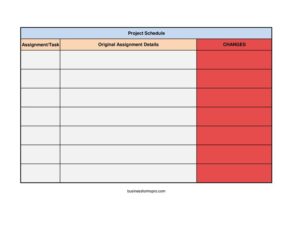
Project Change Form
Document and approve project scope changes with our free Project Change Form template, available as a free download in PDF and DOCX with no signup.
PDF
XLSX
0
likes
Download Files
- XLSX
A Project Change Form is a document used to request, review, and approve modifications to a project’s scope, schedule, budget, or deliverables after work has already begun. The most common reason people use it is to keep a clear written record of who requested a change, why it was needed, and what impact it has — preventing scope creep and billing disputes. You can download this Project Change Form for free in both PDF and DOCX formats, with no signup required.
What Is a Project Change Form?
A Project Change Form, sometimes called a change order or change request form, is a structured document issued by a project manager, contractor, vendor, or client team to formally capture a proposed change to an agreed plan. It records the original baseline, the requested modification, and its effect on cost and timeline so all parties agree before work proceeds. The form documents the chain of approval and creates an auditable paper trail. In a billing context, it ties directly to invoices and order forms because approved changes often adjust the total amount due, the quantities ordered, or the delivery date promised in the original agreement.
When Do You Need a Project Change Form?
Whenever the agreed plan shifts, a written change record protects everyone involved. Common situations include:
- Scope additions: A client asks for extra features, pages, rooms, or deliverables not in the original contract.
- Budget adjustments: Material costs rise, labor estimates change, or new line items must be added to the invoice.
- Schedule changes: A deadline moves due to weather, supply delays, or shifting client priorities.
- Reduced scope: A client trims deliverables to save money, requiring a downward adjustment to the order total.
- Specification updates: Technical requirements, materials, or design choices are revised mid-project.
- Unforeseen conditions: A contractor discovers hidden issues — such as structural problems or data migration complications — that demand additional work.
Types of Project Changes
Not all changes look the same, and a good form accommodates each. Additive changes increase scope, cost, or time. Deductive changes remove work and reduce the total. Substitution changes swap one material, method, or deliverable for another at a comparable value. Administrative changes correct clerical errors or update names, dates, and reference numbers without affecting price. Identifying the type up front helps both parties understand whether the invoice total moves up, down, or stays flat.
What a Project Change Form Should Have
A complete Project Change Form should clearly identify the project and the original agreement it modifies. Essential elements include a unique change request number, the project name and reference, the date submitted, and the name of the requester. It should describe the current state, the requested change, and the reason for it. Critically, it must spell out the impact on cost, schedule, and scope, along with any revised totals. Finally, it needs approval signatures and dates from the authorized parties so the change becomes binding and traceable against the original order or invoice.
How to Fill Out a Project Change Form
- Project and reference details: Enter the project name, project number, and the original contract or order number this change relates to.
- Change request number and date: Assign a sequential change number (e.g., CR-001) and record the date the request is submitted.
- Requested by: Write the name, title, and company of the person initiating the change.
- Description of change: Describe exactly what is being added, removed, or modified, with enough detail that no interpretation is needed.
- Reason for change: Explain why the change is necessary — client request, unforeseen condition, error correction, or regulatory requirement.
- Impact on cost: State the additional or reduced amount, and show the revised project total.
- Impact on schedule: Note any added days or a revised completion date.
- Impact on scope: Summarize how deliverables differ from the original agreement.
- Approval section: Have the authorized client representative and the project lead sign and date to confirm acceptance.
Linking the Change to Your Invoice
Because a Project Change Form lives in the invoices and order forms category, the cost impact should flow directly into your billing. When a change is approved, add the agreed amount as a separate line item on the next invoice and reference the change request number so the client can match it to the signed form. Keep the original order total and the revised total visible so the math is transparent. For deductive changes, issue a credit or reduce the line item accordingly. This discipline keeps your invoices defensible and your accounting clean.
Best Practices for Managing Changes
Treat the change form as part of a process, not an afterthought. Number changes sequentially and log them in a central change register so nothing slips through. Get written approval before performing the extra work — verbal go-aheads are the most common source of unpaid invoices. Quantify cost and schedule impacts in concrete numbers rather than vague phrases. Finally, store the signed form with the original contract so future questions can be answered from a single, consistent record.
Common Mistakes to Avoid
- Starting work before approval: Performing extra work without a signed form often leads to disputes over whether it can be billed.
- Vague descriptions: Writing “misc. additions” instead of itemized detail invites disagreement later.
- Omitting cost or schedule impact: A change that affects price or timing must say so explicitly, even if the impact is zero.
- Skipping the change number: Without a unique identifier, changes are impossible to track against invoices.
- Missing signatures: An unsigned form is just a proposal, not an authorized change.
- Not updating the running total: Failing to show the revised project total makes invoices confusing and easy to contest.
Frequently Asked Questions
What is a Project Change Form used for? It is used to formally request and approve changes to a project’s scope, cost, schedule, or deliverables after the original agreement is in place. It creates a written record that protects both the provider and the client and supports accurate invoicing. Many teams require it before any out-of-scope work begins.
How do I fill out a Project Change Form? Start by identifying the project and the original order or contract, then assign a change request number and date. Describe the change and its reason, quantify the impact on cost and schedule, and have the authorized parties sign and date the approval section. Be specific so the form stands on its own without further explanation.
Is a Project Change Form legally binding? When both parties sign it and it references a valid underlying contract, an approved change form generally becomes an enforceable amendment to that agreement. However, enforceability depends on the contract terms and applicable law in your jurisdiction. For high-value or complex changes, have the language reviewed by a qualified professional.
Does a Project Change Form need to be notarized? In most commercial situations notarization is not required; authorized signatures from both parties are typically sufficient. Some contracts or public-sector projects may impose stricter formalities, so check your governing agreement. When in doubt, follow the change-control procedure your contract specifies.
How is a change form different from a regular invoice? A change form documents and authorizes a modification to the plan, while an invoice requests payment for work performed. The change form usually comes first; once approved, its cost impact appears as a line item on a subsequent invoice that references the change number.
How much does this Project Change Form template cost? Nothing — it is completely free to download from Business Forms Pro in both PDF and DOCX formats with no signup required. You can edit the DOCX version to match your project naming, numbering, and approval workflow. Reuse it across as many projects as you need.
This Project Change Form template is provided as a general example for informational purposes only and does not constitute legal, financial, or contractual advice. Change-control requirements and the enforceability of contract amendments vary by jurisdiction and by the terms of your underlying agreement. Consult a qualified professional before relying on this document for any specific project.
Need to work out sales tax? Use our free Sales Tax Calculator to add or remove sales tax from any amount in seconds.
Official resource: for the rules that apply to your situation, see the U.S. Small Business Administration.
Related Forms
- Replacement Parts Order Form
- Rain Check Wide
- Rain Check Long
- Invoice
- Purchase Order
- Tailor Alterations Form
Browse more in Invoices and Order Forms.