
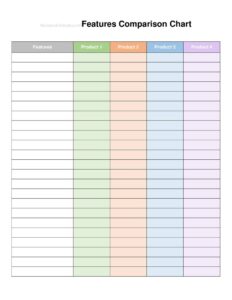
Features Comparison Chart
Compare products, plans, or vendors side by side with this free Features Comparison Chart template, available as a free download in PDF and DOCX.
PDF
DOCX
6 downloads
0
likes
Download Files
- DOCX
A Features Comparison Chart is a simple table that lines up two or more products, plans, services, or vendors side by side so you can evaluate them feature by feature. People most often use one to decide which option to buy or recommend without juggling scattered notes and tabs. You can grab this template free and download it instantly in PDF or DOCX with no signup required.
What Is a Features Comparison Chart?
A Features Comparison Chart is a structured grid that places several options across the top columns and a list of features, specifications, or criteria down the left side. Each cell shows whether an option includes a feature, how it performs on that criterion, or a value such as price or capacity. Sales teams, procurement managers, product marketers, and ordinary shoppers all use it to turn a messy decision into a clear visual. Because it documents exactly what each option offers in one place, the chart also serves as a record you can share with a team, attach to a purchase request, or include in a proposal to help a buyer choose with confidence.
When Do You Need a Features Comparison Chart?
This chart earns its place any time a choice involves several similar options with overlapping but not identical features. Common situations include:
- Choosing software or subscription plans — comparing tiers like Basic, Pro, and Enterprise by storage, users, support, and price.
- Evaluating vendors or suppliers — lining up quotes, lead times, warranties, and minimum order quantities before placing a bulk order.
- Selling to a customer — showing how your product stacks up against competitors so the buyer sees your advantages at a glance.
- Selecting equipment or hardware — comparing models on specs such as size, capacity, power use, and price per unit.
- Shopping for a major purchase — weighing cars, appliances, or services against your must-have features.
- Building a recommendation deck — summarizing a shortlist for managers or a committee that needs a quick, defensible answer.
Types of Comparison Charts
Although the layout is consistent, the content varies by purpose. A feature-checklist chart uses checkmarks or yes/no to show inclusion. A spec comparison fills cells with numeric values like gigabytes, dimensions, or warranty length. A tiered pricing chart highlights what each plan costs and what you get for the money. A weighted scoring chart assigns points to each criterion and totals them to produce a ranked winner. This template adapts to any of these styles — you decide what the rows represent and how detailed each cell needs to be.
What a Features Comparison Chart Should Have
A useful comparison chart is clear, complete, and fair. Make sure yours includes:
- A descriptive title stating what is being compared and the date or version.
- Column headers naming each option, product, plan, or vendor.
- A feature or criteria column listing every item you care about, grouped logically.
- Consistent cell content — use the same units, format, and yes/no convention across every column.
- A price or cost row so the value tradeoff is visible.
- An optional notes or recommendation row to capture caveats or a final pick.
How to Fill Out a Features Comparison Chart
Follow these steps to build a chart that drives a decision:
- Title the chart at the top — for example, “Project Management Tools — Q2 Review.” Add the date so readers know how current the data is.
- Name the options across the top row, one per column. Keep names short and recognizable, such as product or vendor names.
- List your criteria down the left column. Start with the features that matter most and group related items together (cost, capabilities, support).
- Fill each cell by recording how each option performs on that row. Use checkmarks for yes/no features and exact values for specs.
- Add a price row with consistent figures — monthly, annual, or per unit — so totals are comparable.
- Highlight standouts by bolding the best value in each row or shading the leading column.
- Write a recommendation in a final row or note, summarizing which option wins and why.
- Cite your sources briefly so others can verify the data later.
Tips for an Honest, Persuasive Chart
The fastest way to lose trust is a chart that feels rigged. List the criteria your audience actually cares about, not only the ones where your favorite wins. When comparing for a sale, include features where a competitor is strong as well as your strengths — buyers respect transparency. Keep cells skimmable: a checkmark, a single number, or a few words beats a paragraph. If a feature is partial (“available as add-on”), say so rather than marking a plain yes. Finally, decide which way is “better” for each row up front so your shading and bolding are applied consistently.
Comparison Chart vs. a Quote or Order Form
A comparison chart helps you decide; a quote or order form helps you buy. The chart documents the analysis behind a choice, while a quote captures pricing terms and an order form records the actual purchase. Many teams use them in sequence: build the comparison chart to shortlist a vendor, request a formal quote from the winner, then issue an order or purchase request to complete the transaction. Keeping the chart on file also explains later why a particular option was chosen.
Common Mistakes to Avoid
- Mixing units or formats — comparing one plan in monthly price and another in annual price makes the chart misleading.
- Leaving cells blank without explanation, which readers may interpret incorrectly.
- Cherry-picking criteria that flatter one option and ignore real weaknesses.
- Overloading rows with dozens of minor features so the decisive ones get lost.
- Forgetting a date or source, leaving readers unsure whether the data is current.
- No conclusion — presenting data without a recommendation forces the reader to redo the analysis.
Frequently Asked Questions
What is a Features Comparison Chart used for? It is used to evaluate two or more products, plans, services, or vendors side by side on the same set of criteria. By placing options in columns and features in rows, it turns a complicated choice into a clear, scannable grid. People use it to shop, to support a purchase decision, or to persuade a buyer.
How do I fill out a comparison chart? Title the chart, name each option across the top, list your criteria down the left side, and fill each cell with a checkmark, value, or short note. Add a price row and a recommendation so the tradeoffs and conclusion are obvious. Keep units and formatting consistent in every column.
Can I customize the rows and columns? Yes. Download the DOCX version to add, remove, or rename rows and columns for your specific comparison, then adjust shading and bolding to highlight the winners. The PDF version is ideal when you want a clean, print-ready layout to share or attach.
How many options should I compare at once? For most decisions, three to five options keep the chart readable and meaningful. Comparing too many columns makes patterns hard to spot, while only one option defeats the purpose. If you have a long list, do an initial pass to shortlist before building the detailed chart.
Is a comparison chart a binding document? No. A Features Comparison Chart is an analytical and informational tool, not a contract or order. The actual purchase is governed by a quote, order form, or agreement, so any commitment depends on those documents rather than the chart.
Is this template really free? Yes. You can download the Features Comparison Chart template free in both PDF and DOCX formats with no signup required, and reuse it for as many comparisons as you like.
This template is a general example provided for informational purposes only and does not constitute legal, financial, or purchasing advice. Comparison results depend on the accuracy of the data you enter, and requirements vary by situation — verify specifications, pricing, and terms directly with each vendor and consult a qualified professional before making significant purchasing decisions.
Need to work out sales tax? Use our free Sales Tax Calculator to add or remove sales tax from any amount in seconds.
Official resource: for the rules that apply to your situation, see the U.S. Small Business Administration.
Related Forms
- Job Invoice
- Statement Form
- Tailor Alterations Form
- Accounts Payable Invoice
- Numbered Purchase Order
- Work Invoice Labor
Browse more in Invoices and Order Forms.