
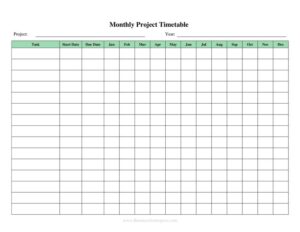
Yearly Project Timetable
Plan your year with a free Yearly Project Timetable template — map milestones, deadlines, and resources month by month. Free download in PDF and DOCX.
PDF
DOCX
0
likes
Download Files
- DOCX
A Yearly Project Timetable is a planning document that lays out a project’s tasks, milestones, and deadlines across all twelve months of a year so teams can see the full timeline at a glance. People most often use it to schedule a multi-month or year-long project, coordinate who does what and when, and keep delivery on track. You can download this template free in PDF and DOCX, with no signup required.
What Is a Yearly Project Timetable?
A Yearly Project Timetable is a calendar-style log that organizes a project’s activities over a full year, typically broken into months or quarters. It is created and maintained by project managers, team leads, small-business owners, or coordinators who need to visualize how individual tasks fit into a longer schedule. The document records each task, its start and end dates, the person responsible, and its current status. Unlike a simple to-do list, it shows dependencies and timing across the whole year, making it easy to spot overlaps, gaps, and crunch periods. As a log and inventory tool, it doubles as a record of planned versus actual progress that you can review at year-end.
When Do You Need a Yearly Project Timetable?
This timetable is useful any time work stretches across many months and needs structured oversight. Common situations include:
- Launching a year-long initiative — such as a product rollout, marketing campaign, or facility upgrade with phased milestones.
- Coordinating a team across departments — when several people own different tasks and need a shared view of deadlines.
- Annual planning sessions — to map the coming year’s goals into concrete, scheduled deliverables before work begins.
- Grant- or budget-funded projects — where funders expect a documented schedule tied to reporting periods or quarters.
- Construction, renovation, or seasonal work — where weather, permits, and supplier timing dictate when each phase can happen.
- Recurring program management — for events, training cycles, or maintenance schedules that repeat throughout the year.
In short, whenever you must balance multiple moving parts over twelve months, a written timetable keeps everyone aligned and accountable.
What a Yearly Project Timetable Should Have
A complete timetable goes beyond a list of tasks. To be genuinely useful it should include clear identification of the project, a defined planning period, and a structured breakdown of work. Key elements are the project name and owner, the year covered, each task or milestone, start and end dates, the responsible person or team, dependencies between tasks, and a status indicator. Many timetables also reserve space for notes, budget references, or priority levels. A header that names the project and a legend explaining any color or status codes make the document easier to read for anyone who picks it up mid-year.
How to Fill Out a Yearly Project Timetable
Work through the template top to bottom, filling each section completely:
- Add the project title and year. Enter the project or program name at the top, along with the calendar year (or 12-month span) the timetable covers.
- Record the project owner. Note who is responsible for maintaining the schedule and the team or department involved.
- List each task or milestone. In the rows, write every major activity, phase, or deliverable in the order it should occur.
- Set start and end dates. For each task, fill the month or specific dates when it begins and finishes, marking the relevant cells across the monthly columns.
- Assign responsibility. Name the person or group accountable for completing each line item.
- Note dependencies. Indicate which tasks must finish before others can start so the sequence stays realistic.
- Track status. Use a status column — not started, in progress, complete, or delayed — and update it as the year unfolds.
- Add notes. Capture budgets, vendors, or risks in the notes area for context.
Tips for Building a Realistic Schedule
A timetable only helps if the dates are achievable. Build in buffer time around major milestones so a single delay does not cascade through the rest of the year. Group related tasks into phases or quarters to keep the view uncomplicated, and avoid scheduling too many critical deadlines in the same month. Identify your project’s critical path — the chain of tasks that directly determines the finish date — and protect those items first. Revisit the timetable at the start of each month, mark what actually happened versus what was planned, and adjust upcoming tasks accordingly. Treating the document as a living record rather than a one-time plan is what makes it valuable.
Using the Timetable as a Year-End Record
Because this form lives in the log and inventory category, it works as more than a forward-looking plan. By the end of the year, a well-maintained timetable becomes a complete record of what was scheduled, what was delivered on time, and where slippage occurred. That history is useful for performance reviews, lessons-learned meetings, and estimating future projects more accurately. Save each year’s completed timetable and compare them to see whether your planning estimates are improving. Keeping both the DOCX version (for editing) and a finalized PDF (for archiving) gives you an editable working copy and a fixed snapshot of the year.
Common Mistakes to Avoid
- Listing tasks without dates. A timetable without start and end points is just a checklist; always tie work to specific months.
- Ignoring dependencies. Scheduling a task before its prerequisite finishes creates impossible deadlines.
- Overloading single months. Stacking too many milestones together leads to bottlenecks and burnout.
- Never updating it. A plan set in January and forgotten loses all value; update status regularly.
- Leaving tasks unassigned. Work with no named owner tends to fall through the cracks.
- Being unrealistic. Padding the schedule with zero buffer guarantees delays the moment anything goes wrong.
Frequently Asked Questions
What is a Yearly Project Timetable used for? It is used to plan and track a project’s tasks, milestones, and deadlines across an entire year. Teams rely on it to coordinate responsibilities, visualize timing, and monitor progress from January through December.
How do I fill out a Yearly Project Timetable? Start by entering the project name, year, and owner, then list each task with its start and end dates, assigned person, dependencies, and status. Update the status column as the project moves forward so the document stays accurate.
Is a Yearly Project Timetable a legally binding document? No, it is an internal planning and tracking tool, not a contract. It records intentions and progress but does not create legal obligations on its own.
How is it different from a Gantt chart? A Gantt chart is one visual style of timeline that shows tasks as horizontal bars, while this template is a flexible monthly grid you can fill by hand or digitally. Both serve the same goal of scheduling work over time, and you can adapt this form into a simple Gantt-style layout.
How much does this template cost? Nothing — it is completely free to download from Business Forms Pro in both PDF and DOCX formats, with no signup or payment required. You can edit the DOCX version to match your project’s needs.
How often should I update the timetable? Review and update it at least once a month, and immediately whenever a major milestone shifts. Frequent updates keep the schedule realistic and turn it into an accurate record by year-end.
This template is provided as a general example for informational purposes only and does not constitute legal, financial, or professional project-management advice. Planning requirements and best practices vary by organization and industry — consult a qualified professional for guidance specific to your situation.
Related Forms
- Asset Inventory
- Client Call Log
- Phone Message Log
- Pledge Log
- Hotel Maintenance Request
- Conference Call Log
Browse more in Log and Inventory.