
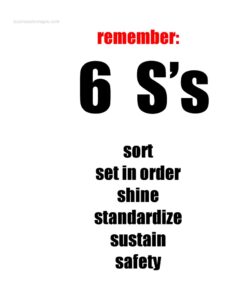
6 S Work Sign
Download a free 6S work sign template in PDF and DOCX to label workplace zones, reinforce the Sort, Set, Shine, Standardize, Sustain, Safety method.
PDF
DOCX
1 downloads
0
likes
Download Files
- DOCX
A 6S work sign is a printable visual display that communicates the six principles of workplace organization — Sort, Set in Order, Shine, Standardize, Sustain, and Safety — right where employees can see them. Teams most often use it to anchor a 6S program on the shop floor, in a warehouse, or in an office area so the standard stays visible every shift. You can download this 6S work sign free in both PDF and DOCX formats, with no signup required.
What Is a 6S Work Sign?
A 6S work sign is a single-page visual aid that lists and explains the six pillars of the 6S lean methodology. It is typically posted by team leaders, continuous improvement coordinators, or safety officers in a designated work zone or 6S information board. The sign documents what each of the six S’s means and reminds everyone of the expected standard for that area. Rather than being a record-keeping form, it functions as an at-a-glance reference and accountability tool. By keeping the method visible, it reinforces daily habits, helps new staff learn the system quickly, and signals to visitors and auditors that the area follows a structured organization standard.
When Do You Need a 6S Work Sign?
The sign earns its place anywhere a team is building or maintaining a 6S culture. Common situations include:
- Launching a 6S program in a manufacturing cell, assembly line, or workshop and needing visible reinforcement of the method.
- Posting on a 6S board alongside audit scores, before/after photos, and improvement tracking.
- Onboarding new employees who need a quick reference for what each S means in their work area.
- Preparing for an audit or customer visit where demonstrating a structured organization system matters.
- Marking a specific zone — such as a tool crib, storage bay, or quality station — that has been organized to the 6S standard.
- Refreshing an existing program that has slipped, using the sign to re-engage the team around Sustain and Safety.
Understanding the Six S’s
The 6S method builds on the traditional 5S system by adding Safety as a sixth pillar. Each element addresses a distinct stage of workplace organization:
- Sort — remove items that are not needed in the work area.
- Set in Order — arrange remaining items so they are easy to find and return.
- Shine — clean the area and inspect equipment as you go.
- Standardize — create consistent procedures so the first three S’s are repeatable.
- Sustain — make the discipline a habit through audits and ownership.
- Safety — embed safe practices and hazard awareness throughout.
What a 6S Work Sign Should Have
An effective 6S work sign is clear, legible from a distance, and tailored to the area where it hangs. Strong signs typically include a bold title identifying it as a 6S display, each of the six S’s with a short definition or expectation, and space to name the specific work area or zone. Many teams add the date the area was last reviewed, the name of the area owner or team responsible, and a place for an audit score or status indicator. Visual cues such as color coding and simple icons help reinforce the message. Above all, the language should be concrete and relevant to the actual tasks performed in that space.
How to Fill Out a 6S Work Sign
Because this is a flexible visual template, customize it to match your area before printing:
- Title: Confirm the heading clearly reads as a 6S work sign so it is unmistakable on the board or wall.
- Work area or zone: Enter the name of the specific location — for example “Packing Station 3” or “Welding Bay” — so the sign is tied to a real space.
- Sort: Add a short line describing what belongs and what should be removed from this area.
- Set in Order: Note how items should be arranged or labeled in this zone.
- Shine: State the cleaning expectation and frequency for the area.
- Standardize: Reference the procedure, checklist, or visual standard staff should follow.
- Sustain: Describe how the standard is maintained, such as a weekly audit.
- Safety: List the key safety reminders or required PPE for the zone.
- Owner and date: Record the responsible person or team and the date last reviewed before posting the sign.
Tips for Posting and Maintaining the Sign
Place the sign at eye level where the team naturally gathers or enters the area. Laminate printed copies or slide them into a display sleeve so they stay clean in industrial environments. Keep the wording short — a sign crammed with paragraphs gets ignored. Update the review date whenever an audit is completed so the sign reflects current status rather than becoming wallpaper. If you run multiple zones, use the DOCX version to create a consistent set of signs with each area’s name and specifics swapped in, giving the whole site a unified look while keeping every sign locally relevant.
Common Mistakes to Avoid
- Using generic text that could apply anywhere — vague signs do not change behavior.
- Posting and forgetting it so the sign never reflects current audits or improvements.
- Overcrowding the layout with so much detail that no one reads it.
- Skipping the Safety pillar, which is the key difference between 5S and 6S.
- No named owner, leaving accountability unclear and the standard likely to slip.
- Printing it too small to read from across the floor where it matters most.
Frequently Asked Questions
What is a 6S work sign used for? It is a visual display that keeps the six principles of workplace organization — Sort, Set in Order, Shine, Standardize, Sustain, and Safety — visible in a work area. Teams use it to reinforce lean habits, onboard new staff, and signal a structured standard to auditors and visitors.
How is 6S different from 5S? The two systems share the first five steps, but 6S adds Safety as a sixth pillar. This addition makes hazard awareness and safe practices an explicit, ongoing part of the organization method rather than an afterthought.
How do I customize the sign for my area? Open the DOCX version, enter your specific work zone name, and write a short, concrete expectation under each of the six S’s that reflects the actual tasks performed there. Add the responsible owner and review date before printing and posting.
Where should I post a 6S work sign? Hang it at eye level at the entrance to the zone it describes or on a nearby 6S information board. Choosing a high-traffic spot ensures the team sees the standard regularly throughout the shift.
Is this 6S work sign template free? Yes. You can download it free in both PDF and DOCX formats from Business Forms Pro with no signup required, and reuse it across as many work areas as you need.
Do I need special software to edit it? The DOCX file opens in common word processors such as Microsoft Word, Google Docs, or LibreOffice, so you can edit text and print it. The PDF version is ready to print as-is if you prefer not to customize.
This 6S work sign template is provided as a general example for informational purposes only and does not constitute safety, regulatory, or professional advice. Workplace safety and organization requirements vary by industry and jurisdiction — consult a qualified safety or operations professional to ensure your program meets all applicable standards.
Related Forms
- Large-Print Guest List
- Pocket Temperature Converter
- Nomination Card
- Accident Claim Worksheet
- Copyright Notice
- Testimonial Form
Browse more in Miscellaneous.