
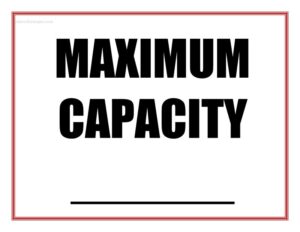
Maximum Capacity Sign
Download a free Maximum Capacity Sign template to clearly post your room's occupancy limit and stay compliant; free PDF and DOCX download, no signup.
PDF
DOCX
10 downloads
0
likes
Download Files
- DOCX
A Maximum Capacity Sign is a posted notice that states the largest number of people legally or safely allowed inside a room, venue, or building at one time. Businesses, event spaces, and facility managers use it most often to comply with fire and occupancy codes and to keep crowds within safe limits. You can download this Maximum Capacity Sign free in both PDF and DOCX formats, with no signup required.
What Is a Maximum Capacity Sign?
A Maximum Capacity Sign is a clearly displayed notice that communicates the occupancy limit for a specific space. It is typically issued or required by a local fire marshal, building department, or safety authority, and it is posted by the owner or manager of the space. The sign documents the number of occupants a room can hold based on its size, exits, and intended use. Its purpose is to prevent dangerous overcrowding, ensure safe and rapid evacuation in an emergency, and demonstrate that the establishment is following posted-occupancy rules. You will see these signs in restaurants, bars, banquet halls, gyms, theaters, classrooms, and conference rooms.
When Do You Need a Maximum Capacity Sign?
Many situations call for posting a clear occupancy limit. Common scenarios include:
- Opening a restaurant, bar, café, or nightclub where a fire inspector requires a posted occupancy number near the entrance.
- Operating a banquet hall, ballroom, or rental event space that hosts weddings, parties, and conferences with fluctuating crowds.
- Running a gym, fitness studio, or yoga room where class sizes must be capped for safety and movement.
- Managing a place of worship, community center, or meeting hall that gathers large groups.
- Setting up a classroom, lecture hall, library, or training room on a campus or in an office building.
- Temporarily limiting occupancy for a pop-up shop, festival tent, or seasonal venue during a busy period.
Types of Maximum Capacity Signs
While the core message is the same, occupancy signs take a few forms depending on the setting. A fixed wall sign is mounted permanently near a main entrance or exit and reflects the official inspected limit. A temporary or adjustable sign may be used by event coordinators who reconfigure a room for different layouts, such as seated dining versus standing reception. Some venues post room-specific signs for each separate space within a larger building. This editable template works for all of these uses because you control the wording, the room name, and the occupancy figure.
What a Maximum Capacity Sign Should Have
To be effective and credible, a Maximum Capacity Sign should include a clear, bold heading that immediately identifies it as an occupancy notice. It should state the exact maximum number of occupants in large, legible type that can be read from a distance. Where applicable, it should name the specific room or area the limit applies to, and it may reference the authority that set the limit, such as the local fire marshal or building code. Good signs also use high-contrast colors and a simple layout so the number stands out. Posting the sign in a visible, well-lit location near the main entrance completes its purpose.
How to Fill Out a Maximum Capacity Sign
This template is intentionally simple so you can customize and post it quickly. Follow these steps:
- Confirm the official number first. Before writing anything, verify the approved occupancy limit from your fire marshal, building permit, or occupancy certificate so the sign reflects the correct figure.
- Enter the maximum capacity number. Type the exact occupant limit in the largest field on the sign so it is the most prominent element.
- Add the room or area name. If the limit applies to a specific space — for example, “Main Dining Room” or “Studio B” — label it clearly.
- Include the issuing authority if required. Reference the fire department or code that established the number, if your jurisdiction requires attribution.
- Adjust the design. Choose bold, high-contrast text so the number is readable from across the room.
- Print and post. Place the finished sign in a conspicuous spot, typically near the main entrance or exit, at eye level.
Posting and Compliance Notes
Occupancy limits are usually established by a local authority based on factors like floor area, the number and width of exits, and the type of activity in the space. Because of this, you generally cannot choose your own number — you must post the figure approved during inspection. Many jurisdictions require the sign to remain posted and visible at all times, and some specify a minimum text size or placement near the exit. Treat overcrowding seriously: exceeding the posted limit can result in fines, citations, or forced closure, and far more importantly, it endangers everyone inside during an emergency. When in doubt about placement or wording, contact your local fire department for guidance.
Tips for an Effective Occupancy Sign
- Use a large, bold font for the number so staff and guests can read it instantly.
- Laminate printed signs in high-traffic or humid areas to keep them durable and legible.
- Post a sign for each separately limited room rather than relying on one general notice.
- Train front-of-house or door staff to track headcounts against the posted number.
- Re-verify the number after any remodel, exit change, or layout reconfiguration.
Common Mistakes to Avoid
- Guessing the number. Never estimate capacity; always use the figure approved by your local authority.
- Hiding the sign. Posting it in a back hallway or behind a door defeats its purpose — keep it visible near the entrance.
- Using tiny text. If the number cannot be read at a glance, the sign fails its safety role.
- Forgetting to update it. Renovations that change exits or floor area can change the legal limit.
- Posting one sign for many rooms. Each distinct space with its own limit needs its own sign.
- Ignoring local format rules. Some jurisdictions dictate wording, size, or placement — check before printing.
Frequently Asked Questions
What is a Maximum Capacity Sign? It is a posted notice that states the largest number of people allowed in a room or building at one time. It is used to prevent overcrowding and to comply with fire and occupancy codes. The sign is typically displayed near the main entrance or exit.
How do I find the correct occupancy number to put on the sign? The number is set by your local fire marshal or building department based on the room’s size, exits, and use. You should obtain it from your occupancy certificate, building permit, or a fire inspection rather than estimating it yourself. If you are unsure, contact your local fire department.
Is posting a Maximum Capacity Sign legally required? In many jurisdictions, assembly and commercial spaces are required to post their approved occupancy limit in a visible location. Specific rules about wording, size, and placement vary by location and building type. Check your local fire and building codes to confirm what applies to your space.
Where should I place the sign? Post it in a conspicuous, well-lit spot, usually near the main entrance or exit and at eye level. The goal is for staff and guests to see it easily. Some codes specify exact placement, so verify local requirements.
Can I edit this template for my own venue? Yes. The template is provided in editable PDF and DOCX formats so you can enter your approved capacity number, add a room name, and adjust the design to suit your space.
How much does this Maximum Capacity Sign cost? It is completely free to download from Business Forms Pro, with no signup or payment required. You can download it in PDF or DOCX, customize it, and print as many copies as you need.
This Maximum Capacity Sign template is a general example provided for informational purposes only and is not legal or safety-code advice. Occupancy requirements, sign formats, and posting rules vary by jurisdiction. Consult your local fire marshal, building department, or a qualified professional to confirm the correct occupancy limit and compliance requirements for your space.
Related Forms
- Customizable Now Hiring Sign
- Job Rejection Letter
- Correct Credit Report
- Fire Escape Plan Template
- Raffle Ticket White
- Volunteer Badges
Browse more in Miscellaneous.