
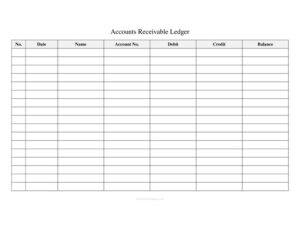
Accounts Receivable Ledger
Track customer balances, invoices, and payments with our free Accounts Receivable Ledger template — free download in PDF and DOCX, no signup needed.
PDF
DOC
8 downloads
0
likes
Download Files
- DOC
An Accounts Receivable Ledger is a running record of the money customers owe your business, showing every charge, payment, and resulting balance for each account. Businesses most often use it to keep track of unpaid invoices and confirm exactly how much each client still owes. You can download this template free in PDF and DOCX, with no signup required.
What Is an Accounts Receivable Ledger?
An Accounts Receivable Ledger is a subsidiary accounting record that tracks amounts owed to a business by its customers. Bookkeepers, small-business owners, freelancers, and accounting staff use it to log every credit sale (a debit to the customer’s account) and every payment received (a credit), so the running balance always reflects the outstanding amount. Unlike the general ledger, which summarizes receivables in a single control account, this ledger breaks the total down customer by customer. It answers the everyday question: “Who owes us money, and how much?” Kept current, it supports accurate invoicing, timely collections, and clean financial statements at month- or year-end.
When Do You Need an Accounts Receivable Ledger?
This ledger becomes essential whenever your business extends credit instead of collecting payment up front. Common situations include:
- Invoicing clients on net terms — when you bill on net-15, net-30, or net-60 and need to track what remains unpaid.
- Managing repeat customers — when the same clients place multiple orders over time and you want one account history per customer.
- Following up on overdue accounts — when you need to know exactly how much a customer owes before sending a reminder or statement.
- Reconciling at period-end — when you close the books monthly or annually and must verify total receivables against the general ledger.
- Applying partial payments — when a customer pays part of a balance and you need to record the credit and recalculate what’s left.
- Preparing for an audit or loan application — when a lender, accountant, or auditor asks for documentation of outstanding receivables.
What an Accounts Receivable Ledger Should Have
A complete and reliable ledger captures enough detail to identify every transaction and reconstruct each account’s balance. The key elements are:
- A sequential entry number so transactions can be referenced and never go missing.
- A transaction date for each charge or payment.
- The customer name and a unique account number to keep records organized.
- A debit column for amounts billed and a credit column for payments and credits.
- A continuously updated balance that shows the amount still owed after each line.
Together these fields create an unbroken audit trail from the first invoice to the final payment.
How to Fill Out an Accounts Receivable Ledger
- No. — Assign a sequential entry number to each transaction line (1, 2, 3…). This keeps the ledger ordered and makes specific entries easy to locate later.
- Date — Enter the date the transaction occurred: the invoice date for a charge or the date funds were received for a payment.
- Name — Record the customer or client name exactly as it appears on the invoice so the account is easy to identify.
- Account No. — Enter the customer’s unique account number. Using a consistent number per customer lets you group every transaction for that client.
- Debit — When you bill the customer or post a new charge, enter the amount here. Debits increase the amount the customer owes.
- Credit — When the customer pays or you issue a credit or adjustment, enter the amount in this column. Credits reduce the balance.
- Balance — After each line, calculate the new running balance: prior balance plus any debit, minus any credit. The final figure shows what the customer currently owes.
Debits, Credits, and the Running Balance Explained
In an accounts receivable ledger, a debit represents money the customer now owes you — typically a sale made on credit or an invoice issued. A credit represents a reduction in what they owe, usually a payment received, a returned item, a discount, or a write-off. The balance is the cumulative result: start with the previous balance, add the new debit, then subtract the new credit. A positive balance means the customer still owes money; a zero balance means the account is settled. Recording every entry in the correct column is what keeps the balance trustworthy. If you ever notice the running balance drifting from reality, retrace the entries line by line — a misplaced debit or credit is the usual culprit.
Tips for Keeping an Accurate Receivable Ledger
Consistency is what makes this ledger useful over time. Update it as soon as you send an invoice or receive a payment rather than letting entries pile up. Keep one account number per customer so their full history stays together, and reconcile the ledger totals against your bank deposits and general ledger at the end of each month. Save a copy of the DOCX version for ongoing edits and export a PDF snapshot at period-end as a fixed record. For businesses with many customers, consider keeping a separate ledger page or section per account so balances are never confused between clients.
Common Mistakes to Avoid
- Putting amounts in the wrong column — entering a payment as a debit instead of a credit inflates the balance and overstates what’s owed.
- Forgetting to update the balance — skipping the running calculation after a line makes the ledger unreliable at a glance.
- Reusing or duplicating account numbers — assigning the same number to two customers mixes their histories together.
- Skipping the entry number — without sequential numbering, missing or out-of-order lines are hard to catch.
- Recording the wrong date — using the entry date instead of the actual transaction date distorts aging and collection timing.
- Never reconciling — failing to compare ledger totals to bank and general-ledger figures lets errors go undetected for months.
Frequently Asked Questions
What is an accounts receivable ledger used for? It is used to track how much each customer owes your business and to record every charge and payment against their account. The running balance tells you, at any moment, the outstanding amount per customer. It also supports invoicing, collections, and end-of-period reconciliation.
How do I record a customer payment? Add a new line with the next entry number and the payment date, enter the customer’s name and account number, and put the amount received in the Credit column. Then recalculate the balance by subtracting the credit from the previous balance. The new balance shows what, if anything, the customer still owes.
What’s the difference between the debit and credit columns? The Debit column records amounts the customer owes you, such as a credit sale or a newly issued invoice. The Credit column records anything that reduces their balance, such as a payment, refund, or discount. Debits raise the balance; credits lower it.
Is this the same as the general ledger? No. The general ledger keeps a single summary control account for total receivables, while this subsidiary ledger breaks that total down customer by customer. At period-end, the sum of all customer balances here should match the receivables figure in your general ledger.
Is the accounts receivable ledger legally binding? The ledger itself is an internal bookkeeping record, not a contract, so it is not “binding” on a customer the way an invoice or signed agreement is. However, it serves as important supporting documentation for the amounts you bill and collect, and it can be referenced in audits, disputes, or financial reporting.
How much does this template cost? It is completely free to download from Business Forms Pro in both PDF and DOCX formats, with no signup or payment required. Use the editable DOCX to maintain ongoing records and the PDF for printing or archiving fixed statements.
This Accounts Receivable Ledger template is a general example provided for informational purposes only and does not constitute legal, financial, accounting, or tax advice. Bookkeeping standards and reporting requirements vary by jurisdiction and business type — consult a qualified accountant or financial professional before relying on it for your records.
Official resource: for the rules that apply to your situation, see the Consumer Financial Protection Bureau.
Related Forms
- Large Check Register
- Date Night Cash Envelope
- Irregular Income Plan
- Credit Memo
- Side Hustle Income Tracker
- Utilities Cash Envelope
Browse more in Money.