
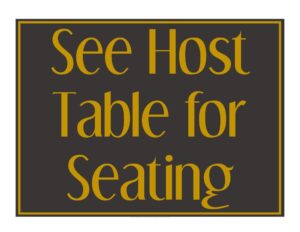
See Host Table Sign
Download a free See Host table sign template in PDF and DOCX to guide restaurant guests to wait for seating—print-ready with no signup required.
PDF
DOC
0
likes
Download Files
- DOC
A See Host table sign is a small, clearly worded notice that tells arriving guests to check in with a host or hostess before sitting down. The single most common reason restaurants use it is to control the flow of seating during busy hours and avoid confusion at the door. You can download this template free in both PDF and DOCX, ready to print without signing up.
What Is a See Host Table Sign?
A See Host table sign is a point-of-entry placard or tent card that politely instructs guests to wait to be seated by a member of staff. It is typically issued and placed by restaurant management at the front entrance, on a host stand, or directly on tables that should remain reserved. The sign documents one simple but important message: do not self-seat. Its purpose is to manage table turnover, honor reservations, balance server sections, and create an organized first impression. While it carries no legal weight, it is a practical operational tool used across cafés, diners, full-service restaurants, banquet halls, and any venue where a host manages seating.
When Do You Need a See Host Table Sign?
This sign is useful any time a restaurant wants guests to wait for direction rather than choosing their own seat. Common situations include:
- Peak dining hours—when waitlists form and the host needs to seat parties in the order they arrive.
- Reservation-heavy nights—to keep walk-ins from occupying tables that are already booked.
- Balancing server sections—so no single server gets overwhelmed while others sit idle.
- Newly cleaned or reset tables—signaling a table is available only through the host, not for self-seating.
- Special events or private functions—where certain areas are reserved and guests must be guided.
- Limited-capacity seating—when spacing, staffing, or kitchen pacing requires controlled flow.
Where to Place the Sign
Position matters as much as wording. A See Host sign works best at the front door or entry vestibule where guests first arrive, on the host stand itself, and as a tent card on individual tables you want to keep clear. Many restaurants use one large entry sign plus several small table tents so the message is reinforced no matter where a guest looks.
What a See Host Table Sign Should Have
An effective See Host table sign is brief, legible from a distance, and friendly in tone. The strongest signs include a clear instruction line such as “Please wait to be seated,” a short directive to “See host” or “See hostess,” and optionally the restaurant’s name or logo for a polished look. Good contrast between text and background, a readable font size, and a courteous closing like “Thank you” all improve effectiveness. If the sign doubles as a table tent, it should stand upright on its own and be sized to sit neatly on a place setting without crowding the table.
How to Fill Out a See Host Table Sign
This template is intentionally minimal, so customizing it takes only a few minutes:
- Add your restaurant name or logo at the top if you want the sign branded; leave it blank for a clean, generic look.
- Set the main headline—the most common wording is “Please Wait to Be Seated” in large, bold type that reads from across the room.
- Write the directive line—choose “Please See the Host” or “Please See the Hostess” depending on your terminology, or use the gender-neutral “See Host.”
- Add an optional supporting line, such as “A member of our team will seat you shortly” to soften the message.
- Include a courteous close like “Thank you for your patience.”
- Adjust the layout for format—keep it portrait for an entry sign or fold it into a tent shape for tabletop use.
- Choose your file—edit the DOCX to change wording and fonts, or print the PDF as-is for an instant solution.
Design Tips for a Professional Look
Because this sign is one of the first things guests see, presentation reinforces your brand. Use a font that matches your menu or signage for visual consistency, and keep the message to as few words as possible—busy signs are ignored. Print on heavier cardstock so a tent card holds its shape, and consider laminating signs that sit at the entrance where they may be touched often. A laminated sign also wipes clean between services and resists spills. If your dining room has dim lighting, increase the contrast and font weight so the message stays readable. Printing a few spares means you can swap out a worn or marked card immediately.
Common Mistakes to Avoid
- Text that’s too small—if guests have to lean in to read it, they will self-seat instead.
- Overloading with words—a paragraph defeats the purpose; keep it to a short, scannable message.
- Placing it where it can’t be seen—hidden behind a plant or below eye level, the sign does nothing.
- A cold or commanding tone—”DO NOT SIT” feels harsh; a polite “Please wait to be seated” sets a welcoming tone.
- Using flimsy paper—a sign that flops over or curls looks unprofessional and stops working.
- Forgetting to remove it—leaving a See Host sign on a table that is open for self-seating sends mixed signals to guests.
Frequently Asked Questions
What is a See Host table sign used for? It directs arriving guests to check in with a host or hostess instead of seating themselves. Restaurants use it to manage the order of seating, honor reservations, and balance the workload among servers, especially during busy periods.
How do I customize the template? Open the DOCX version to change the wording, fonts, colors, or add your logo, then print it on cardstock. If you want a ready-made option, the PDF can be printed immediately with standard “Please Wait to Be Seated” wording.
Should I say “host” or “hostess”? Either works—use whatever matches the language your staff and guests are accustomed to. Many restaurants prefer the gender-neutral “See Host” so a single sign fits any team member on duty.
What size should the sign be? A standard entry or counter sign is often a half-sheet or full letter size for visibility, while tabletop tent cards are smaller so they don’t crowd a place setting. Choose the size based on viewing distance—larger for entrances, smaller for tables.
Is there any cost to use this sign? No. This See Host table sign template is completely free to download in PDF and DOCX with no signup required, and you can reprint it as many times as you need.
Can I laminate the sign? Yes, and it’s recommended for high-traffic placement. Laminating protects the sign from spills and smudges, lets you wipe it clean between services, and keeps it looking crisp far longer than plain paper.
This template is a general example provided for informational and operational convenience only. It is not legal, health, or business advice, and signage or accessibility requirements may vary by location—consult the appropriate authority or a qualified professional for your specific needs.
Related Forms
- No Outside Food Or Drink Sign
- Seat Yourself Sign
- Service Animals Only Sign
- Wait To Be Seated Sign
- No Smoking Sign
- One Check Per Table Sign
Browse more in Restaurant.