
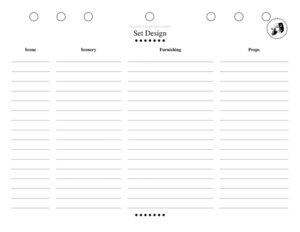
Set Design
Plan your stage scenery with a free Set Design template—organize layouts, materials, and budgets, then download free in PDF or DOCX.
PDF
DOCX
7 downloads
0
likes
Download Files
- DOCX
A Set Design form is a planning document used by theater designers and production teams to map out the scenery, structures, and visual elements of a stage production. It is most commonly used to translate a director’s vision into a concrete, buildable plan that the construction and paint crews can execute. You can download it free in PDF or DOCX—no signup required.
What Is a Set Design Form?
A Set Design form is a structured worksheet that captures every decision about a production’s physical scenery in one place. It is typically created by the scenic designer in collaboration with the director, technical director, and stage manager. The form documents the overall concept, individual set pieces, dimensions, materials, color and finish choices, and how the scenery changes from scene to scene. By organizing this information into a single reference, it keeps the build shop, the lighting team, and the running crew working from the same plan. It also serves as a historical record once the show closes, making it easier to revive, rent, or repurpose pieces for future productions.
When Do You Need a Set Design Form?
This form is useful any time scenery moves from a sketch in someone’s head to a real, budgeted build. Common situations include:
- Mounting a full-length play or musical where multiple scenes require distinct looks or set changes.
- Pitching a concept to a director or producer who needs to see and approve the visual plan before money is committed.
- Handing a build off to a scene shop that needs precise dimensions, materials, and finishes to construct each piece.
- Coordinating with lighting and sound teams who plan around platform heights, masking, and sightlines.
- Touring or transferring a show to a new venue, where pieces must be measured against a different stage footprint.
- Budgeting a community or school production with limited funds, where every material and labor cost must be tracked.
Types of Scenery the Form Can Cover
A single form can document a wide range of elements, from large structural pieces like platforms, walls, and staircases to softer or decorative items such as backdrops, drops, flats, and dressing props. It can also note functional scenery—practical doors, windows that open, or rolling wagons—so the crew knows which pieces require working hardware. Capturing these distinctions early prevents surprises during the build.
What a Set Design Form Should Have
A complete Set Design form ties the creative concept to the practical realities of building and running the show. The strongest versions include a clear identification of the production and scene, a written or sketched description of the visual concept, a labeled list of every set piece, accurate dimensions, a materials and finishes breakdown, color and paint references, scene-change notes, and a budget or cost estimate. It should also indicate who designed it, the version or revision date, and a space for approval so changes are tracked over time. Including sightline and safety notes—weight limits, rail heights, fire-retardant treatment—rounds out the document and protects both cast and crew.
How to Fill Out a Set Design Form
Because productions vary widely, treat the form as a flexible framework and adapt the fields to your show. Work through it in this order:
- Production details: Enter the show title, the producing organization or venue, the director’s name, and the designer’s name so everyone knows whose plan this is.
- Scene or act: Identify which scene the page describes—list act and scene numbers, since most shows need a sheet per setting.
- Concept description: Write a short narrative of the look and mood, the period, and any reference images or inspirations.
- Set pieces: List each element—walls, platforms, furniture, backdrops—with a label or number that matches your ground plan.
- Dimensions: Record width, depth, and height for each piece, plus platform heights and any clearances.
- Materials and finishes: Note lumber, fabric, hardware, and paint colors or textures for each element.
- Scene changes: Describe how pieces move on, off, or transform between scenes, including who handles them.
- Budget: Estimate material and labor costs per piece and total them.
- Approval and date: Add a signature line for sign-off and a revision date to track updates.
Working With the Build Shop and Other Departments
The Set Design form is only as valuable as the conversations it supports. Once you have a draft, walk through it with the technical director to confirm the build is feasible within the schedule and budget. Share it with the lighting designer so they can plan instruments around platform heights and masking, and with the stage manager so scene-change choreography is built into rehearsals. Keep a master copy and reissue it whenever a change is approved, marking the new revision date. Treating the document as a living plan—rather than a one-time sketch—dramatically reduces last-minute scrambles during tech week.
Tips for a Clear, Buildable Plan
- Pair the form with a scaled ground plan and elevations so dimensions are unambiguous.
- Label every piece consistently across the form, the plan, and the physical scenery itself.
- Photograph or sketch reference images and attach them rather than relying on memory.
- Build in a small contingency in the budget for inevitable material overruns.
- Confirm fire-retardant requirements with your venue before specifying fabrics.
Common Mistakes to Avoid
- Vague dimensions: Listing a piece as “large” instead of exact measurements leads to costly rebuilds.
- Ignoring sightlines: Failing to check what the audience and side seats can see can ruin a reveal or expose backstage.
- Forgetting scene changes: A beautiful set that cannot move in time stalls the show—plan transitions on paper first.
- No version control: Crews building from an outdated sheet waste time and materials.
- Underestimating the budget: Leaving out hardware, paint, or labor produces an estimate no one can hit.
- Skipping safety notes: Omitting weight limits, rail heights, or fire treatment puts people at risk.
Frequently Asked Questions
What is a Set Design form used for? It is used to document and communicate the scenery plan for a stage production, including pieces, dimensions, materials, and budget. Designers use it to align the director, build shop, and running crew around a single shared plan. It also serves as a record for reviving or renting the set later.
Who fills out a Set Design form? The scenic or set designer usually completes it, often in close collaboration with the director and technical director. The stage manager and lighting designer may add notes about scene changes and equipment. Final sign-off typically comes from the director or producer.
Is this Set Design template legally binding? No, it is a planning and coordination tool, not a contract. If you are hiring a designer or shop for pay, you would use a separate agreement to define obligations and payment. The form simply documents the creative and technical plan.
Do I need special software to use it? No. The template downloads as a fillable PDF or an editable DOCX, so you can complete it by hand or on a computer. Many designers pair it with a scaled drafting program for the ground plan, but the form itself works on its own.
How much does this Set Design template cost? It is completely free to download from Business Forms Pro in both PDF and DOCX formats. There is no signup, subscription, or watermark. You can reuse and adapt it for as many productions as you like.
Can I use one form for the whole show? You can, but most productions create one sheet per scene or setting so each environment is fully detailed. A single master form can summarize the concept and budget while individual pages handle the specifics. Choose whatever level of detail your build requires.
This Set Design template is provided as a general example for informational purposes only and is not legal, financial, or professional production advice. Building and safety requirements vary by venue and jurisdiction—consult your technical director, venue staff, and any applicable codes or qualified professionals before construction.
Related Forms
- Production Schedule
- Scene Breakdown Action
- Script Breakdown
- Daily Schedule
- Performance Report
- Entrance Exit Tracker
Browse more in Theater.