
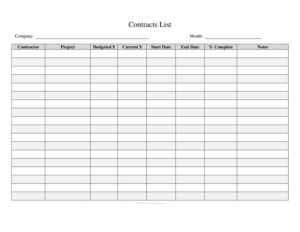
Contracts List
Track every agreement with this free Contracts List template — monitor parties, dates, and renewals at a glance. Free download in PDF and DOCX.
PDF
DOC
3 downloads
0
likes
Download Files
- DOC
A Contracts List is a simple tracking document that records every agreement your organization has signed in one organized place. People most often use it to keep tabs on contract values, key dates, and upcoming renewals so nothing slips through the cracks. You can download this Contracts List free in both PDF and DOCX formats, with no signup required.
What Is a Contracts List?
A Contracts List is a centralized log or register that summarizes all of an organization’s active and expired contracts. Rather than digging through filing cabinets or email threads, a manager, contracts administrator, or business owner can scan a single sheet to see who the agreement is with, what it covers, when it started, and when it ends. It typically captures each contract’s title, the counterparties, effective and expiration dates, contract value, status, and a responsible owner. The document does not replace the signed contracts themselves — it is an index that points to them and surfaces the information you need most for planning, budgeting, and compliance. Both small businesses and large departments rely on a contracts list to stay organized.
When Do You Need a Contracts List?
A contracts list becomes valuable the moment you manage more than a handful of agreements. Common situations include:
- Tracking renewals and expirations: Avoid auto-renewals you didn’t intend and never miss a deadline to renegotiate or cancel a vendor contract.
- Vendor and supplier management: Keep a running register of service agreements, supply contracts, and maintenance deals across multiple providers.
- Budgeting and forecasting: Total up contract values to understand committed spend and recurring obligations for the year.
- Audit and compliance reviews: Provide auditors or leadership a clean summary of all binding agreements and their statuses.
- Onboarding a new contracts owner: Hand a new administrator or manager a single document that explains what’s in force and who’s responsible.
- Due diligence during a sale or merger: Quickly demonstrate the scope of your contractual commitments to a buyer or investor.
Types of Contracts You Might Track
One contracts list can hold many kinds of agreements, and noting the type in each row helps you filter and prioritize. Frequently tracked categories include vendor and supplier agreements, customer or client contracts, employment and contractor agreements, lease and rental contracts, non-disclosure agreements, licensing and subscription deals, and service-level agreements. Grouping or color-coding by type makes it easy to review related obligations together — for example, pulling up every software subscription before annual budget planning, or reviewing all leases before a relocation.
What a Contracts List Should Have
A useful contracts list balances completeness with readability. At minimum, each entry should include the contract name or reference number, the parties involved, the type or category, the effective and expiration dates, the contract value or fee structure, the current status (active, expired, pending, or renewing), and the internal owner responsible for it. A notes column is invaluable for capturing renewal terms, notice periods, and special conditions. A header section identifying the company, the person maintaining the list, and the date last updated keeps the document trustworthy and current.
How to Fill Out a Contracts List
Because this is a flexible log template, you can adapt the columns to your needs. Follow these steps to build a complete, reliable register:
- Add a header: Enter your company or department name, the name of the person maintaining the list, and the date it was last updated.
- Assign a reference number: Give each contract a unique ID so you can cross-reference the signed original quickly.
- Enter the contract name: Use a clear, descriptive title such as “Office Cleaning Service Agreement” rather than a generic label.
- List the parties: Record the counterparty (vendor, client, or partner) and, if helpful, the internal department.
- Note the type: Categorize the agreement — vendor, lease, NDA, employment, and so on.
- Record key dates: Fill in the effective date, the expiration or renewal date, and any notice deadline.
- Capture the value: Enter the total contract value or the recurring fee and billing frequency.
- Set the status: Mark each as active, pending, renewing, or expired.
- Assign an owner: Name the person accountable for the relationship.
- Add notes: Summarize renewal terms, cancellation conditions, or anything that requires future attention.
Tips for Keeping Your Contracts List Accurate
A contracts list is only as good as its upkeep. Schedule a recurring review — monthly or quarterly — to update statuses and confirm that expiration dates are still correct. Sort or filter by expiration date so the soonest deadlines rise to the top, and set calendar reminders ahead of any notice periods. When you add a new contract, link or note the file location of the signed original so the list stays connected to the source documents. If multiple people contribute, agree on consistent naming conventions and status labels so the register stays clean and searchable over time.
Common Mistakes to Avoid
- Letting it go stale: An outdated list is worse than none — assign a clear owner and review date.
- Omitting notice periods: Recording only the expiration date can cause you to miss a cancellation window that closes weeks earlier.
- Inconsistent naming: Vague or duplicate contract names make rows impossible to find later.
- Storing sensitive terms loosely: Contract values and confidential terms should be access-controlled, not shared widely.
- Forgetting expired contracts: Keep historical entries for reference rather than deleting them outright.
- No link to the source: A summary without a pointer to the signed original forces a search every time a question arises.
Frequently Asked Questions
What is a contracts list used for? A contracts list is used to track all of an organization’s agreements in one place, including their parties, values, dates, and statuses. It helps you manage renewals, plan budgets, and respond quickly to audits or due diligence requests. Think of it as an index to your signed contracts rather than a replacement for them.
How do I fill out a contracts list? Start with a header identifying your company and the last update date, then add one row per contract. For each, record a reference number, the contract name, the parties, the type, effective and expiration dates, the value, the status, and the responsible owner. Use the notes column for renewal terms and notice periods.
Is a contracts list a legal document? No — a contracts list is an internal tracking and reference tool, not a binding agreement itself. The actual legal obligations live in the individual signed contracts it summarizes. Always treat the original executed documents as the authoritative source.
How often should I update my contracts list? Review it on a regular schedule, such as monthly or quarterly, and update it whenever a new contract is signed, renewed, or expires. Frequent updates prevent missed renewal deadlines and keep the register reliable for everyone who uses it.
What columns should a contracts list include? Essential columns include reference number, contract name, parties, type, effective date, expiration date, value, status, owner, and notes. You can add or remove columns to fit your business, but keeping these core fields ensures the list stays useful for planning and compliance.
Is this contracts list template free to download? Yes — you can download this contracts list template free in both PDF and DOCX formats, with no signup or account required. The DOCX version is fully editable so you can add columns, rename categories, and adapt it to your workflow.
This Contracts List template is provided as a general example for informational purposes only and does not constitute legal, financial, or contractual advice. Requirements and best practices for managing contracts vary by industry and jurisdiction. Consult a qualified attorney or contracts professional for guidance specific to your situation.
Related Forms
- Inspection Tags
- Birthday Calendar One Page
- Aquarium Maintenance: Schedule & Free Log
- Vehicle Maintenance Log
- Stock Requisition Form
- Inventory Cards
Browse more in Log and Inventory.