
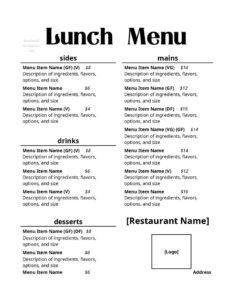
Lunch Menu Casual
Create an appetizing midday menu fast with our casual lunch menu template, organized and easy to edit — free download in PDF and DOCX.
DOCX
2 downloads
0
likes
Download Files
- DOCX
A casual lunch menu is a single-page document that lists the midday food and drink offerings a relaxed eatery serves to guests. Cafes, diners, bistros, and pubs use it to present a focused selection of sandwiches, salads, soups, and lighter mains at lunchtime — and you can download it free in PDF and DOCX, with no signup required.
What Is a Casual Lunch Menu?
A casual lunch menu is a customer-facing list of the dishes and beverages an informal restaurant offers during midday service. Unlike a formal dinner menu with multiple courses and elaborate descriptions, a casual lunch menu is short, scannable, and built for speed — guests often have limited time and want to order quickly. It is typically created by the owner, manager, or chef and printed for tables, posted at a counter, or shared online. The format groups items into clear sections such as starters, sandwiches, salads, mains, sides, and drinks, with prices beside each item. The goal is to make ordering effortless while showcasing your best-selling, profitable lunch plates.
When Do You Need a Casual Lunch Menu?
This template fits any informal venue that serves food in the middle of the day. Common situations include:
- Launching lunch service at a cafe, deli, or coffee shop that previously only sold drinks and pastries.
- Running a weekday lunch special with rotating soups, sandwiches, or a discounted combo for the noon rush.
- Opening a new bistro or diner and needing print-ready menus for tables before day one.
- Refreshing seasonal offerings — swapping in lighter salads for summer or hot bowls for winter.
- Catering and pop-up events where you need a clean handout listing the limited lunch lineup and prices.
- Updating prices after ingredient or labor costs change, without paying a designer for a full redo.
Types of Casual Lunch Menus
Even within casual dining, the menu can take a few shapes. A fixed daily menu lists the same items every day and works for established cafes with a reliable kitchen. A rotating or chalkboard-style menu changes with the day or season and pairs well with a small core list plus daily specials. A combo or prix-fixe lunch menu bundles a main, side, and drink at one price to speed up ordering and raise the average check. This template can be adapted to any of these styles by adjusting the sections and how many items you list.
What a Casual Lunch Menu Should Have
A complete, easy-to-read lunch menu generally includes the following:
- Business name and a short tagline or service hours at the top.
- Clear section headers grouping like items together — starters, salads, sandwiches, mains, sides, desserts, drinks.
- Item names that are appetizing but quick to read.
- Brief descriptions noting key ingredients or preparation.
- Prices aligned neatly beside each item.
- Allergen or dietary icons (vegetarian, vegan, gluten-free) where relevant.
- Add-on and substitution notes, such as extra protein or side swaps.
How to Fill Out a Casual Lunch Menu
This template is a flexible layout you customize section by section. Follow these steps:
- Add your business name and, optionally, a tagline, address, or lunch hours in the header area.
- Name your sections. Replace placeholder headers with the categories you serve, such as Soups & Starters, Salads, Sandwiches, Mains, Sides, and Drinks.
- Enter each item name under the correct section, leading with your most popular or highest-margin dishes.
- Write a short description for each — one line highlighting the main ingredients or what makes it stand out.
- Add the price beside every item, keeping the decimal alignment consistent.
- Mark dietary options with simple icons or letters (V, VG, GF) so guests can scan quickly.
- List add-ons and substitutions, like “add chicken +3” or “sub side salad.”
- Proofread, then export to PDF for printing or keep the DOCX to edit later as prices and dishes change.
Pricing and Menu Design Tips
Smart presentation can lift your lunch sales. Place high-margin items near the top of each section, where eyes land first. Keep descriptions concise — three to seven words per dish is plenty for a casual format. Avoid currency symbols and trailing zeros if you want a cleaner look, but stay consistent across the whole menu. Group combos and specials in their own box so they catch attention. Use whitespace generously; a crowded lunch menu slows down ordering and overwhelms guests who are short on time. Finally, limit the total number of items — a tight, well-curated list is faster to prep, cheaper to stock, and easier for customers to choose from.
Keeping Your Menu Current
Because the template is editable, treat it as a living document. Revisit prices whenever supplier or labor costs shift so your margins stay healthy. Pull dishes that consistently underperform and test new specials in their place. If you print menus in-house, keep the master DOCX file with your branding so updates take minutes. For online use, export a fresh PDF and post it on your website or order platform whenever something changes, and remove sold-out or discontinued items promptly to avoid disappointing guests.
Common Mistakes to Avoid
- Overloading the menu with too many items, which slows the kitchen and confuses guests.
- Forgetting to update prices, leaving outdated numbers that hurt your margins or upset customers.
- Vague item names with no description, so diners cannot tell what they are ordering.
- Inconsistent formatting — mismatched fonts, misaligned prices, or uneven spacing that looks unprofessional.
- Omitting allergen and dietary labels, which both inconveniences guests and creates safety concerns.
- Using tiny or low-contrast text that is hard to read in dim casual dining rooms.
Frequently Asked Questions
What is a casual lunch menu? It is a short, customer-facing list of midday food and drink items served by an informal restaurant, cafe, or diner. It groups dishes into simple sections with prices and brief descriptions so guests can order quickly. It prioritizes speed and readability over the formality of a multi-course dinner menu.
How do I fill out this lunch menu template? Add your business name at the top, rename the section headers to match what you serve, then list each item with a short description and price. Mark any vegetarian, vegan, or gluten-free options, add substitution notes, and export to PDF when finished. The DOCX version lets you reopen and edit it anytime.
Is this lunch menu template really free? Yes. You can download it free in both PDF and DOCX formats with no signup, subscription, or payment required. Use it for as many menu updates and reprints as you need.
Can I edit the menu after downloading? Absolutely. The DOCX file is fully editable in common word processors, so you can change item names, prices, sections, fonts, and colors. Keep the master file on hand so seasonal swaps and price changes only take a few minutes.
How many items should a casual lunch menu have? There is no fixed rule, but a tight selection generally serves a casual venue best — often a handful of options per section. A focused menu speeds up service, reduces food waste, and makes choosing easier for time-pressed lunch guests.
Do I need to list allergens on my menu? Allergen and dietary labeling requirements vary by location and venue type, so check your local food-service rules. As a general best practice, marking common dietary options and noting major allergens helps guests order safely and improves their experience.
This casual lunch menu template is a general example provided for informational purposes only and is not legal, financial, tax, or food-safety advice. Menu labeling, allergen disclosure, and pricing requirements vary by jurisdiction — consult the appropriate local authority or a qualified professional to ensure compliance.
Related Forms
- Bathrooms For Customers Sign
- Brunch Menu
- See Host Table Sign
- Reservations List
- Menu Template
- Smoking Section Sign
Browse more in Restaurant.