
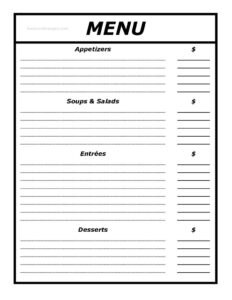
Menu Template
Free printable menu template in PDF & DOCX. A clean, editable layout for restaurants, cafés, and events — add your dishes and prices, then print.
PDF
DOCX
0
likes
Download Files
- DOCX
A menu template is a ready-made layout for listing your food and drink items, their descriptions, and prices in a clean, professional format. This plain, straightforward design works for restaurants, cafés, food trucks, and one-off events. Download it free in PDF or DOCX, add your items, and print. No signup or email required.
What Is a Menu Template?
A menu template is a pre-formatted document that organizes your offerings into readable sections — appetizers, mains, sides, drinks, desserts — with space for item names, short descriptions, and prices. Instead of designing a layout from scratch, you drop your dishes into a structure that’s already spaced and aligned, so the finished menu looks consistent and easy to scan. A good template saves hours and keeps every menu you print looking like it belongs to the same business.
What Makes a Good Menu
A menu isn’t just a list — it’s a sales tool, and small design choices change what guests order. A few principles worth knowing:
- Lead the eye. Diners tend to scan the top of each section first, so place high-margin or signature dishes there.
- Keep it scannable. Short descriptions and clear sections beat dense paragraphs. Most guests decide in under two minutes.
- Limit choice. Too many options cause decision fatigue; tight, well-grouped sections help guests choose with confidence.
- Mind the prices. Prices that line up in a neat column invite price-shopping; tucking the price right after the description keeps focus on the food.
You don’t need a designer to apply these — just a clean template and a little intention.
Menu Sections to Include
Most menus are organized into recognizable groups: starters or appetizers, soups and salads, mains or entrées, sides, desserts, and drinks. Cafés and bars might swap in coffee, breakfast, or cocktail sections. Group related items together and order sections the way people eat — there’s no need to reinvent the structure guests already expect.
When Do You Need a Menu Template?
- Opening a restaurant, café, or food truck and printing a first menu
- Updating prices or rotating seasonal and daily specials
- Catering a wedding, party, or corporate event with a fixed menu
- Creating a simple takeout or delivery menu
- Standardizing the look of menus across multiple locations
How to Build Your Menu
- Add your business name (and logo, if you have one) to the header.
- Create sections for each course or category — starters, mains, drinks, desserts.
- Under each section, enter the item name, a short description, and the price.
- Group related items together and keep descriptions to a line or two for readability.
- Mark dietary notes — vegetarian, gluten-free, spicy — where helpful.
- Review spacing and alignment, then export or print in the size you need.
Pricing and Formatting Tips
Pick one price format and use it everywhere — mixing “$8” and “8.00” looks careless. Drop the dollar sign entirely if you want to soften price focus, a trick many upscale restaurants use. Keep fonts large enough to read in dim dining light, and leave white space so the page doesn’t feel crowded. Print a test copy before a full run to catch spacing problems that only show up on paper.
Common Mistakes to Avoid
- Cramming too many items so the menu feels cluttered and hard to scan
- Inconsistent price formatting across sections
- Descriptions that are too long and slow the reader down
- Forgetting to update prices or remove sold-out items before printing
- Choosing a font size too small to read comfortably
Menu Formats and Sizes
Menus come in several common formats, and the right one depends on how guests will use it. A single-page letter-size menu (8.5×11″) suits cafés and takeout. A bi-fold or tri-fold works when you have more categories and want a tidy, browsable layout. Larger display or poster menus suit counters and quick-service spots where people order standing up. Drink and dessert menus are often half-page inserts so they can change independently of the main menu. Whatever size you choose, leave generous margins — text that runs to the edge looks cramped and is harder to read.
Print vs. Digital Menus
Many businesses now run both a printed menu and a digital one — a PDF linked from a QR code or website. The good news is a single template can feed both: design it once, print copies for the table, and export the same file as a PDF for online use. Keep the two in sync so a guest scanning a code sees the same prices as the printed card. If you update prices often, a digital menu saves reprinting, while a printed menu still feels more substantial in a sit-down setting.
How Often Should You Update Your Menu?
Review your menu whenever your costs, suppliers, or offerings change — at a minimum once or twice a year. Rising ingredient prices quietly erode your margins, so a periodic check keeps pricing realistic. Seasonal menus give regulars a reason to return and let you feature ingredients when they’re at their cheapest and best. When you do update, reprint cleanly rather than crossing out or taping over old prices, which looks unprofessional and undercuts the care you put into the food.
Frequently Asked Questions
Can I edit this menu template? Yes. The DOCX version is fully editable in Word, Google Docs, and most word processors — change the text, fonts, colors, and prices freely.
What formats does it come in? PDF for instant printing and DOCX for editing. Pick whichever fits your workflow.
How do I make a menu from the template? Add your business name, create sections for each course, then enter each item’s name, description, and price. Print a test copy to check spacing before a full run.
Is the menu template really free? Yes — download and print as many copies as you like, with no signup or email required.
What size should I print my menu? Standard letter (8.5×11″) works for most table and takeout menus; scale up for posted or display menus and re-check the spacing afterward.
Related Forms
Catering Menu · Breakfast Menu · Drink Menu · Wine List · Takeout Menu · Specials Menu
This template is provided for general use. Confirm any required allergen or nutrition disclosures for menus in your area before publishing.
Related Forms
Browse more in Restaurant.