
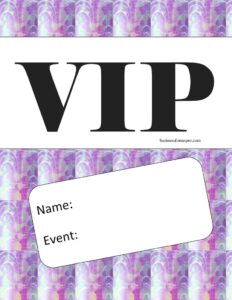
VIP Pass
Create professional access credentials fast with our free VIP Pass template, featuring name and event fields — free download in PDF and DOCX.
PDF
DOCX
6 downloads
0
likes
Download Files
- DOCX
A VIP Pass is a printable credential that grants a named guest special access to an event, area, or experience. Event organizers, venues, and promoters use it most often to identify priority guests at the door and control entry to restricted spaces. You can download this VIP Pass template for free in both PDF and DOCX formats — no signup required.
What Is a VIP Pass?
A VIP Pass is a small printed or badge-style document that identifies its holder as a very important person at a specific event and signals to staff that the bearer is entitled to elevated access or privileges. It is typically issued by an event host, venue manager, or promotional team and given to invited guests, sponsors, performers, media, or contest winners. The pass documents the holder’s name and the event it applies to, making it easy for door staff, security, and hospitality teams to verify who belongs in VIP-only zones. Unlike a standard ticket, a VIP Pass usually conveys perks such as backstage entry, reserved seating, lounge access, or complimentary refreshments.
When Do You Need a VIP Pass?
VIP Passes appear anywhere an organizer wants to recognize and quickly identify special guests. Common situations include:
- Concerts and music festivals — granting backstage, meet-and-greet, or premium viewing access to select attendees.
- Corporate launches and conferences — distinguishing sponsors, keynote speakers, and key clients who get priority seating or a private lounge.
- Sporting events — admitting box-seat holders, hospitality guests, and players’ families to restricted areas.
- Nightclubs and private parties — letting bouncers wave through guests on the host’s list without queuing.
- Charity galas and award shows — recognizing major donors, honorees, and presenters who receive reserved tables.
- Promotional giveaways — handing winners a tangible, named pass for an exclusive experience.
Types of VIP Passes
While this template keeps things simple with a name and an event, VIP Passes can be tailored to fit different needs. A single-day pass covers one event date, while a multi-day or festival pass covers an entire run. An all-access pass typically clears the holder for every zone, whereas a tiered pass (such as “VIP” versus “Premium VIP”) limits access to certain areas. Choosing the right style helps staff apply the correct privileges at a glance.
What a VIP Pass Should Have
A clear, effective VIP Pass should leave no doubt about who the holder is and where the pass is valid. At minimum, include the following elements:
- The guest’s full name so staff can match it to ID or a guest list.
- The event name and, ideally, the date the pass is valid.
- A prominent “VIP” label so the pass is recognizable from a distance.
- The issuing organization, host, or venue branding.
- Space for a signature, stamp, or logo to discourage counterfeiting.
Keeping the layout uncluttered makes the pass easy to scan during a busy entry rush.
How to Fill Out a VIP Pass
This template is intentionally streamlined, so completing it takes only a moment. Follow these steps:
- Enter the guest’s name. In the name field, type the full name of the person who will hold the pass. Use the exact spelling that appears on their ID or guest list so door staff can verify quickly.
- Specify the event. In the event field, write the official name of the event the pass grants access to — for example, “Summer Sound Festival 2025” or “Annual Investor Gala.” Add the date if your version allows.
- Add identifying branding. If you are personalizing the DOCX version, drop in your logo or venue name to make the pass look official.
- Print and distribute. Print the completed pass on cardstock or attach it to a lanyard, then hand it to the named guest before the event.
Because the form fields are minimal, double-check the spelling of both the name and the event before printing a batch.
Tips for Making Passes Harder to Fake
VIP access often comes with valuable perks, which makes passes a target for duplication. To reduce the risk of counterfeits, print on textured or colored cardstock, add a unique design element such as a foil sticker or stamp, and keep a master guest list at the door for cross-checking names. For larger events, consider numbering each pass or adding a QR code that links to your guest database. Briefing your security and hospitality staff on what a genuine pass looks like is just as important as the design itself — even a well-made pass is only useful if the team knows how to verify it.
VIP Pass vs. Standard Ticket
It helps to understand how a VIP Pass differs from a regular ticket. A standard ticket simply confirms paid or authorized general admission, and it usually is not tied to a specific name. A VIP Pass, by contrast, is personalized to a named guest and conveys privileges beyond basic entry — priority lines, restricted-area access, and hospitality benefits. Many events issue both: attendees use a ticket to enter the main venue and a VIP Pass to unlock premium zones inside.
Common Mistakes to Avoid
- Misspelling the guest’s name — a mismatch with their ID can cause delays or denied entry at the door.
- Leaving off the event name — a generic pass with no event reference is hard to validate and easy to misuse.
- Forgetting the date — without a date, a pass can be reused at future events it was not meant for.
- Using flimsy paper — thin printouts tear, smudge, and look unofficial, undermining the VIP experience.
- No anti-counterfeit measures — passes with no stamp, logo, or unique mark are simple to photocopy.
- Failing to brief staff — even perfect passes fail if your team doesn’t know how to check them.
Frequently Asked Questions
What is a VIP Pass used for? A VIP Pass identifies a named guest as entitled to special access or privileges at a specific event. Event staff use it to admit the holder to restricted areas such as backstage zones, lounges, or reserved seating. It also signals priority service from hospitality and security teams.
How do I fill out the VIP Pass template? Enter the guest’s full name in the name field and the official event name in the event field, then add your logo or branding if desired. Print the completed pass on sturdy cardstock and hand it to the named guest. The whole process takes only a minute thanks to the simple two-field layout.
Is a VIP Pass legally binding? No, a VIP Pass is not a legal contract; it is an access credential issued at the discretion of the event host or venue. The privileges it grants are governed by the organizer’s own rules and can be revoked for misconduct. It does not create enforceable rights beyond what the issuer chooses to honor.
Does a VIP Pass need to be signed or stamped? A signature or stamp is not required, but adding one is a smart way to discourage counterfeiting and confirm authenticity. Many organizers include a logo, foil seal, or authorized signature so door staff can spot genuine passes quickly. Pair any of these with a master guest list for the strongest verification.
Can I customize the VIP Pass design? Yes. The DOCX version is fully editable, so you can add your event branding, change colors, include a date or QR code, and adjust the layout to match your event’s look. The PDF version is ready to print as-is if you prefer a quick option.
How much does this VIP Pass template cost? It is completely free to download from Business Forms Pro in both PDF and DOCX formats, with no signup or payment required. You can reuse it for as many guests and events as you like. Simply download, fill in the name and event, and print.
This VIP Pass template is a general example provided for informational purposes only and does not constitute legal, financial, or professional advice. Access policies, event regulations, and venue requirements vary by location and organizer — consult the appropriate professional or authority for guidance specific to your event.
Related Forms
- Table Wait List
- Raffle Ticket White
- 6 S Work Sign
- Volunteer Badges
- Flow Chart
- Change Of Address Form
Browse more in Miscellaneous.