
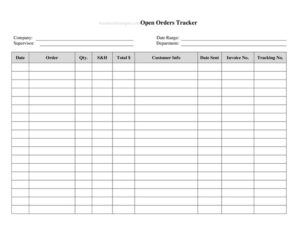
Open Orders Tracker
Track every outstanding purchase and customer order in one place with this free Open Orders Tracker template, available as a free download in PDF and DOCX.
PDF
DOCX
4 downloads
0
likes
Download Files
- DOCX
An Open Orders Tracker is a simple worksheet that lists every order placed but not yet fully received, fulfilled, or paid, so you always know what is still in motion. People most often use it to stay on top of supplier deliveries and customer commitments without losing money to forgotten shipments or unbilled work. It is free to download here in both PDF and DOCX formats, with no signup required.
What Is an Open Orders Tracker?
An Open Orders Tracker is a running log used by business owners, purchasing staff, bookkeepers, and operations managers to monitor orders that are still considered “open” — meaning the transaction has begun but is not complete. That can mean goods ordered from a vendor that have not arrived, or products and services your business owes a customer. The document captures key details for each order: who it is with, what was ordered, the value, the expected date, and its current status. Rather than digging through emails and invoices, you keep one consolidated view that shows outstanding commitments at a glance and helps you manage cash flow, inventory, and customer expectations.
When Do You Need an Open Orders Tracker?
Almost any business that buys or sells on terms benefits from tracking open orders. Common situations include:
- Managing supplier deliveries — you have placed purchase orders and need to know which shipments are late or still pending.
- Fulfilling customer orders — you owe products or services and want to confirm nothing slips past its promised date.
- Month-end and year-end close — your bookkeeper needs a list of unfulfilled or unbilled orders to reconcile accruals and revenue.
- Cash-flow forecasting — you want to estimate upcoming payments owed to vendors and money coming in from customers.
- Inventory planning — knowing what is on order prevents over-ordering stock you already have inbound.
- Handing off work — when a team member is out or leaves, a current tracker keeps everyone informed of pending commitments.
What an Open Orders Tracker Should Have
A useful tracker balances enough detail to be actionable without becoming a chore to maintain. At a minimum, each line should identify the order, the party involved, and where it stands. Strong trackers include an order or PO number for cross-referencing, the order date and expected completion or delivery date, a clear description of the goods or services, the total value, the amount received or paid so far, and a status column (for example: open, partial, delayed, or closed). A notes field is invaluable for recording follow-up actions, backorder reasons, or contact details. A summary line totaling the value of all open orders gives you an instant snapshot of your outstanding exposure.
How to Fill Out an Open Orders Tracker
Because this is a flexible worksheet, fill it in row by row as orders are placed and update the status as they progress:
- Add a heading. At the top, note your business name and the period or date the tracker covers so you know how current it is.
- Enter an order number. Use your purchase order, sales order, or invoice reference for each line so it ties back to source documents.
- Record the order date. Log when the order was placed to measure how long it has been open.
- Name the party. Write the supplier or customer the order is with, plus a contact if helpful.
- Describe the order. Briefly list the goods or services and quantities.
- Enter the value. Note the total amount of the order.
- Add the expected date. Record the promised delivery or completion date.
- Track progress. Note any amount already received, shipped, or paid, and set the status (open, partial, delayed, complete).
- Use the notes column. Capture follow-up actions, tracking numbers, or reasons for delay.
- Close completed rows. Mark orders done once fully received and paid, and total the remaining open value.
Open Purchase Orders vs. Open Sales Orders
It helps to be clear about which side of the transaction each line represents. Open purchase orders are commitments you have made to vendors — money you will owe and goods you expect to arrive. Open sales orders are commitments customers have made to you — products or services you must deliver and revenue you expect to collect. Some businesses keep one combined tracker with a column indicating the order type, while others maintain two separate sheets. Either approach works; the key is consistency so you never confuse what you owe with what is owed to you. Color-coding or grouping by type makes the distinction obvious at a glance.
Tips for Keeping Your Tracker Accurate
A tracker is only as good as its upkeep. Set a recurring time — daily or weekly — to add new orders and update statuses while the information is fresh. Archive closed orders to a separate tab or section rather than deleting them, so you keep a history without cluttering the active view. Sort by expected date to surface what needs attention first, and flag anything overdue. If several people update the tracker, agree on naming conventions and status labels up front to avoid duplicate or conflicting entries.
Common Mistakes to Avoid
- Letting it go stale — an out-of-date tracker is worse than none because it creates false confidence.
- Mixing up purchase and sales orders without a clear label, which distorts your cash-flow picture.
- Omitting the expected date, making it impossible to spot late orders.
- Forgetting to record partial deliveries or payments, so balances look wrong.
- Deleting closed orders instead of archiving them, erasing useful history.
- Skipping the notes field, leaving no record of follow-ups or why an order stalled.
Frequently Asked Questions
What is an Open Orders Tracker used for? It is used to monitor orders that have been placed but not yet completed — either goods you are waiting to receive from suppliers or products and services you owe to customers. The goal is to keep a single, current view of all outstanding commitments so nothing falls through the cracks.
How do I fill out an Open Orders Tracker? Add one row per order with its reference number, date, the party involved, a description, the value, the expected delivery date, and a status. Update the status and any partial amounts as the order progresses, and close the row once it is fully received and paid.
Is an Open Orders Tracker a legal or accounting document? No, it is an internal management tool rather than an official accounting record. It supports your bookkeeping by helping you identify accruals, unbilled work, and outstanding payables and receivables, but your formal accounts and invoices remain the source of truth.
What is the difference between an open order and a closed order? An open order is still in progress — not fully delivered, received, or paid. A closed order is complete: the goods or services have been provided and the payment has settled, so it no longer needs active tracking.
Can I use this for both purchases and sales? Yes. You can track open purchase orders and open sales orders in the same sheet by adding a column to indicate the order type, or keep two separate trackers if you prefer. Just be consistent so you can clearly tell what you owe from what is owed to you.
How much does this Open Orders Tracker cost? Nothing — it is completely free to download from Business Forms Pro in both PDF and DOCX formats, with no signup required. The editable DOCX version lets you add or remove columns to match how your business handles orders.
This Open Orders Tracker template is a general example provided for informational purposes only and is not legal, financial, or tax advice. Bookkeeping and reporting requirements vary by jurisdiction and business type — consult a qualified accountant or professional for guidance specific to your situation.
Official resource: for the rules that apply to your situation, see the Consumer Financial Protection Bureau.
Related Forms
- Monthly Receipts List
- Tax Refund Status Tracker
- List of Accounts
- Accounts Receivable Ledger
- Debt Snowball Form
- Savings Breakdown
Browse more in Money.