
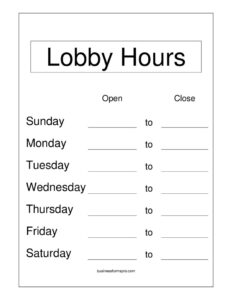
Lobby Hours
Download a free Lobby Hours sign template to clearly post your open and closed times for visitors, available as a free PDF and DOCX download.
PDF
DOCX
0
likes
Download Files
- DOCX
A Lobby Hours sign is a simple posted notice that tells visitors, clients, and customers exactly when your lobby, front desk, or reception area is open and staffed. The most common reason people use one is to set clear expectations at the entrance so no one arrives to a locked door or an empty counter. You can download this template free in both PDF and DOCX formats, with no signup required.
What Is a Lobby Hours Sign?
A Lobby Hours sign is a printed or displayed schedule that communicates the days and times your lobby or public-facing area is accessible. It is typically created and posted by the business, office manager, or building administrator and placed at or near the main entrance, the reception desk, or a glass door. Unlike full business hours, lobby hours specifically describe when the in-person reception area is open — which may differ from phone support hours, drive-through hours, or back-office operating times. The sign documents each day of the week, the corresponding open and closed times, and any notes about holidays, lunch breaks, or appointment-only periods so visitors can plan their visit accordingly.
When Do You Need a Lobby Hours Sign?
A Lobby Hours sign is useful any time foot traffic needs guidance about availability. Common situations include:
- Opening a new office or storefront where visitors need to know when they can walk in.
- Reception areas with limited staffing, such as a clinic front desk that closes for lunch or a leasing office open only certain days.
- Banks, credit unions, and financial offices whose lobby hours differ from drive-up or online hours.
- Government offices, libraries, and municipal buildings with set public-access windows.
- Medical, dental, and professional practices that see patients or clients by appointment during specific blocks.
- Seasonal or holiday adjustments, when you need to temporarily post modified hours or closure dates.
What a Lobby Hours Sign Should Have
A complete and effective Lobby Hours sign should be easy to read from a distance and leave no room for confusion. At minimum, it should include the business or office name so visitors know they are in the right place, a clear day-by-day listing for the full week, and the open and close time for each day. It should also clearly mark days the lobby is closed, rather than leaving them blank. Helpful additions include a heading such as “Lobby Hours,” a contact phone number for after-hours questions, and a small notes area for holiday closures or special instructions. Large, legible type and consistent time formatting (for example, using AM/PM throughout) make the sign instantly scannable for arriving visitors.
How to Fill Out a Lobby Hours Sign
Because this is a flexible display template, you can complete it in just a few minutes. Follow these steps:
- Add your business or office name at the top so the sign is clearly identified with your location.
- Title the sign “Lobby Hours” (or “Reception Hours”) so its purpose is obvious at a glance.
- List each day of the week in order, from Monday through Sunday or Sunday through Saturday.
- Enter the open time and close time for each day, using a consistent format such as 9:00 AM – 5:00 PM.
- Mark closed days clearly by writing “Closed” next to those days instead of leaving them empty.
- Note any breaks or special blocks, such as a midday lunch closure or appointment-only afternoons.
- Add a notes or contact line for holiday closures, an after-hours phone number, or alternate-entrance directions.
- Review, print, and post the finished sign at eye level near your main entrance.
Tips for Displaying Your Lobby Hours
Where and how you post the sign matters as much as the content. Place it on or beside the main door at roughly eye level so visitors see it before they pull the handle. If your door is glass, print on white or light paper so the text stays readable against backlighting, and consider laminating the sign or sliding it into a clear acrylic holder to protect it from weather and wear. For a polished look, match the font and any color accents to your other office signage. If your hours change frequently, keep the editable DOCX file handy so you can update times and reprint in minutes rather than crossing out values by hand.
Keeping Hours Accurate and Up to Date
An out-of-date hours sign frustrates visitors and erodes trust, so build a quick habit of reviewing it. Update the sign whenever you adjust your schedule, add a holiday closure, or change seasonal hours. For recurring closures — national holidays, for instance — you can prepare a temporary version in advance and swap it in a few days early. If your business also lists hours online, on a phone greeting, or on a directory, make sure all of them match the posted sign to avoid sending mixed messages. Consistency across every channel is what makes the posted hours genuinely useful.
Common Mistakes to Avoid
- Leaving closed days blank — always write “Closed” so visitors don’t assume you simply forgot to fill it in.
- Mixing time formats, such as switching between 9 AM and 17:00, which causes confusion.
- Using small or decorative fonts that are hard to read from outside a glass door.
- Forgetting holiday and seasonal exceptions, leaving visitors to arrive on a day you are actually closed.
- Posting hours that contradict your website or voicemail, which makes the business look disorganized.
- Not updating the sign after a schedule change, so the posted times no longer reflect reality.
Frequently Asked Questions
What is a Lobby Hours sign used for? It is used to tell visitors when your lobby, reception, or front-desk area is open and staffed. By posting it at your entrance, you set clear expectations and reduce the chance of someone arriving to a closed or empty office. It is especially helpful when your reception hours differ from your phone or online availability.
How do I fill out the Lobby Hours template? Add your business name and a clear title, then list each day of the week with its open and close times. Mark closed days as “Closed,” add any notes for breaks or holidays, and include a contact line if helpful. Once complete, print it and post it at your main entrance.
Is a Lobby Hours sign legally required? In most cases a lobby hours sign is a courtesy rather than a legal requirement, but some industries or local rules may require posting hours of operation. Requirements vary by jurisdiction and business type, so check any rules that apply to your location. When in doubt, posting accurate hours is good practice regardless.
What’s the difference between lobby hours and business hours? Business hours describe when your company operates overall, while lobby hours specifically cover when the in-person reception area is open to visitors. A business might process orders or answer calls outside its lobby hours, so the two can differ. The sign helps visitors know exactly when they can come in.
Can I edit this template to match my schedule? Yes. The DOCX version is fully editable, so you can change the days, times, business name, and notes, then reprint as often as you need. The PDF version is ready to print if your hours are already final. Both download for free with no account required.
How much does this template cost? The Lobby Hours template is completely free to download from Business Forms Pro in both PDF and DOCX formats. There is no signup, subscription, or hidden fee. You can use it for as many locations or schedule updates as you like.
This Lobby Hours template is a general example provided for informational purposes only and is not legal advice. Posting and signage requirements can vary by jurisdiction and industry — consult a qualified professional if you need guidance specific to your situation.
Official resource: for the rules that apply to your situation, see the U.S. Small Business Administration.
Related Forms
- Purple Appointment Reminder Card
- Market Map Services
- Blue Appointment Reminder Card
- Bank Holidays
- Project Schedule
- Meeting Agenda Simple
Browse more in Office.