
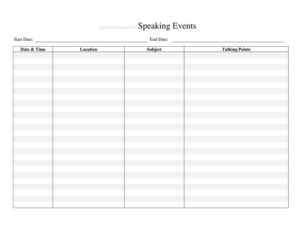
Speaking Events Tracker
Organize every speaking engagement with our free Speaking Events Tracker template, including dates, venues, audiences, and follow-ups — free download in PDF and DOCX.
PDF
DOCX
5 downloads
0
likes
Download Files
- DOCX
A Speaking Events Tracker is a simple organizational document used to log, schedule, and follow up on every speaking engagement a person or campaign commits to. Candidates, advocacy groups, and campaign staff use it to keep dates, venues, audiences, and talking points in one place so nothing slips through the cracks. It is free to download here in both PDF and DOCX formats, with no signup required.
What Is a Speaking Events Tracker?
A Speaking Events Tracker is a working spreadsheet or form that captures the details of each event where a speaker is scheduled to appear — debates, town halls, fundraisers, candidate forums, rallies, and community meetings. It is typically maintained by a scheduler, campaign manager, or the speaker’s own staff. The tracker documents the who, what, when, and where of each appearance, along with logistical needs and post-event notes. In a political context, it helps a campaign coordinate a busy calendar, avoid double-booking, prepare tailored remarks, and measure which appearances generate the most engagement, media coverage, or donor interest.
When Do You Need a Speaking Events Tracker?
The tracker becomes essential whenever the volume of invitations and confirmed appearances grows beyond what one person can hold in their head. Common scenarios include:
- Managing a candidate’s calendar during an active election cycle with multiple events per week.
- Coordinating an advocacy organization’s spokesperson across town halls, panels, and press conferences.
- Tracking fundraising dinners and donor receptions where speaking slots are part of the program.
- Organizing a guest speaker program for a civic group, party committee, or nonprofit board.
- Logging media appearances, podcasts, and radio interviews alongside in-person events.
- Reviewing past engagements to decide where to invest time during the next campaign phase.
Types of Engagements You Might Log
Not every speaking opportunity is the same, and your tracker should reflect that variety. Town halls and candidate forums are interactive and require Q&A preparation. Fundraisers focus on donor relationships and ask amounts. Rallies and endorsements emphasize energy and messaging. Press conferences and media hits demand tight, quotable statements. Recurring community meetings — neighborhood associations, union halls, faith groups — build long-term grassroots support. Tagging each entry by type lets you balance the calendar and prepare the right material for each audience.
What a Speaking Events Tracker Should Have
A useful tracker is more than a list of dates. To stay genuinely helpful, each entry should capture the event name and host organization, the confirmed date and start time, the venue address, the expected audience size and type, the speaking time allotted, the topic or talking points, the contact person with phone and email, the status of the booking (invited, confirmed, declined, completed), logistical needs such as AV equipment or travel, and a post-event notes field for follow-up. A summary view that totals confirmed events by week or by region helps leadership see the big picture at a glance.
How to Fill Out a Speaking Events Tracker
Because this is a flexible template, fill it in column by column for each engagement:
- Event name/title: Enter a clear label such as “Riverside Town Hall” or “County Party Dinner.”
- Host organization: Record the group extending the invitation and any partnering sponsors.
- Date and time: Note the confirmed date, your arrival time, and your scheduled speaking slot.
- Location/venue: Add the full address, room, and parking or entrance instructions.
- Audience: Estimate the size and describe who will attend — voters, donors, members, press.
- Topic/talking points: Summarize the message or theme expected for this audience.
- Contact person: List the organizer’s name, phone, and email for confirmations and changes.
- Status: Mark as invited, pending, confirmed, declined, or completed.
- Logistics/needs: Flag AV, podium, microphone, travel, or accessibility requirements.
- Follow-up notes: After the event, record attendance, reactions, media, and any promised next steps.
Tips for Keeping the Tracker Current
A tracker only works if it stays up to date. Assign one person — usually a scheduler or campaign manager — to own it and update it daily. Color-code or filter by status so confirmed events stand out from tentative ones. Add a buffer between back-to-back appearances to account for travel and prep time. Sync the tracker with the speaker’s personal calendar and share a read-only version with the broader team so volunteers and surrogates know where the candidate will be. Review the tracker at a weekly planning meeting to reassign priorities and decline events that no longer fit the strategy.
Using the Tracker for Compliance and Reporting
Speaking engagements can carry reporting implications, especially fundraising events where contributions are solicited. Keeping accurate records of dates, hosts, and the nature of each event makes it easier to coordinate with your finance and compliance teams when filing required disclosures. The tracker is not a substitute for official campaign finance records, but a well-kept log of appearances provides a reliable reference when reconciling calendars, expenses, and donor touchpoints. Always verify reporting obligations with your treasurer or compliance counsel, since rules vary by jurisdiction and by the type of organization.
Common Mistakes to Avoid
- Leaving the status field blank, so the team cannot tell confirmed events from tentative ones.
- Failing to record a contact name and phone number, which makes last-minute changes hard to manage.
- Double-booking by not checking the tracker before accepting a new invitation.
- Skipping the follow-up notes, losing valuable insight about which audiences responded best.
- Forgetting to log travel time and logistics, leading to late arrivals or missing equipment.
- Keeping multiple disconnected copies instead of one shared, authoritative version.
Frequently Asked Questions
What is a Speaking Events Tracker used for? It is used to organize and monitor every speaking engagement a candidate, spokesperson, or organization commits to. The tracker keeps dates, venues, audiences, talking points, and follow-up details in one place so the schedule stays coordinated and no event is overlooked.
Who should maintain the tracker? Typically a scheduler, campaign manager, or executive assistant owns the document and updates it daily. Giving one person responsibility prevents conflicting versions, and sharing a read-only copy keeps the wider team informed of where and when the speaker will appear.
How do I fill out the tracker? Create one row for each engagement and complete the columns for event name, host, date and time, location, audience, topic, contact, status, logistics, and follow-up notes. Update the status as bookings move from invited to confirmed to completed, and add post-event notes promptly while details are fresh.
Is this tracker only for political campaigns? No. While it is well suited to campaigns and advocacy work, the same template works for nonprofit spokespeople, association leaders, professional speakers, and anyone juggling multiple appearances. You can rename columns to fit your context without changing the underlying structure.
Does using a Speaking Events Tracker create any legal obligations? The tracker itself is just an organizational tool and carries no legal weight. However, the events you log — especially fundraisers — may trigger reporting or disclosure rules, so coordinate with your treasurer or compliance team and confirm the requirements that apply to your situation.
How much does this template cost? Nothing. The Speaking Events Tracker is completely free to download from Business Forms Pro in both PDF and DOCX formats, with no signup or account required. You can edit the DOCX version to add or remove columns to match your workflow.
This template is a general example provided for informational purposes only and does not constitute legal, financial, or campaign-compliance advice. Requirements for event reporting and disclosures vary by jurisdiction and organization type — consult a qualified professional or your compliance counsel before relying on it.
Related Forms
- Campaign Endorsement Request Letter
- Campaign Donation Request Letter
- Candidates Comparison Chart
- Talking Points
- Candidate Favorability
- Exit Poll
Browse more in Political.