
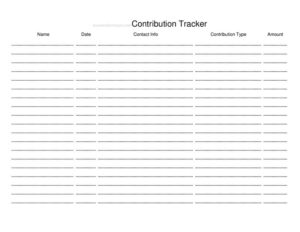
Contribution Tracker
Use this free Contribution Tracker template to log political donations, donor details, and dates accurately, with a free download in PDF and DOCX.
PDF
DOCX
7 downloads
0
likes
Download Files
- DOCX
A Contribution Tracker is a simple recordkeeping document used to log donations received by a political campaign, committee, or candidate, capturing who gave, how much, and when. The most common reason people use one is to keep an accurate, audit-ready record of every contribution so reporting deadlines and disclosure thresholds are met. You can download this Contribution Tracker free in both PDF and DOCX formats, with no signup required.
What Is a Contribution Tracker?
A Contribution Tracker is a log maintained by a campaign treasurer, finance volunteer, or committee staffer to document each individual or organizational donation as it arrives. It records essential details such as the donor’s name, contact information, contribution amount, payment method, and date received. Because political fundraising is closely regulated, this tracker serves as the working ledger behind official disclosure reports. It helps confirm that contributions stay within legal limits, that donor occupation and employer details are collected where required, and that nothing slips through the cracks during a busy campaign cycle. Whether you run a small local race or a large committee, a clear tracker keeps your finance operation organized and transparent.
When Do You Need a Contribution Tracker?
Almost any organized fundraising effort benefits from a dedicated tracker. Common situations include:
- Running a candidate campaign and needing to log every check, cash gift, or online donation as it comes in.
- Managing a political action committee or ballot-measure committee that receives recurring contributions.
- Preparing for periodic disclosure filings and reconciling totals against bank deposits.
- Verifying that no single donor exceeds the applicable contribution limit across multiple gifts.
- Collecting required donor information — such as occupation and employer — for contributions above a reporting threshold.
- Responding to an audit or inquiry, where a clean, dated record demonstrates good-faith compliance.
What a Contribution Tracker Should Have
A complete tracker should capture enough detail to support both internal bookkeeping and external reporting. At minimum, it should include the donor’s full name and contact details, the contribution amount, the date received, and the payment method. For larger gifts, fields for the donor’s occupation and employer are typically necessary. A running total or cumulative column helps you monitor aggregate giving per donor, and a notes column lets you flag refunds, in-kind gifts, or pending items. Including the committee or campaign name and the reporting period at the top keeps each sheet clearly identified.
How to Fill Out a Contribution Tracker
This template is designed to be quick to complete as donations arrive. Work through it row by row:
- Label the sheet. At the top, enter your campaign or committee name and the reporting period this log covers.
- Record the date received. Use the actual date the contribution was received, not the date written on a check.
- Enter the donor’s name. Write the full legal name of the individual or the registered name of the organization.
- Add contact information. Include the mailing address, email, or phone so you can follow up and meet disclosure requirements.
- Note the amount. Record the exact contribution amount in the amount column.
- Specify the payment method. Indicate whether the gift was cash, check, card, or an online platform, and note any reference number.
- Capture occupation and employer. For contributions above the applicable threshold, fill in the donor’s occupation and employer.
- Update the running total. Add the new gift to the donor’s cumulative amount to monitor limits.
- Use the notes column. Flag in-kind donations, refunds, or anything needing review later.
Keeping Your Records Reconciled and Report-Ready
The value of a Contribution Tracker comes from consistent, timely entry. Log contributions as soon as they arrive rather than in batches at deadline, when memory and paperwork tend to be unreliable. Periodically reconcile the tracker against your bank deposits so the totals match to the dollar; discrepancies are far easier to resolve while the transaction is recent. When a filing period closes, your tracker should map directly onto the line items in your official disclosure report. Keep supporting documentation — copies of checks, online receipts, and correspondence — filed alongside the tracker. Many campaigns assign one person to own the tracker to avoid duplicate or conflicting entries, and back up the file regularly so a single mishap never erases your records.
Monitoring Limits and Required Donor Information
Contribution limits and disclosure rules vary widely depending on the jurisdiction and the type of election. Because a single donor may give multiple times, the cumulative column is especially important: a series of small gifts can add up to or exceed a legal cap. Use the tracker to watch each donor’s aggregate total and to identify when occupation and employer information becomes mandatory. If you ever receive a contribution that appears to exceed a limit or comes from a prohibited source, note it in the tracker and address it promptly — typically by refunding the excess and documenting the refund. The goal is a transparent trail showing that every gift was reviewed and handled appropriately.
Common Mistakes to Avoid
- Logging gifts late. Waiting until a deadline invites errors and missed entries — record as you go.
- Skipping occupation and employer. Omitting these for larger gifts can create reporting gaps that are hard to fix later.
- Forgetting to reconcile. If the tracker doesn’t match deposits, the difference can snowball across reporting periods.
- Ignoring cumulative totals. Tracking only single gifts hides when a donor crosses a contribution limit.
- Mixing in-kind and cash entries. Treat non-cash contributions distinctly and flag them clearly in the notes.
- Letting multiple people edit one copy. Uncontrolled edits cause duplicates and conflicting figures.
Frequently Asked Questions
What is a Contribution Tracker used for? It is a working ledger for recording political donations as they are received, including donor details, amounts, dates, and payment methods. Campaigns and committees use it to stay organized and to prepare accurate disclosure reports. It also helps confirm that contributions remain within applicable limits.
How do I fill out a Contribution Tracker? Label the sheet with your campaign name and reporting period, then add one row per contribution with the date received, donor name, contact information, amount, payment method, and — for larger gifts — occupation and employer. Update the cumulative total and use the notes column for anything that needs follow-up. Enter each gift promptly for the most reliable records.
Is a Contribution Tracker a legal filing? No, the tracker itself is an internal recordkeeping tool, not an official report submitted to a regulatory agency. However, it provides the underlying data you use to complete required disclosure filings. Keeping it accurate makes those filings much easier and more defensible.
What donor information should I collect? At minimum, record the donor’s full name, contact details, the amount, and the date. For contributions above certain thresholds, you typically also need the donor’s occupation and employer. Requirements vary by jurisdiction, so confirm what applies to your race or committee.
How much does this Contribution Tracker cost? This template is completely free to download from Business Forms Pro in both PDF and DOCX formats. There is no signup, subscription, or hidden fee. You can edit the DOCX version to match your committee’s specific needs.
How long should I keep contribution records? Retention rules vary by jurisdiction, but many campaigns keep contribution records for several years after an election in case of audits or inquiries. It is good practice to retain the tracker along with supporting receipts and bank records. Check your local requirements for the exact retention period.
This Contribution Tracker template is provided as a general example for informational purposes only and is not legal, financial, or campaign-compliance advice. Contribution limits, disclosure thresholds, and recordkeeping requirements vary by jurisdiction and election type. Consult a qualified campaign-finance professional or your relevant election authority to ensure full compliance.
Related Forms
- Contributor Mailing List
- Candidate Information Form
- Opponent Information Form
- Voting Demographics By Age
- Campaign Donation Request Letter
- Voting Demographics By Affiliation
Browse more in Political.