
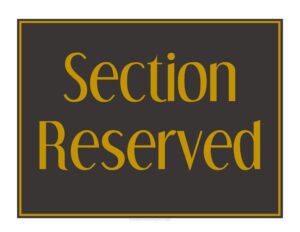
Section Reserved
Download a free Section Reserved sign template in PDF and DOCX to clearly mark off booked areas, private events, and held tables in your restaurant.
PDF
DOC
0
likes
Download Files
- DOC
A Section Reserved sign is a simple printed notice that tells guests and staff that a defined area of a restaurant, bar, or event space has been set aside and is not available for general seating. The most common reason people use it is to hold a block of tables for a party, private function, or scheduled booking. This template is free to download in both PDF and DOCX, with no signup required.
What Is a Section Reserved Sign?
A Section Reserved sign is a tabletop or posted notice issued by restaurant management to mark a portion of the dining room as off-limits to walk-in guests. It documents, in a quick visual way, that the space is being held for a specific purpose or party at a specific time. Hosts, servers, and bussers rely on it to keep reserved areas clear, while customers use it to understand why a cluster of tables is empty. Unlike a formal reservation log, the sign lives on the floor where guests can see it, communicating intent at a glance and reducing the number of seating questions staff have to field during a busy service.
When Do You Need a Section Reserved Sign?
- Group bookings: A party of twelve has reserved several pushed-together tables for a birthday dinner at 7:00 p.m.
- Private events: A corporate luncheon, rehearsal dinner, or fundraiser has bought out a back room or patio section.
- Repeat regulars or VIPs: A standing weekly reservation needs a consistent area held without explanation each time.
- Staff staging: Tables set aside for a banquet line, buffet setup, or server station during a special service.
- Maintenance or cleaning: A section temporarily closed for floor repair, deep cleaning, or seasonal setup that staff want clearly marked.
- Overflow control: Holding a section in reserve during a rush so the kitchen and servers can pace incoming guests.
Types of Reserved Sections
Not every reserved area is the same, and the sign you place can carry different meaning. A fully reserved section is closed entirely to walk-ins until the booked party arrives. A partially reserved arrangement holds only certain tables while leaving neighbors open. A time-limited reservation frees the section after a set hour if the party has not shown. Matching the wording on your sign to the type of hold prevents confusion among the host stand, the floor staff, and arriving guests.
What a Section Reserved Sign Should Have
An effective sign is readable from a distance and answers the obvious questions before a guest has to ask them. At minimum it should include the word Reserved in large type, the name or party the section is held for, the reservation time, and optionally the number of the section or table block. Adding the host or manager contact, or a short line such as “Please see the host for seating,” directs guests politely. Clean spacing, a bold font, and your restaurant’s name or logo make the notice look intentional rather than improvised.
How to Fill Out a Section Reserved Sign
- Add your restaurant name or logo at the top so the sign looks official and on-brand.
- Write the headline “Section Reserved” in the largest available type so it reads across the room.
- Enter the reserved-for name or party, such as a guest’s last name, company, or event title.
- Fill in the reservation date and time, including a start time and, if relevant, an end or release time.
- Note the section or table numbers covered so staff know exactly which seats are held.
- Record the party size if it helps servers prepare place settings and high chairs.
- Add a guest instruction line, like “Please ask the host to be seated,” so walk-ins know what to do.
- List a staff or manager contact for questions, then print, place the sign on the table or stand, and remove it once the party is seated.
Placement and Reuse Tips
Where you place the sign matters as much as what it says. Stand it upright in a folded tent or slip it into a clear acrylic holder so it stays visible above table settings and glassware. For a long reserved row, use one sign at each end rather than a single notice in the middle. Because the DOCX version is editable, you can save a master copy and change only the name and time for each booking, then reprint. Laminating a printed copy lets you write party details in dry-erase marker and wipe it clean for the next service, which is handy for high-volume venues.
Common Mistakes to Avoid
- Leaving stale signs out: Forgetting to remove a sign after the party is seated makes nearby open tables look unavailable.
- Vague wording: A sign that just says “Reserved” with no time invites guests to ignore it or argue.
- Tiny print: Text that can’t be read from a few feet away defeats the purpose of a visual notice.
- Wrong table count: Marking too few or too many seats throws off both seating and the kitchen’s prep.
- No release plan: Holding a section indefinitely with no cutoff time wastes capacity if the party is a no-show.
- Inconsistent signs: Mixing handwritten scraps with printed notices makes the dining room look disorganized.
Frequently Asked Questions
What is a Section Reserved sign used for? It is a printed notice that marks a defined area of a restaurant as held for a specific party, event, or purpose. It keeps walk-in guests from seating themselves in tables that are already promised and helps staff manage the floor. The sign communicates the reservation at a glance without anyone having to check a booking log.
How do I fill out the Section Reserved template? Add your restaurant name, the headline, and then enter the party name, the date and time, the table or section numbers, and an optional party size. Include a short instruction telling guests to see the host, and add a staff contact if needed. Print it, place it on the reserved table, and remove it once the party arrives.
Is this Section Reserved template free? Yes. You can download it free in both PDF and DOCX formats with no signup or account required. The PDF is ready to print as-is, while the DOCX lets you edit the wording, add a logo, and reuse it for future bookings.
Can I customize the sign for my restaurant? Absolutely. The editable DOCX version lets you change fonts, insert your logo, adjust colors, and tailor the wording to match your venue’s tone. You can create one master version and simply swap in new party names and times for each reservation.
Does a Section Reserved sign create a legal obligation? No. It is an internal operational and customer-service tool, not a contract. Any actual obligations between you and a booking party come from your reservation policy or event agreement, not from the sign itself.
How long should I leave the sign on the table? Keep it in place until the reserved party is seated, then remove it promptly so the space looks available again. If you set a release time and the party does not arrive, take the sign down at that cutoff so the tables can be turned to other guests.
This template is provided as a general example for informational purposes only and does not constitute legal, financial, or business advice. Restaurant policies and local regulations vary by jurisdiction, so consult a qualified professional for guidance specific to your operation.
Related Forms
- Refrigerator Temperature Log
- Minimum Internal Temperature Chart
- One Check Per Table Sign
- Happy Hour Menu
- Alcohol Refusal Tracker
- Recipe Food Costing Worksheet
Browse more in Restaurant.