
New Benefits Announcement
Download a free New Benefits Announcement letter template in PDF and DOCX to inform employees about updated benefits clearly and professionally — free download.
PDF
DOCX
4 downloads
0
likes
Download Files
- DOCX
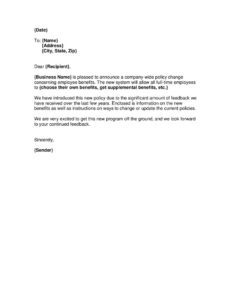
A New Benefits Announcement is a formal letter an employer sends to employees to introduce a company-wide change to its employee benefits program. People most often use it to roll out a new or improved benefits package — such as letting staff choose their own coverage or adding supplemental options — in a clear, written, and consistent way. You can download this New Benefits Announcement template free in PDF and DOCX, with no signup required.
What Is a New Benefits Announcement?
A New Benefits Announcement is a written communication, typically signed by HR, management, or a company executive, that notifies employees of an update to their benefits offering. It documents what is changing, who is eligible, why the change was made, and where employees can find more detail. The letter is usually sent alongside enclosed materials — plan summaries, enrollment forms, and instructions for updating elections. Unlike a casual email, this formal letter creates a clear, dated record that the same message reached every recipient. It sets a positive, professional tone and signals that the organization values employee feedback and is investing in its workforce.
When Do You Need a New Benefits Announcement?
This letter is useful any time you need to communicate a meaningful benefits update to your team. Common scenarios include:
- Introducing a flexible benefits plan that lets full-time employees choose their own coverage rather than accepting a fixed package.
- Adding supplemental benefits such as dental, vision, life insurance, mental health support, or wellness programs.
- Switching insurance carriers or plan administrators and explaining what employees should expect during the transition.
- Responding to employee feedback gathered through surveys or reviews over the past few years, showing that leadership listened and acted.
- Opening a new enrollment or change window where staff must review and update their current elections by a deadline.
- Onboarding after a merger or growth milestone when benefits are being standardized across a larger workforce.
What a New Benefits Announcement Should Have
A complete announcement letter leaves no room for confusion. At minimum, it should include the date and the recipient’s name and mailing address; a warm opening that states the purpose; a clear description of the new benefit or policy change; the eligibility criteria (for example, full-time employees); the reason behind the change; a reference to any enclosed materials or instructions; and a closing with the sender’s name and title. Including a contact point for questions and a deadline for action — if one applies — makes the letter far more practical and reduces follow-up inquiries from confused employees.
How to Fill Out a New Benefits Announcement
- Date: Enter the date you are sending the letter so there is a clear record of when the announcement went out.
- Recipient details: Fill in the employee’s {Name}, {Address}, and {City, State, Zip}. For mass distribution, use a mail-merge so each letter is personalized.
- Salutation: Replace {Recipient} with the employee’s name, for example “Dear Maria.”
- Business name: Insert your {Business Name} where the letter announces the company-wide policy change.
- Describe the change: Complete the bracketed phrase ({choose their own benefits, get supplemental benefits, etc.}) with the specific update that applies to your program.
- Explain the reason: The template references feedback received over recent years — keep or adapt this to reflect why you made the change.
- Reference enclosures: Confirm you are attaching benefits information and instructions for changing or updating current policies, then actually include them.
- Sign off: Add the {Sender} name and title in the closing so recipients know who to contact.
Tips for a Clear, Well-Received Announcement
The way you frame a benefits change matters as much as the change itself. Lead with the positive impact for employees rather than internal logistics. Use plain language and avoid insurance jargon — terms like “deductible” or “premium” should be explained in the enclosed materials. If employees need to take action, state the deadline prominently and repeat it. Whenever possible, name a specific person or HR inbox for questions so staff are not left guessing. A short, enthusiastic tone that acknowledges employee feedback builds trust and increases the odds that people actually read the enclosures and complete any required steps.
How It Differs From an Enrollment Form
A New Benefits Announcement is informational — it tells employees what is changing and points them toward next steps. It is not the document employees use to actually select or change their coverage. Those elections happen on a separate enrollment or change form, which the announcement should reference as an enclosure. Keeping the two documents distinct prevents the announcement from becoming cluttered and ensures your records clearly separate the message from the binding elections employees submit.
Common Mistakes to Avoid
- Leaving placeholders unfilled: Sending a letter that still says {Business Name} or {Recipient} looks careless and undermines the message.
- Being vague about the change: “We’re improving benefits” is not enough — state exactly what is new and who qualifies.
- Forgetting the enclosures: The letter promises information and instructions; omitting them frustrates employees and floods HR with questions.
- Omitting a deadline or contact: If action is required, missing dates and contacts leads to incomplete enrollments.
- Using an overly legalistic tone: A benefits announcement should feel welcoming, not like a compliance notice.
- Skipping a proofread: Errors in eligibility or dates can create real confusion about who is covered and when.
Frequently Asked Questions
What is a New Benefits Announcement letter? It is a formal letter employers send to notify employees of a change or improvement to their benefits program. It explains what is new, who is eligible, why the change was made, and where to find enrollment details. It is meant to inform, not to collect coverage elections.
How do I fill out the template? Add the date, recipient name and address, your business name, and a clear description of the new benefit. Explain the reason for the change, reference the enclosed materials and instructions, then sign with the sender’s name and title. Replace every bracketed placeholder before sending.
Is this letter legally binding? The announcement itself is informational and generally does not create a binding contract — it communicates a policy change. The actual benefits terms are governed by the underlying plan documents and any enrollment forms employees complete. Always make sure the announcement matches your official plan details.
Should I send it by mail or email? Either can work, and many employers send both for reach and documentation. The template includes a mailing address block, which is ideal for a printed letter or PDF attachment. Mail or a confirmed delivery method is useful when you want a clear record that every employee received the notice.
Do I need to include a deadline? Only if employees must take action, such as enrolling or updating elections by a certain date. When a deadline applies, state it clearly and repeat it near the enclosed instructions. If no action is required, simply invite questions and feedback.
How much does this template cost? Nothing — this New Benefits Announcement template is completely free to download in both PDF and DOCX formats with no signup required. You can edit the DOCX version to match your company’s voice, branding, and specific benefits change.
This template is a general example provided for informational purposes only and is not legal, financial, tax, or HR advice. Employee benefits and notice requirements vary by jurisdiction and by plan. Consult a qualified professional or your benefits administrator to ensure your communication and program comply with applicable rules.
Need to work out sales tax? Use our free Sales Tax Calculator to add or remove sales tax from any amount in seconds.
Official resource: for the rules that apply to your situation, see the U.S. Small Business Administration.
Related Forms
- Acceptance Of Defective Goods letter
- Livestock Bill Of Sale
- Amortization Schedule
- Exercise Option
- Competitive Analysis
- Price Quotes List
Browse more in Sales.