
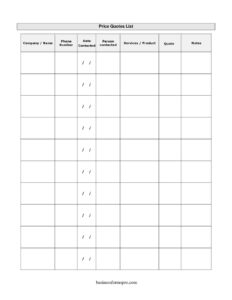
Price Quotes List
Use this free Price Quotes List template to compare vendor prices, contacts, and notes side by side — free PDF and DOCX download, no signup.
PDF
DOCX
1 downloads
0
likes
Download Files
- DOCX
A Price Quotes List is a simple comparison sheet for recording and ranking the prices you collect from different vendors, suppliers, or service providers. People use it most often to gather several quotes on the same product or service so they can compare options side by side and choose the best value. You can download it free here in both PDF and DOCX formats, with no signup required.
What Is a Price Quotes List?
A Price Quotes List is a tracking document that captures every quote you request during a buying or sourcing decision. Instead of digging through emails, voicemails, and scraps of paper, you log each vendor’s name, contact details, what they offered, and the price they quoted on a single organized sheet. It’s used by small business owners, office managers, procurement staff, event planners, and households comparing contractors. The form documents who you spoke to, when, what was discussed, and the figures involved — giving you a clear, dated record to support a confident purchasing choice and to reference if a vendor later disputes what they promised.
When Do You Need a Price Quotes List?
This form is useful any time more than one supplier could meet your need and price matters. Common situations include:
- Sourcing a recurring supply — comparing office supply vendors, packaging suppliers, or wholesale distributors before signing on.
- Hiring a service provider — collecting bids from contractors, cleaners, printers, web designers, or marketing agencies.
- Planning a one-time event — gathering catering, venue, rental, or AV quotes for a conference or company party.
- Replacing equipment — pricing the same machine, software license, or vehicle across several dealers.
- Budgeting and approvals — giving a manager or finance team documented quotes to justify a spending request.
- Annual contract renewals — checking whether your current vendor still offers competitive pricing against the market.
What a Price Quotes List Should Have
A useful quotes list keeps every entry consistent so comparisons are fair. Each row should identify the vendor clearly, show how and when you reached them, describe exactly what was quoted, and record the price in a comparable unit. The strongest lists also capture context — turnaround time, warranty, minimum order, or whether tax and shipping are included — in a notes field. Without these details, two quotes that look identical on price may actually be very different deals. A dated record also protects you, since verbal quotes can change. Keeping all entries on one sheet, rather than scattered across messages, is what turns raw numbers into a decision you can defend.
How to Fill Out a Price Quotes List
Work through one vendor at a time, completing each column before moving to the next row:
- Company/Name: Enter the business name or the individual you contacted, such as “Acme Printing” or “Jordan Lee, freelance designer.”
- Phone Number: Record the direct line or mobile number you used, so follow-up calls are quick.
- Date Contacted: Write the date you requested or received the quote. This matters because prices and availability shift over time.
- Person Contacted: Note the specific rep, owner, or salesperson you spoke with — helpful when you call back and need the same person.
- Services/Product: Describe exactly what was quoted, including quantity, size, or specification, so each row reflects the same scope.
- Quote: Enter the price they gave. Use a consistent format and unit (per item, per hour, or total) across all rows so the numbers line up.
- Notes: Capture anything that affects value — lead time, warranty, deposit required, whether tax or delivery is included, or whether the quote expires.
Tips for Getting Comparable Quotes
The most common reason a quotes list misleads is that the quotes aren’t truly apples-to-apples. Give every vendor the same written brief — same quantity, same specifications, same deadline — before you ask for a number. Confirm whether each quote is a firm price or an estimate, and ask whether taxes, shipping, setup, or recurring fees are included. Note quote expiration dates in your notes column, since many offers are only valid for a set window. Finally, don’t choose on price alone: a slightly higher quote with faster turnaround, a warranty, or better reviews often delivers more value, and your notes field is where those tie-breakers live.
Using Your List to Make a Decision
Once your sheet is full, scan the Quote column for the obvious high and low, then read the Notes to understand why they differ. Highlight or star your top two or three candidates and follow up by phone — using the Person Contacted name — to confirm details or negotiate. Keep the completed list even after you decide; it documents your due diligence for managers or finance, and becomes a head start the next time you need the same product or service. If you reuse the DOCX version, save a fresh copy for each project so you don’t overwrite past research.
Common Mistakes to Avoid
- Comparing different scopes: Quoting 500 flyers from one vendor and 250 from another makes the prices meaningless.
- Leaving the date blank: Without a date contacted, you can’t tell which quotes are still current.
- Ignoring hidden costs: A low quote that excludes shipping, tax, or setup may end up costing more.
- Skipping the contact person: Calling back and having to re-explain everything wastes time and weakens negotiation.
- Recording only the number: An empty notes column strips out the context that actually determines value.
- Discarding the list after buying: Keeping it preserves your record and speeds up future sourcing.
Frequently Asked Questions
What is a Price Quotes List used for? It’s used to collect and compare prices from multiple vendors for the same product or service in one place. By logging each company, contact, and quote on a single sheet, you can quickly see which option offers the best value and keep a dated record of your research.
Is this Price Quotes List template free to download? Yes. You can download it completely free from Business Forms Pro in both PDF and DOCX formats, and no signup or account is required. Use the DOCX version if you want to edit columns or add your own headers.
How many quotes should I gather before deciding? Three quotes is a widely used rule of thumb because it reveals the typical market range without overwhelming you. For large or critical purchases you may want more, while for small routine buys one or two may be enough — adjust to the size of the decision.
Is a quote on this list legally binding? Generally a quote is an offer, not a binding contract, and many quotes include an expiration date or are labeled as estimates. To lock in pricing you usually need a signed agreement or purchase order, so confirm the terms with each vendor before relying on a number.
Can I customize the columns in the template? Yes. The DOCX version is fully editable, so you can rename columns, add fields like lead time or quote-expiry date, or remove ones you don’t need. Keep the layout consistent across every entry so your comparison stays fair.
How is a Price Quotes List different from a purchase order? A quotes list is a research tool for comparing options before you buy, while a purchase order is the document you issue to the chosen vendor to formally authorize and order the goods or services. You typically fill out the quotes list first, then create a purchase order for the winning bid.
This Price Quotes List template is a general example provided for informational purposes only and is not legal, financial, or procurement advice. Vendor terms, pricing validity, and contract requirements vary by jurisdiction and by supplier — consult a qualified professional for guidance on significant purchasing decisions.
Need to work out sales tax? Use our free Sales Tax Calculator to add or remove sales tax from any amount in seconds.
Official resource: for the rules that apply to your situation, see the U.S. Small Business Administration.
Related Forms
- Livestock Bill Of Sale
- Competitive Analysis
- Subscriptions Tracker
- Price Quote Request Form
- Authorization To Return Merchandise
- Layaway Plan Record
Browse more in Sales.