
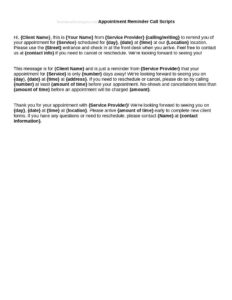
Appointment Reminder Scripts
Download free Appointment Reminder Scripts to cut no-shows with clear phone, text, and email messages — free template in PDF and DOCX, no signup.
DOCX
2 downloads
0
likes
Download Files
- DOCX
Appointment Reminder Scripts are ready-to-use message templates that help your front desk, receptionists, or automated systems remind clients about upcoming appointments across phone calls, text messages, and email. The most common reason people use them is to reduce costly no-shows and last-minute cancellations by sending consistent, professional reminders. You can download these Appointment Reminder Scripts free in PDF and DOCX formats, with no signup required.
What Are Appointment Reminder Scripts?
Appointment Reminder Scripts are pre-written message templates that staff or software use to confirm and remind clients of a scheduled visit. They are commonly used by medical and dental offices, salons, spas, law firms, repair shops, financial advisors, and any service business that books time slots. Each script documents the essential details — who the appointment is with, the date and time, the location, and any preparation the client needs to complete. The goal is to communicate clearly while keeping the tone warm and on-brand. Because the same wording is reused for every client, scripts ensure nothing important is left out and the message sounds consistent no matter who sends it.
When Do You Need Appointment Reminder Scripts?
Almost any appointment-based business benefits from standardized reminder wording. Common situations include:
- High no-show rates: When clients regularly forget visits, a 24- to 48-hour reminder noticeably improves attendance.
- Onboarding new front-desk staff: A script gives newcomers a reliable phrasing template instead of improvising each call.
- Switching to text or email reminders: When automating outreach, you need approved copy for SMS and email blasts.
- Medical or legal offices: Where confirmations, prep instructions (fasting, paperwork, ID), and cancellation policies must be communicated precisely.
- Salons, spas, and personal services: Where a friendly confirmation reduces double-bookings and protects booked stylist or therapist time.
- Recurring or follow-up visits: When reminding patients of a six-month checkup or a next-phase consultation that was booked weeks earlier.
Types of Appointment Reminder Scripts
Most businesses keep a small library of variations: a phone-call script with space to leave a voicemail, a short SMS/text script that fits within character limits, an email script with a subject line and confirmation link, and a cancellation or reschedule script for when clients respond. Some also keep a separate final reminder sent the morning of the appointment.
What Appointment Reminder Scripts Should Include
A complete reminder script captures the details a client needs to show up prepared and on time. Strong scripts include the following elements:
- A friendly greeting and the client’s name placeholder.
- Your business name and the staff member or provider the appointment is with.
- The exact date, day of week, and time of the appointment.
- The location or, for virtual visits, the meeting link and dial-in details.
- Any preparation instructions — documents to bring, fasting, arrival time, or forms to complete.
- A clear call to action to confirm, reschedule, or cancel, with the phone number or reply keyword.
- A brief mention of your cancellation or late-fee policy where relevant.
- A polite closing and a thank-you.
How to Fill Out Appointment Reminder Scripts
Customize the template before using it so every message reflects your brand and details. Work through it in this order:
- Insert your business name: Replace the placeholder with the name clients will recognize so the message doesn’t get mistaken for spam.
- Add the client name field: Mark where the recipient’s first name goes — for example, [Client First Name].
- Fill in the provider or staff name: State who the appointment is with so the client knows what to expect.
- Enter the date and time placeholders: Use clear formatting like [Day, Month Date] at [Time], including the time zone for virtual visits.
- Specify the location or link: Add the street address, suite number, parking notes, or video meeting URL.
- List preparation steps: Note anything the client must bring or do beforehand.
- Set the confirmation action: Tell the client how to confirm — reply YES, call a number, or click a link.
- Adapt the channel: Trim the text version to be short, keep the phone version conversational, and add a subject line to the email version.
- Review the closing: Confirm the sign-off includes your business name and contact details.
Choosing the Right Channel and Timing
The same script content can be delivered by phone, text, or email, and timing matters as much as wording. Many businesses send an initial reminder 48 hours ahead and a final nudge the morning of the appointment. Phone calls work well for high-value or complex visits where a live confirmation is valuable, while text messages get fast read rates for routine appointments. Email suits visits that require attachments, intake forms, or directions. Match the channel to your audience: older clients may prefer a call, while younger clients respond best to a quick text. Always include an easy way to reply or opt out.
Tips for Writing Effective Reminders
Keep messages short and scannable, lead with the date and time, and avoid jargon. Use a warm, human tone rather than robotic phrasing, and never overload a single reminder with multiple requests. For texts, identify your business in the first few words so the recipient knows who is messaging. Test your scripts on a colleague before rolling them out, and track no-show rates afterward to see which wording performs best.
Common Mistakes to Avoid
- Leaving placeholder text in the final message — always double-check that [Client Name] and [Date] are replaced.
- Forgetting the time zone on virtual or cross-region appointments, which causes missed meetings.
- Omitting a confirmation action so clients read the reminder but never reply or reschedule.
- Making texts too long — they get truncated and lose the key details.
- Skipping consent for SMS or automated calls, which can violate messaging rules in some regions.
- Using an inconsistent tone across channels that confuses clients about who is contacting them.
Frequently Asked Questions
What are Appointment Reminder Scripts used for? They are template messages used to remind clients of upcoming appointments by phone, text, or email. Their main purpose is to reduce no-shows and cancellations while keeping communication consistent and professional. Businesses customize them with their own details and reuse them for every booking.
How do I fill out an appointment reminder script? Replace each placeholder with your real information — your business name, the client’s name, the provider, the date and time, and the location or link. Then add a clear confirmation action and adapt the length for the channel you’re using. Review the message once more to be sure no placeholder text remains.
Are these scripts legally binding? No. Appointment Reminder Scripts are communication templates, not contracts, so they do not create binding legal obligations on their own. However, if your reminders mention cancellation or late-fee policies, those policies should match what your clients already agreed to elsewhere.
Do I need client consent to send text or automated reminders? In many regions, yes — automated calls and SMS marketing or reminders may require prior consent and an opt-out option. Rules vary by jurisdiction, so confirm your local requirements before launching automated reminders. Capturing a client’s preferred contact method at booking is a good practice.
When should I send the reminder? A common approach is one reminder 24 to 48 hours before the appointment and an optional final reminder the morning of the visit. Adjust the timing to your industry and client preferences. Sending too early risks being forgotten, while sending too late leaves no time to reschedule.
How much do these Appointment Reminder Scripts cost? They are completely free to download here in both PDF and DOCX formats, with no signup or payment required. You can edit the DOCX version to match your branding, contact details, and policies. Use them as a starting point and refine the wording over time.
These Appointment Reminder Scripts are provided as a general example for informational purposes only and do not constitute legal, compliance, or professional advice. Messaging and consent requirements vary by jurisdiction and industry — consult a qualified professional to ensure your reminders comply with applicable rules.
Related Forms
- Business Outgoing Message Scripts
- Company Confirmation Scripts
- Cold Call Scripts
- Company Error Scripts
Browse more in Script.