
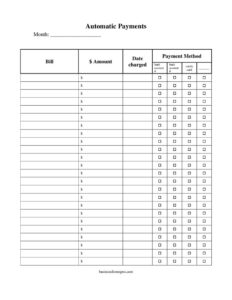
Automatic Payment Dates Tracker
Use our free Automatic Payment Dates Tracker template to organize recurring bills, due dates, and amounts — free download in PDF and DOCX, no signup.
PDF
DOCX
2 downloads
0
likes
Download Files
- DOCX
An Automatic Payment Dates Tracker is a simple worksheet for listing every recurring charge that hits your bank account or card automatically, along with the date it’s scheduled and the amount it pulls. People reach for it most often to stop being surprised by overdrafts and forgotten subscriptions. You can download it free in PDF and DOCX with no signup required.
What Is an Automatic Payment Dates Tracker?
An Automatic Payment Dates Tracker is a personal or household record that documents all your scheduled, recurring payments in one place. It’s typically used by individuals managing a budget, couples coordinating shared bills, or small business owners keeping tabs on automatic vendor and software charges. The tracker captures who is being paid, how much, on what day of the month, and which account the money leaves from. Unlike a bank statement, which only shows charges after they happen, this form is forward-looking — it helps you anticipate withdrawals so you can confirm enough funds are available. It serves as a single reference for autopay enrollments, free trials that convert to paid, and any direct debits you’ve authorized.
When Do You Need an Automatic Payment Dates Tracker?
Automatic payments are convenient until you lose track of them. This tracker is useful in many everyday situations:
- Avoiding overdrafts: When several bills are set to draft within a few days, the tracker shows you the total leaving your account that week so you can keep enough in the balance.
- Cancelling forgotten subscriptions: Streaming services, apps, gym memberships, and software licenses often renew silently — listing them all reveals what you no longer use.
- Coordinating shared household finances: Roommates or partners can see who is responsible for which recurring charge and on what date.
- Switching banks or cards: Before closing an account, you need a complete list of every autopay to re-point to the new card so nothing bounces.
- Tracking free-trial conversions: Note the date a trial becomes a paid charge so you can decide whether to keep or cancel before money moves.
- Budgeting and bill smoothing: Seeing all due dates lets you ask billers to shift dates closer to payday and spread the load across the month.
What an Automatic Payment Dates Tracker Should Have
A complete tracker turns a vague worry into a clear, scannable list. The most useful versions include the payee or biller name, the payment amount, the scheduled date or billing cycle, the funding source (which account or card), the payment frequency, the status (active, paused, or cancelled), and a notes column for confirmation numbers or renewal terms. A running monthly total at the bottom is invaluable, because it converts a long list into a single number you can compare against your income. Many people also add a column to flag variable charges — like utilities that change each month — so they remember those amounts are estimates rather than fixed.
How to Fill Out an Automatic Payment Dates Tracker
Because the template is a flexible worksheet, you can adapt the columns to your own bills. Work through it row by row:
- List each payee: Write the biller or company name in the first column — for example, your electric utility, mortgage servicer, internet provider, or a specific subscription.
- Record the amount: Enter the recurring charge. For variable bills, use a recent average and mark it as an estimate.
- Enter the payment date: Note the day of the month the payment is drafted, or the billing cycle date for monthly, quarterly, or annual charges.
- Identify the funding source: Specify which checking account, debit card, or credit card the payment comes from.
- Set the frequency: Mark whether it’s weekly, monthly, quarterly, or annual so one-off annual charges aren’t missed.
- Add a status: Indicate active, paused, or cancelled to keep the list current.
- Use the notes column: Capture confirmation numbers, renewal dates, cancellation deadlines, or contact phone numbers.
- Total it up: Sum the monthly amounts at the bottom to see your full recurring obligation at a glance.
Types of Recurring Payments to Track
Recurring charges fall into a few broad buckets, and grouping them makes the tracker easier to scan. Essential fixed bills include rent or mortgage, insurance premiums, and loan payments — predictable amounts on set dates. Variable utilities such as electricity, water, and phone bills change monthly, so those rows benefit from an “estimate” flag. Subscriptions and memberships — streaming, music, cloud storage, gyms, and meal kits — are the category most people underestimate; small monthly charges add up to surprising annual totals. Business or freelance tools like accounting software, hosting, and design apps often renew annually. Sorting your tracker by these groups, or simply by date, helps you spot the heaviest payment weeks and decide where to trim.
Tips for Keeping Your Tracker Accurate
A tracker only works if it stays current. Review it once a month — ideally right after you get paid — and reconcile it against your bank and card statements to catch any charge that isn’t on your list. When you sign up for a new service, add it to the tracker the same day so it never slips through. When you cancel something, don’t delete the row immediately; mark it cancelled and watch your next statement to confirm the charge actually stopped. Keep the document somewhere accessible to everyone who shares the finances, and store a copy securely since it references your accounts.
Common Mistakes to Avoid
- Forgetting annual charges: Yearly renewals are easy to miss because they only hit once — record the exact renewal month.
- Listing only the amount, not the date: Without dates, you can’t predict cash-flow crunches.
- Leaving cancelled items as “active”: An out-of-date list defeats the purpose; update statuses promptly.
- Ignoring variable bills: Treating an estimate as a fixed number can leave you short when a utility spikes.
- Not noting the funding account: If you close a card, you’ll miss charges tied to it.
- Storing account details insecurely: Keep the file protected, since it maps out where your money goes.
Frequently Asked Questions
What is an Automatic Payment Dates Tracker used for? It’s used to list every recurring, automatically deducted payment in one place so you can see what’s coming out of your accounts and when. This helps you avoid overdrafts, cancel unused subscriptions, and budget more accurately. It’s a personal organizing tool, not a banking product.
How do I fill out the tracker? Add one row for each recurring charge, then fill in the payee, amount, payment date, funding account, frequency, status, and any notes. Total the monthly amounts at the bottom to see your full recurring spending. Update it whenever you add, pause, or cancel a payment.
Is this tracker the same as a budget? No. A budget covers all your income and spending, while this tracker focuses specifically on automatic and recurring payments. Many people use the tracker as one input into a broader monthly budget, since recurring charges are often the largest fixed portion of spending.
Does using this form change my actual payments? No. The tracker is a record-keeping document only — it does not connect to your bank, start, stop, or reschedule any payment. To actually change a charge, you must contact the biller or adjust the setting in your account or banking app.
Can I use it for business expenses too? Yes. Small business owners and freelancers often use it to track recurring software subscriptions, hosting, insurance, and vendor auto-payments. Keeping these in one list makes it easier to review costs and prepare for accounting or tax season.
How much does the template cost? Nothing — it’s a free download in both PDF and DOCX, with no signup required. Use the PDF if you prefer to print and write by hand, or the DOCX if you want to add columns and totals on your computer.
This Automatic Payment Dates Tracker template is a general example provided for informational purposes only and is not financial, accounting, or tax advice. Banking terms, billing practices, and your individual circumstances vary, so consult a qualified financial professional for guidance specific to your situation.
Official resource: for the rules that apply to your situation, see the Consumer Financial Protection Bureau.
Related Forms
- Customer Order Tracker
- Large-Print Bill Tracker
- Utilities Annual Use Tracker
- Side Hustle Income Tracker
- Income Sources
- Charity Cash Envelope
Browse more in Money.