
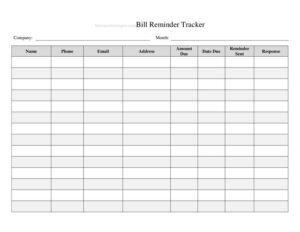
Bill Reminder Tracker
Use this free Bill Reminder Tracker template to log due dates, amounts, and payment status so you never miss a bill again — free PDF and DOCX download.
PDF
DOCX
5 downloads
0
likes
Download Files
- DOCX
A Bill Reminder Tracker is a simple log used to record every recurring and one-time bill you owe, along with its due date, amount, and payment status, so nothing slips through the cracks. People most often use it to avoid late fees and stay on top of monthly obligations. It’s free to download here in both PDF and DOCX formats, with no signup required.
What Is a Bill Reminder Tracker?
A Bill Reminder Tracker is a personal or household finance worksheet that consolidates all of your bills into one organized view. Instead of scattering due dates across emails, paper statements, and memory, you list each payee, what you owe, when it’s due, and whether you’ve paid. It can be used by individuals, families, roommates, small business owners, or anyone managing multiple accounts. The tracker documents the full lifecycle of a bill — from when it arrives to when it clears — and serves as a quick reference for budgeting, reconciling your bank statement, and confirming that every payment was actually sent. It’s a practical tool, not a contract, so you can adapt it freely to your routine.
When Do You Need a Bill Reminder Tracker?
This tracker is useful any time you’re juggling more than a couple of payments. Common situations include:
- Managing monthly household bills such as rent or mortgage, utilities, internet, phone, and streaming subscriptions on different due dates.
- Paying off credit cards or loans where missing a minimum payment triggers fees and hurts your credit.
- Sharing expenses with roommates or a partner and needing a clear record of who paid what and when.
- Running a small business or side hustle with recurring vendor invoices, software subscriptions, and quarterly obligations.
- Recovering from a missed payment and wanting a reliable system so it doesn’t happen again.
- Building a monthly budget by seeing all upcoming outflows in one place before the month begins.
What a Bill Reminder Tracker Should Have
A complete tracker captures enough detail to answer three questions at a glance: what do I owe, when is it due, and have I paid it? The core columns are the bill or payee name, the amount due, the due date, the payment status, and the date paid. Strong trackers also note the account or reference number, the payment method, whether the bill is set to autopay, and the frequency (monthly, quarterly, annual). A confirmation number field and a notes column round out the log so you can flag disputes, planned amount changes, or reminders to cancel a subscription. Totals at the bottom help you see the month’s full obligation.
How to Fill Out a Bill Reminder Tracker
Work through the tracker one row per bill:
- Enter the bill or payee name — write the company or person, e.g. “City Electric” or “Auto Loan – First Bank.”
- Add the account or reference number so you can quickly identify the right account if you need to call.
- Record the amount due from the statement; for variable bills, estimate and update once the real figure arrives.
- Write the due date exactly as it appears, and consider listing a personal reminder date a few days earlier.
- Note the frequency — monthly, quarterly, yearly — and mark whether it’s set to autopay.
- Choose a payment method such as checking account, credit card, or cash.
- Update the status to Unpaid, Scheduled, or Paid as you go through the month.
- Fill in the date paid and confirmation number once the payment is sent so you have proof.
- Use the notes column for anything unusual, then total the amounts at the bottom.
Tips for Staying On Track
The tracker works best when you build a routine around it. Pick one consistent time each week — many people choose Sunday evening — to review upcoming due dates and mark off anything you’ve paid. Sort or group your bills by due date so the earliest obligations sit at the top. For variable bills like utilities, enter your highest recent amount as a placeholder so your budget stays conservative. If you use autopay, still log the bill: autopay can fail when a card expires or a balance is low, and your tracker is the backstop that catches it. Keep confirmation numbers, because they’re the fastest way to resolve a “we never received your payment” dispute.
Paper vs. Digital Tracking
The PDF version is ideal if you prefer to print a fresh sheet each month and check off bills by hand on the fridge or in a binder. The DOCX version lets you type directly into the columns, duplicate rows, and auto-calculate totals if you paste it into a spreadsheet. Many people use a hybrid approach: a printed copy for at-a-glance reminders and a digital copy as the permanent record. Whichever you choose, keep your completed trackers from past months — they become a useful spending history when you plan next year’s budget or spot a subscription you forgot to cancel.
Common Mistakes to Avoid
- Leaving out variable bills like utilities because the amount changes — estimate instead of skipping them.
- Forgetting to log autopay bills, which means a failed automatic payment goes unnoticed until a late fee appears.
- Not recording the date paid or confirmation number, leaving you with no proof during a billing dispute.
- Writing the due date without buffer — set your personal reminder a few days early to allow for processing time.
- Letting the tracker go stale by not updating statuses weekly, so it no longer reflects reality.
- Mixing personal and business bills on one sheet, which makes budgeting and tax prep harder than it needs to be.
Frequently Asked Questions
What is a Bill Reminder Tracker used for? It’s used to organize all your bills in one place so you can see what’s due, when, and whether it’s been paid. The main goal is to avoid late payments, late fees, and the credit damage they can cause. It also doubles as a budgeting and record-keeping tool.
Is the Bill Reminder Tracker free to download? Yes. You can download it here at no cost in both PDF and DOCX formats, with no account or signup required. Use it for personal, family, or small-business purposes as often as you like.
Should I still track bills if I use autopay? Absolutely. Autopay can fail if a card expires, a balance runs low, or a vendor changes its system, and you may not be notified right away. Logging autopay bills gives you a way to confirm each one actually cleared.
How often should I update the tracker? A weekly review works well for most people — pick a consistent day to mark payments, check upcoming due dates, and update amounts. Some prefer to update it the moment a bill is paid so nothing is forgotten.
Can I use this for business bills too? Yes, it works for vendor invoices, subscriptions, and recurring business expenses. For clarity, keep a separate sheet for business and personal bills so your records stay clean for budgeting and tax time.
Does a Bill Reminder Tracker replace my budget? No, but it supports one. The tracker shows your upcoming outflows and payment status, while a budget plans how income is allocated. Many people use the tracker’s monthly total as a key input when building their budget.
This Bill Reminder Tracker template is provided as a general example for informational purposes only and is not financial, tax, or legal advice. Your personal circumstances and any account terms or due dates may vary — review your statements carefully and consult a qualified professional for guidance specific to your situation.
Related Forms
- Beauty Salon Manicure And Pedicure Inventory Card
- Gas Mileage Log
- Club Tracking Payments
- Sleepover Checklist
- Daily Music Practice Log
- Travel Abroad Packing Checklist
Browse more in Log and Inventory.