
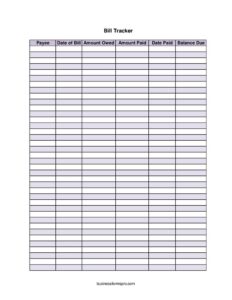
Bill Tracker
Track payees, due dates, and balances with our free Bill Tracker template — organize every payment and avoid late fees with a free download.
PDF
XLSX
5 downloads
1
likes
Download Files
- XLSX
A Bill Tracker is a simple worksheet for recording every bill you owe, what you have paid, and what is still outstanding. People most often use it to stop missing due dates and to see at a glance how much they still owe across all their accounts. You can download it free in PDF and DOCX formats — no signup required.
What Is a Bill Tracker?
A Bill Tracker is a recurring expense log that lists each bill by payee and records the amount owed, the amount paid, the date paid, and the remaining balance due. It is used by households, freelancers, small business owners, and bookkeepers who need a single place to monitor obligations instead of digging through scattered statements and emails. Rather than functioning as an invoice or a formal accounting ledger, the Bill Tracker is a practical organizing tool: it turns a pile of due dates into one readable list. By keeping each entry current, you always know which bills are fully settled, which are partially paid, and which are still open and demanding attention before a deadline.
When Do You Need a Bill Tracker?
A Bill Tracker is useful any time you are juggling more than a couple of recurring or one-off payments. Common situations include:
- Monthly household budgeting — keeping rent, utilities, phone, internet, and insurance organized so nothing slips past its due date.
- Managing a small business — tracking payments to vendors, suppliers, contractors, and service providers in one consolidated view.
- Paying down debt — monitoring installment loans or credit balances by recording each payment and watching the balance due shrink.
- Sharing expenses — roommates, partners, or family members who split costs and need a clear record of who owes what and what has been paid.
- Avoiding late fees — anyone who has been hit with penalties or service interruptions and wants a reliable system to catch bills early.
- Year-end review — assembling a tidy summary of what was paid across the year for budgeting or expense reporting.
What a Bill Tracker Should Have
A complete Bill Tracker captures enough detail to answer the three questions that matter most: who, how much, and when. The essential elements are the payee (who you owe), the date of bill (when it was issued or received), the amount owed, the amount paid, the date paid, and the resulting balance due. Together these columns let you reconcile each obligation from start to finish. A good tracker also leaves room to record partial payments, because real-life bills are not always settled in a single transaction. Keeping a running balance column ensures you never lose sight of what remains outstanding even after a payment has been made.
How to Fill Out a Bill Tracker
- Payee: Write the name of the company, person, or institution you owe — for example, your landlord, electric utility, a supplier, or a lender. Be specific so similar bills do not get confused.
- Date of bill: Record the date the bill was issued or the date it is due, whichever you use to plan payments. Consistency matters, so pick one approach and stick to it across every row.
- Amount owed: Enter the full amount stated on the bill or statement. This is your baseline figure before any payment is applied.
- Amount paid: Once you make a payment, note how much you actually paid. For partial payments, enter only the amount sent this time.
- Date paid: Log the date the payment cleared or was submitted. This creates a timeline you can match against bank records.
- Balance due: Subtract the amount paid from the amount owed and write the remaining balance. A balance of zero means the bill is fully settled; any other figure flags an open obligation.
Tips for Keeping Your Tracker Accurate
Update the tracker the moment you receive a bill, not weeks later when details are fuzzy. Reconcile it against your bank or card statements at least once a month so the amount paid and date paid columns reflect what actually cleared. If you handle the same payees every month, consider keeping a fresh tracker for each month or each quarter so each period stands alone and is easy to total. Highlighting or flagging rows with an outstanding balance due makes it obvious which bills still need attention before their deadlines, turning the sheet into an early-warning system rather than a passive record.
Bill Tracker vs. a Budget
It helps to understand how a Bill Tracker differs from a full budget. A budget is forward-looking: it plans how income will be allocated across categories before money is spent. A Bill Tracker is transactional and largely backward-looking: it documents specific bills and the payments made against them. Many people use both together — the budget sets the plan, and the tracker confirms whether bills were actually paid on time and in full. Because the tracker focuses on individual payees and balances rather than broad categories, it is the better tool for catching a single overdue account that a category-level budget might hide.
Common Mistakes to Avoid
- Forgetting to update the balance due — leaving the balance blank after a partial payment defeats the purpose of the tracker.
- Inconsistent dates — mixing the issue date and due date in the date-of-bill column makes the timeline unreliable.
- Vague payee names — entries like “utility” or “loan” cause confusion when you have several similar accounts.
- Logging amounts you intend to pay rather than what you actually paid — only record real payments in the amount paid and date paid columns.
- Letting weeks pass between updates — stale data leads to missed due dates and surprise late fees.
- Never reconciling against statements — without a periodic check, small errors accumulate and the running balances drift from reality.
Frequently Asked Questions
What is a Bill Tracker used for? A Bill Tracker is used to record every bill you owe along with what you have paid and what remains outstanding. It helps you avoid missed due dates, catch late fees before they happen, and see your total obligations in one place. Both households and small businesses use it to stay organized.
How do I fill out a Bill Tracker? Enter the payee, the date of the bill, and the amount owed for each obligation. When you make a payment, record the amount paid and the date paid, then subtract to update the balance due. Repeat for every bill and keep the sheet current as new bills arrive.
Can I track partial payments with this template? Yes. Record each payment in the amount paid column and adjust the balance due to show what is still outstanding. As long as you keep the balance updated after every payment, the tracker will accurately reflect progress toward settling each bill.
Is a Bill Tracker the same as a budget? No. A budget plans how you will allocate income across categories, while a Bill Tracker documents specific bills and the payments made against them. Many people use both — the budget to plan and the tracker to confirm bills were actually paid on time.
Does a Bill Tracker need to be notarized or signed? No. A Bill Tracker is a personal or internal organizing tool, not a legal contract, so it does not require signatures, witnesses, or notarization. It is simply meant to help you stay on top of your payments.
How much does this Bill Tracker template cost? It is completely free to download from Business Forms Pro in both PDF and DOCX formats, with no signup required. You can print the PDF or edit the DOCX version to add columns or rename fields to fit your needs.
This Bill Tracker template is a general example provided for informational purposes only and does not constitute financial, accounting, or legal advice. Requirements and best practices vary by situation and jurisdiction, so consult a qualified professional for guidance specific to your circumstances.
Related Forms
- Vehicle Expense Journal Monthly
- Event Budget Worksheet
- Expense Reimbursement Request Report
- Expense Report Weekly
- Company Overdue Accounts
- Credit Card Minimum Payment
Browse more in Expense Reports.