
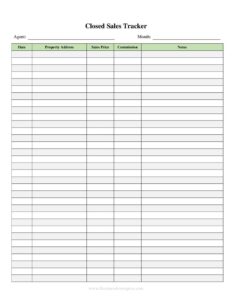
Closed Sales Tracker
Track every closed real estate deal with this free Closed Sales Tracker template, organizing commissions, dates, and clients in one place — free download.
PDF
DOCX
2 downloads
0
likes
Download Files
- DOCX
A Closed Sales Tracker is a simple spreadsheet-style document that real estate agents, brokers, and teams use to record every property sale that has officially closed. The single most common reason people use it is to keep a running, accurate log of completed transactions — sale prices, closing dates, clients, and commissions — so nothing slips through the cracks at tax time or during a brokerage review. It’s free to download here in both PDF and DOCX formats, with no signup required.
What Is a Closed Sales Tracker?
A Closed Sales Tracker is a record-keeping tool that documents each real estate transaction once it has reached the closing table. It’s typically maintained by an individual agent, a real estate team, or a brokerage’s transaction coordinator. Rather than scattering deal details across emails and closing statements, the tracker consolidates the essentials — property address, buyer and seller, listing and sale price, closing date, commission earned, and the agent of record — into one organized list. It serves as both a performance dashboard and a financial reference. Many agents use it to calculate year-to-date production, prepare for tax filings, support license renewals, and demonstrate experience when applying for awards, listings, or team positions.
When Do You Need a Closed Sales Tracker?
This form is useful any time you need a clear, chronological view of the deals you’ve completed. Common situations include:
- Tracking annual production — totaling your closed volume and number of transactions for the calendar year.
- Preparing for tax season — handing your accountant a clean summary of commission income and closing dates.
- Brokerage reporting — submitting closed-deal records to a broker or office manager for cap calculations and splits.
- Building a marketing portfolio — citing recent sales volume in listing presentations and farming materials.
- Applying for awards or designations — proving transaction counts for top-producer recognition or certifications.
- Reviewing pipeline trends — spotting your busiest months, average sale price, and commission patterns over time.
What a Closed Sales Tracker Should Have
A complete tracker captures enough detail to identify and verify each transaction at a glance. Strong trackers include the property address, the client name (buyer or seller), the represented side of the deal, the listing or contract price, the final sale price, key dates (under contract and closed), commission amount or percentage, the responsible agent, and the brokerage or transaction file number. A status or notes column is also helpful for flagging anything unusual, such as a seller concession or a delayed funding. The goal is a single row per deal that tells the whole story without needing to pull the closing file.
How to Fill Out a Closed Sales Tracker
Because trackers are row-based, you’ll add a new line for each closed transaction. Work through the columns in order:
- Property address: Enter the full street address, including unit number, city, and ZIP, so each entry is uniquely identifiable.
- Client name: Record the buyer or seller you represented, and note which side of the deal it was.
- Listing/contract price: Add the original list price or accepted contract price for reference.
- Sale price: Enter the final amount the property actually closed at.
- Date closed: Use the official closing or funding date from the settlement statement.
- Commission: Record the gross commission earned, either as a dollar amount or percentage.
- Agent: Name the agent of record, useful on team trackers.
- Status/notes: Mark the deal closed and jot any details — concessions, referrals, or split arrangements.
Total your columns periodically to keep running production figures current.
Tips for Keeping an Accurate Tracker
The value of a Closed Sales Tracker depends entirely on consistency. Update it the same week a deal closes, while the numbers are fresh and the closing disclosure is in front of you. Pull the exact sale price and commission directly from the settlement statement rather than from memory or the listing agreement, since price adjustments and concessions are common. If you work on a team, agree on one master tracker and one person responsible for entering deals so you don’t end up with conflicting versions. Back up the file regularly, and consider keeping a separate tab or copy for each year so historical data stays clean and easy to total.
How It Differs From a Pipeline or Commission Report
It’s easy to confuse a Closed Sales Tracker with a pipeline tracker or a commission disbursement report, but each serves a different stage. A pipeline tracker follows active and pending deals that haven’t closed yet, focusing on tasks and deadlines. A commission disbursement authorization is a one-time instruction to the title company about how to split a single payout. The Closed Sales Tracker, by contrast, is a permanent historical record of deals that have already funded — the finished outcomes you report and analyze rather than the in-progress work.
Common Mistakes to Avoid
- Recording the list price as the sale price — always use the actual closed figure from the settlement statement.
- Forgetting to log deals immediately — waiting until year-end leads to missing or inaccurate entries.
- Mixing gross and net commission — pick one convention and stay consistent across every row.
- Omitting the represented side — failing to note buyer vs. seller makes volume analysis unreliable.
- Leaving dates inconsistent — use the closing date, not the contract date, in the date-closed column.
- Keeping multiple unsynced copies — duplicate files create conflicting totals on team trackers.
Frequently Asked Questions
What is a Closed Sales Tracker used for? It’s used to keep an organized record of every real estate transaction that has officially closed, including sale price, closing date, client, and commission. Agents and brokers rely on it to total production, prepare taxes, and report results to their brokerage.
How do I fill out a Closed Sales Tracker? Add one row per closed deal, entering the property address, client name, listing and sale prices, closing date, commission, agent, and any notes. Pull the exact figures from the settlement statement and update the tracker as soon as each transaction funds.
Does a Closed Sales Tracker need to be notarized? No. It’s an internal record-keeping document, not a legal instrument, so it does not require notarization or witnesses. It’s meant for your own tracking, reporting, and analysis.
Is a Closed Sales Tracker a legal document? It is generally an informal business record rather than a binding legal document. That said, it may be referenced during tax preparation, brokerage audits, or commission disputes, so accuracy matters.
How much does this Closed Sales Tracker template cost? It’s completely free to download from Business Forms Pro in both PDF and DOCX formats, with no signup or account required. You can edit the DOCX version to add or rename columns to fit your workflow.
Can I use one tracker for an entire real estate team? Yes. Many teams maintain a single shared tracker with an agent column so each closed deal is attributed correctly. Just assign one person to enter transactions so totals stay consistent and accurate.
This Closed Sales Tracker template is provided as a general example for informational purposes only and is not legal, financial, or tax advice. Reporting and record-keeping requirements vary by jurisdiction and brokerage — consult a qualified accountant, broker, or attorney about your specific situation.
Official resource: for the rules that apply to your situation, see HUD.
Related Forms
- Lease Extension Approval
- Home Utility Provider List
- Credit Drop Letter Of Explanation Mortgage
- Landlord Make Repairs
- Neighborhood Checklist
- Rental Lease Extension Request
Browse more in Rental and Real Estate.