
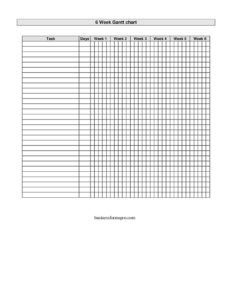
Gantt Chart Six Weeks
Download a free six-week Gantt chart template to plan, schedule, and track project tasks across six weeks; free download in PDF and DOCX, no signup.
PDF
DOCX
3 downloads
0
likes
Download Files
- DOCX
A Gantt Chart Six Weeks template is a visual project schedule that lays out tasks against a six-week timeline so you can see what happens when, who is responsible, and how activities overlap. People most often use it to plan a short project, sprint, or rollout that needs to be completed inside roughly a month and a half. It is free to download here in both PDF and DOCX formats, with no signup required.
What Is a Gantt Chart Six Weeks?
A Gantt Chart Six Weeks is a horizontal bar chart that maps individual tasks down the left side and a six-week calendar across the top. Each task is represented by a bar that begins on its start week and stretches to its finish week, making durations and dependencies easy to read at a glance. Project managers, team leads, students, event planners, and small business owners typically use it to coordinate a defined block of work. Unlike a simple to-do list, this chart documents when each task occurs, how long it lasts, and how it relates to other tasks—turning a loose plan into a schedule the whole team can follow.
When Do You Need a Gantt Chart Six Weeks?
This timeframe suits any effort that is too big for a checklist but too short for a year-long plan. Common scenarios include:
- Launching a small project such as a website redesign, marketing campaign, or product update that must ship within six weeks.
- Planning an event like a conference, fundraiser, or store opening, where vendor bookings, promotion, and setup all need to be sequenced.
- Managing a team sprint or onboarding phase, breaking a goal into weekly milestones.
- Coordinating a school or academic project, mapping research, drafts, reviews, and a final submission across a half-semester.
- Tracking a renovation or installation where contractors, deliveries, and inspections happen in a defined order.
- Running a hiring or training cycle with overlapping interview rounds, paperwork, and ramp-up activities.
What a Six-Week Gantt Chart Should Have
A complete six-week Gantt chart includes a few essential elements that make it usable rather than decorative. There should be a clear task list in the left column, a labeled six-week header (often broken into weeks or week numbers with start dates), a bar or shaded region indicating each task’s duration, and an owner or assignee column so accountability is obvious. Strong charts also show milestones—key checkpoints or deliverables—and visually distinguish completed work from upcoming work. A title, a project name, and a date the chart was last updated round it out, ensuring everyone is working from the same version. Keeping the chart to a single page makes it easy to print, post, and reference in stand-up meetings.
How to Fill Out a Gantt Chart Six Weeks
Because this is a flexible planning grid, fill it in from the top down:
- Add the project title and date at the top so the chart is identifiable and version-controlled.
- List every task down the left column in roughly the order they will occur. Keep each task specific and action-oriented, such as “Draft copy” rather than “Content.”
- Label the six week columns across the top, ideally writing the start date of each week so the timeline maps to real calendar dates.
- Assign an owner to each task in the dedicated column or beside the task name.
- Set a start and end week for each task by shading or drawing a bar from the first week it begins to the week it finishes.
- Mark milestones such as approvals, launches, or deliverables with a distinct symbol on the week they fall.
- Note dependencies by sequencing tasks so a follow-on task starts no earlier than the week its predecessor ends.
- Update progress weekly, shading completed portions of each bar so the chart reflects reality.
Reading and Maintaining the Chart
A Gantt chart is only valuable if it stays current. Bring the chart to weekly check-ins and update each bar to show what is done, in progress, or delayed. When a task slips, shift its bar and look downstream: any dependent tasks may need to move too, which can compress the remaining weeks. Color or shading conventions—for example, one shade for planned work and another for completed work—help everyone interpret the chart instantly. If the project changes scope, add or remove task rows rather than cramming notes into the margins. Keeping a clean, current chart prevents the common drift where a plan made in week one no longer matches what the team is actually doing by week four.
Gantt Chart vs. a Simple Task List
A task list tells you what needs doing; a Gantt chart tells you when and in what order. For a six-week effort with multiple people and overlapping work, that timing dimension is what prevents bottlenecks and last-minute crunches. The chart also reveals capacity problems early—if three demanding tasks all land in week five, you can rebalance before it becomes a crisis. For very small, linear jobs a checklist may be enough, but as soon as tasks depend on each other or run in parallel, a Gantt view pays for itself.
Common Mistakes to Avoid
- Listing tasks too broadly—vague items like “marketing” are hard to schedule; break them into concrete steps.
- Ignoring dependencies, which leads to a chart that looks tidy but is impossible to execute.
- Overloading a single week with more work than the team can realistically deliver.
- Forgetting to assign owners, leaving tasks that everyone assumes someone else will handle.
- Never updating the chart after week one, so it quickly becomes inaccurate and ignored.
- Omitting milestones, which makes it hard to tell whether the project is actually on track.
Frequently Asked Questions
What is a Gantt Chart Six Weeks used for? It is used to plan and track the tasks of a short project across a six-week timeline. The chart shows each task’s start and end, who owns it, and how activities overlap, helping teams stay coordinated and hit deadlines.
How do I fill out the six-week Gantt chart template? List your tasks down the left, label the six week columns with their start dates across the top, assign an owner to each task, and shade a bar from each task’s start week to its finish week. Mark milestones and update progress as work is completed.
Can I change the number of weeks? Yes. The DOCX version is fully editable, so you can add or remove week columns to match a four-week, eight-week, or other timeframe. The template is simply pre-built around a convenient six-week span.
Is this Gantt chart suitable for non-business projects? Absolutely. While it is filed under business forms, it works equally well for school assignments, home renovations, event planning, and personal goals—anything with multiple tasks that must happen in a set order over several weeks.
Do I need special software to use it? No. You can print the PDF and fill it in by hand, or open the DOCX in a word processor to type and shade tasks directly. There is no requirement for dedicated project management software.
How much does this template cost? It is completely free to download in both PDF and DOCX formats, with no signup or account required. You can reuse it for as many six-week projects as you like.
This template is provided as a general example for informational and planning purposes only and does not constitute professional project-management, legal, or business advice. Project needs and best practices vary by organization and situation—adapt the chart to your own requirements and consult a qualified professional where appropriate.
Related Forms
- Corporate Minutes
- Production Goal Sign
- Petition Form Long
- Pocket Temperature Converter
- Maximum Capacity Sign
- Funeral Planning Form
Browse more in Miscellaneous.