
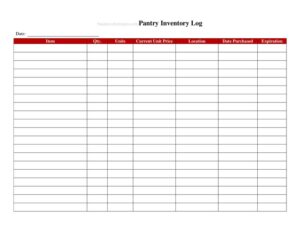
Pantry Inventory Log
Track dry goods, canned items, and supplies with a free Pantry Inventory Log template, available as a free download in PDF and DOCX.
PDF
DOCX
2 downloads
0
likes
Download Files
- DOCX
A Pantry Inventory Log is a simple tracking sheet used to record the dry goods, canned items, and shelf-stable supplies stored in a restaurant or home pantry, so you always know what you have, how much, and when it expires. The most common reason people use it is to prevent running out of key ingredients mid-service and to reduce waste from forgotten or expired stock. It’s free to download in both PDF and DOCX, with no signup required.
What Is a Pantry Inventory Log?
A Pantry Inventory Log is a record-keeping document that lists every non-perishable and dry-storage item in a kitchen pantry along with quantities, units, and reorder details. In a restaurant setting, it’s typically maintained by kitchen managers, line cooks, or inventory staff during regular stock counts. The log documents what is on hand at a given point in time, what is running low, and what needs replenishing before the next delivery. By keeping an organized, written count, a busy kitchen can plan purchasing, control food costs, and spot discrepancies between expected and actual stock. It turns a chaotic shelf into a manageable, auditable list that anyone on the team can read and update.
When Do You Need a Pantry Inventory Log?
This log is useful any time you need an accurate picture of your dry storage. Common situations include:
- Weekly or monthly stock counts before placing orders with suppliers or wholesalers.
- Opening or closing a shift when staff verify that key staples are stocked for the next service.
- Receiving deliveries and checking incoming goods against what was ordered and what was already on the shelf.
- Tracking expiration dates to rotate older stock forward and discard items past their date.
- Budget and cost control reviews where managers compare usage against purchasing to identify waste or theft.
- Health inspections and audits, where a clean, dated record demonstrates organized storage practices.
What a Pantry Inventory Log Should Have
A complete log captures enough detail to make a count meaningful and repeatable. At minimum it should include the item name or description, the storage category or location, the unit of measure (cans, boxes, pounds, cases), the current quantity on hand, a par level or reorder point, and the quantity to reorder. Many logs also include an expiration or best-by date, the date of the count, and the initials of the person who performed it. Adding a notes column gives staff room to flag damaged packaging, supplier issues, or substitutions. The more consistent these columns are from week to week, the easier it becomes to compare counts over time and spot trends.
How to Fill Out a Pantry Inventory Log
Work shelf by shelf so nothing is skipped. Follow these steps:
- Write the date of the count and your name or initials at the top so the record is traceable.
- List each item name exactly as it appears on the package — for example, “Canned Diced Tomatoes, 28oz” rather than just “tomatoes.”
- Record the storage location or category (dry goods, canned, baking, spices) to group similar items.
- Note the unit of measure for each item so quantities are unambiguous.
- Count the quantity on hand and enter the actual number physically present.
- Enter the par level — the minimum amount you want to keep in stock at all times.
- Calculate the reorder quantity by subtracting on-hand from par, and write it in the order column.
- Add the expiration or best-by date for perishable-leaning items.
- Use the notes field for anything unusual, then total your list and file the completed log.
Organizing Your Pantry for Faster Counts
The accuracy of any inventory log depends on how the physical space is arranged. Group items by category and keep frequently used staples at eye level so counts go quickly. Practice first-in, first-out (FIFO) rotation by placing newer deliveries behind older stock, which keeps your expiration tracking honest. Label shelves to match the categories on your log, so the sheet and the shelf read in the same order. When the layout mirrors the document, even a new staff member can complete a reliable count, and discrepancies become obvious instead of hidden.
Using the Log to Control Costs
A Pantry Inventory Log is more than a checklist — it’s a cost-control tool. By comparing how much you had at the start of a period, how much you purchased, and how much remains, you can estimate true usage and catch over-ordering, spoilage, or shrinkage. Set realistic par levels based on actual sales volume rather than guesswork, and revisit them seasonally as menus and demand shift. Keeping several weeks of completed logs lets you forecast purchasing more precisely, negotiate better with suppliers, and free up cash that would otherwise sit on a shelf as excess stock.
Common Mistakes to Avoid
- Skipping the date and initials, which makes it impossible to know how current or reliable a count is.
- Vague item descriptions like “flour” when you stock several types and sizes.
- Inconsistent units — mixing cans, cases, and pounds for the same item between counts.
- Estimating instead of counting, which slowly drifts your numbers away from reality.
- Ignoring expiration dates and failing to rotate older stock to the front.
- Letting par levels go stale so you keep ordering amounts that no longer match demand.
Frequently Asked Questions
What is a Pantry Inventory Log used for? It is used to record and track the dry goods, canned items, and shelf-stable supplies kept in a pantry. The log shows quantities on hand, reorder points, and expiration dates so you can plan purchasing, reduce waste, and avoid running out of key ingredients.
How do I fill out a Pantry Inventory Log? Start by dating the sheet and adding your initials, then go shelf by shelf listing each item, its unit, and the quantity you physically count. Record the par level and the amount to reorder, note expiration dates, and use the notes column for anything unusual.
How often should I update the log? Most restaurants count dry storage weekly, often before placing supplier orders, while busy kitchens may count high-turnover staples more frequently. Home users can update monthly or whenever they shop. Consistent timing makes your counts comparable from period to period.
What is a par level on the log? A par level is the minimum quantity of an item you want to keep in stock at all times. When a count falls at or below par, that signals it’s time to reorder, and the difference between par and on-hand tells you how much to buy.
Is this Pantry Inventory Log free to download? Yes. You can download this template free from Business Forms Pro in both PDF and DOCX formats with no signup required. The DOCX version is fully editable, so you can add your own categories, columns, or branding.
Can I use this log for a home pantry as well as a restaurant? Absolutely. The same structure works for a household pantry — list staples, count what you have, set reorder points, and track expiration dates. You can simply remove columns you don’t need or adjust the categories to fit your space.
This Pantry Inventory Log template is provided as a general example for informational purposes only and does not constitute legal, financial, food-safety, or business advice. Storage, labeling, and food-handling requirements vary by jurisdiction and operation — consult the appropriate health authority or a qualified professional to ensure compliance.
Related Forms
- Drink Menu
- Order Here Sign
- Half-Page Menu
- Shift Preferences Log
- Minimum Internal Temperature Chart
- Seat Yourself Sign
Browse more in Restaurant.