
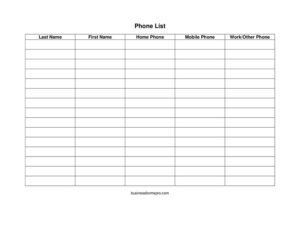
Phone List
Download a free Phone List template to organize contacts with home, mobile, and work numbers in one place — free download in PDF and DOCX.
PDF
DOCX
2 downloads
0
likes
Download Files
- DOCX
A Phone List is a simple, organized record of people’s names and phone numbers kept in one convenient place. Most people use it to gather contacts for a team, family, club, or office so the right number is always within reach. You can download this Phone List free in both PDF and DOCX formats, with no signup required.
What Is a Phone List?
A Phone List is a contact directory that pairs each person’s name with their phone numbers — typically home, mobile, and work. It can be maintained by an individual, a household, a small business owner, a school coordinator, or a volunteer organizer. The purpose is straightforward: to centralize phone numbers so anyone who needs to reach a group member can do so quickly. Unlike a full address book, a Phone List focuses purely on names and numbers, keeping it compact and easy to scan. It works equally well printed and pinned to a wall, saved as a shared file, or tucked into an emergency binder. Because it captures multiple numbers per person, it stays useful even when someone misses one line.
When Do You Need a Phone List?
A Phone List is one of those quietly essential documents that comes in handy across many settings. Common situations include:
- Office or team directory: giving staff a quick reference for reaching coworkers by desk, mobile, or department line.
- Sports teams and clubs: letting coaches and members coordinate practices, carpools, and last-minute schedule changes.
- Family or household emergencies: keeping a printed list of relatives, neighbors, and key contacts where everyone can find it.
- School class or PTA rosters: helping parents and teachers communicate about events, volunteers, and reminders.
- Small business vendor contacts: tracking the home, mobile, and office numbers of suppliers and service providers.
- Committees and volunteer groups: organizing members so call trees and updates reach everyone fast.
What a Phone List Should Have
A useful Phone List is clear, consistent, and easy to scan at a glance. The key elements include a column for each person’s last and first name so the list can be alphabetized, plus separate columns for the different ways to reach them. Each row should represent one person, with numbers entered in a consistent format. A good Phone List also benefits from a title or label identifying the group it covers, and ideally a date so readers know how current it is. Leaving room to add new entries keeps the list practical over time. The simpler and more uniform the layout, the faster it is to find a number when you need it most.
How to Fill Out a Phone List
This template uses a clean row-and-column format. Follow these steps for each contact:
- Last name: Enter the person’s surname first. Listing the last name in its own column makes it easy to sort the entire list alphabetically.
- First name: Add the given name beside the last name so you can tell apart contacts who share a surname.
- Home phone: Record the landline or primary home number. Leave it blank if the person does not have one rather than guessing.
- Mobile phone: Enter the cell number, usually the fastest way to reach someone. For many contacts this will be the most-used field.
- Work/other phone: Add an office line, a secondary number, or any alternate way to reach the person, such as a daytime or business contact.
Repeat for every contact, then alphabetize by last name. Use one consistent number format (for example, area code in parentheses) throughout so the list looks tidy and is easy to read.
Tips for Keeping Your Phone List Accurate
A Phone List is only as helpful as it is current. Pick a regular interval — monthly, quarterly, or at the start of each season or term — to review entries and remove people who have left the group. When someone joins, add them right away rather than relying on memory. If you share the list, save a master copy and note the last-updated date so people know whether they have the newest version. For printed copies, store them where they will actually be seen, such as near a phone, on a bulletin board, or inside an emergency kit. If you maintain the DOCX version, you can easily add columns for email or notes if your group needs them.
Printed Versus Digital Phone Lists
The PDF version is ideal when you want a clean, fixed layout to print and post — it looks the same on every device and is perfect for wall charts, binders, and quick reference cards. The editable DOCX version is better when the list changes often, because you can type directly into it, sort rows, and reprint in seconds. Many organizers keep both: a working DOCX file they update and a freshly printed PDF they hand out. Choose whichever fits how your group communicates, or use both together.
Common Mistakes to Avoid
- Inconsistent formatting: mixing number styles makes the list harder to scan; pick one format and stick with it.
- Leaving the list undated: without a date, readers can’t tell if a number is still current.
- Crowding multiple people into one row: keep one contact per row so sorting and reading stay simple.
- Forgetting to alphabetize: an unsorted list slows everyone down when they’re searching for a name.
- Guessing at missing numbers: leave a field blank rather than entering an unverified number.
- Never updating it: an outdated Phone List can be worse than none when you need to reach someone urgently.
Frequently Asked Questions
What is a Phone List used for? A Phone List is used to collect and organize the names and phone numbers of a group of people in one place. It’s commonly used by offices, families, teams, clubs, and schools so anyone can quickly find the right number. The goal is fast, reliable contact when you need it.
How do I fill out this Phone List template? Enter each person on its own row, starting with their last and first name, then their home, mobile, and work/other phone numbers. Use a consistent number format throughout and alphabetize by last name when you’re done. Leave any unknown fields blank rather than guessing.
Is this Phone List free to download? Yes. You can download this Phone List template completely free from Business Forms Pro in both PDF and DOCX formats. There’s no signup or payment required, and you can use it as many times as you like.
Can I edit the Phone List to add more columns? Yes. The DOCX version is fully editable, so you can add columns for email addresses, notes, departments, or relationships if your group needs them. The PDF version is best when you want a fixed layout to print and share without changes.
How should I store a Phone List with personal numbers? Treat it as you would any contact information by keeping it only where the intended group can access it. For shared lists, limit distribution to people who need it and remove old copies when you update them. Avoid posting numbers publicly without permission from the people listed.
How often should I update my Phone List? Review it on a regular schedule — monthly or at the start of each season or term works well for most groups. Add new members promptly and remove anyone who has left. Including a last-updated date helps everyone know whether they have the current version.
This Phone List template is provided as a general example for informational purposes only and is not legal, privacy, or professional advice. Handling of personal contact information may be subject to local rules and individual preferences, so consult a qualified professional if you have specific concerns.
Related Forms
- Class Reunion Student Update Form
- Incoming Calls
- Home Service Contact Sheet
- Outgoing Calls
- Memo Template
- Supplier Contact Info
Browse more in Contact.