
Team Roster
Organize your players with this free Team Roster template—capture names, contacts, addresses and parent details in one place. Free download in PDF and DOCX.
PDF
DOCX
0
likes
Download Files
- DOCX
A Team Roster is a simple contact document that lists every member of a sports team, club, or group along with their key details. The most common reason people use one is to keep player names, phone numbers, addresses, and parent or guardian contacts organized in a single, easy-to-reference place. This template is free to download in both PDF and DOCX formats, with no signup required.
What Is a Team Roster?
A Team Roster is a contact and membership record used by coaches, team managers, league administrators, and club organizers to document everyone who belongs to a team. It typically captures each member’s name, a contact number, a home address, and—especially for youth teams—the name of a parent or guardian. The roster serves as both a directory and an official record of who is on the team. Coaches use it to reach players quickly, leagues use it to verify eligibility and headcounts, and parents use it to stay connected with the team. Because it consolidates everyone’s information into one place, the roster reduces last-minute scrambling and keeps communication flowing smoothly throughout a season.
When Do You Need a Team Roster?
A Team Roster comes in handy in many recreational, school, and competitive settings. You may need one in situations like these:
- Registering a youth sports team with a local league that requires a list of players and guardian contacts.
- Starting a season for a soccer, baseball, basketball, or volleyball team and needing a master directory of everyone involved.
- Coordinating carpools and rides to games and practices by referencing player addresses and parent phone numbers.
- Managing emergencies where a coach must quickly reach a player’s parent or guardian.
- Running a club or after-school group that needs an attendance and contact reference for members.
- Sharing contact details among team families so everyone can communicate about schedules, events, and team meetings.
Types of Team Rosters
While the core information stays similar, rosters vary by purpose. A youth team roster emphasizes parent and guardian contacts because organizers communicate primarily with adults. An adult recreational roster may focus only on each player’s own phone number and address. A league submission roster is often a more formal version used to verify eligibility and register the team officially. This template works for all of these uses—you simply fill in or leave blank the fields that apply, such as omitting parent names for an adult team.
What a Team Roster Should Have
A complete and useful Team Roster includes a few essential elements. Each entry should clearly identify the member by name and provide at least one reliable way to reach them or their household. For youth teams, a parent or guardian name ties each player to a responsible adult. The roster should be legible, consistently formatted, and easy to scan so a coach can find a contact at a glance. Keeping the document current—updating numbers and addresses as they change—is just as important as filling it out correctly in the first place.
How to Fill Out a Team Roster
This template uses four straightforward fields per entry. Follow these steps to complete it for each team member:
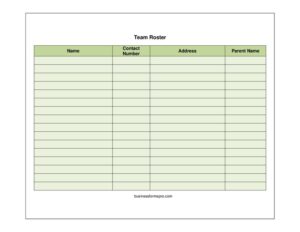
- Name: Enter the full name of the team member or player. Use first and last name to avoid confusion when two players share a first name. List entries alphabetically or by jersey number if that helps your team.
- Contact Number: Write the best phone number to reach this member or their household. For youth players, this is often the parent’s mobile number. Include the area code, and consider noting whether it’s a cell or home line.
- Address: Record the home address, including street, city, and ZIP code. This helps with carpools, mailing, and confirming which area or district a player lives in.
- Parent Name: For minor players, enter the parent or guardian’s full name. This identifies the adult responsible for the player and the primary point of contact. Leave this blank for adult team members.
Repeat these steps for every member until your roster is complete, then review it for accuracy before sharing.
Tips for Keeping Your Roster Accurate and Private
Because a roster contains personal contact information, handle it thoughtfully. Distribute it only to people who genuinely need it—coaches, assistant coaches, and team families—rather than posting it publicly. Save a master copy and update it whenever a family moves or changes phone numbers. At the start of each season, ask members to confirm their details so the information stays current. If you share the file electronically, consider a password-protected document or a trusted team app rather than a public group chat.
Common Mistakes to Avoid
- Outdated contact numbers that bounce or ring an old line, leaving you unable to reach a family in an emergency.
- Missing area codes or incomplete phone numbers that delay communication.
- Skipping the parent name for youth players, which makes it unclear who the responsible adult is.
- Illegible handwriting on printed rosters—type the form when possible or write clearly in block letters.
- Sharing the roster too widely, exposing families’ personal details to people outside the team.
- Forgetting to update the roster mid-season when new players join or contact details change.
Frequently Asked Questions
What is a Team Roster used for? A Team Roster is used to organize and store the contact details of everyone on a sports team, club, or group. Coaches and managers rely on it to reach players and parents quickly, coordinate logistics like carpools, and keep an official record of who belongs to the team.
How do I fill out a Team Roster? Complete one row per team member with their name, a contact number, a home address, and—for youth players—the parent or guardian’s name. Work through each member systematically, then double-check phone numbers and addresses for accuracy before distributing it.
Do I need to include a parent name for adult players? No. The parent name field is intended for minor players where a guardian is the main point of contact. For adult recreational teams, you can leave that field blank and simply record each player’s own name, number, and address.
Is a Team Roster a legal document? A basic Team Roster is an administrative contact record rather than a legally binding contract. However, some leagues may treat an official submitted roster as a formal eligibility document, so check your league’s specific requirements if you’re registering a team.
How much does this Team Roster template cost? It is completely free to download from Business Forms Pro in both PDF and DOCX formats, with no signup or payment required. You can print it as-is or edit the DOCX version to fit your team’s needs.
How should I protect the privacy of the information on the roster? Share the roster only with people who need it, such as coaches and team families, and avoid posting it publicly. When sending it electronically, use a secure method like a password-protected file or a trusted team app, and keep the master copy in a safe location.
This Team Roster template is provided as a general example for informational purposes only and does not constitute legal, privacy, or professional advice. Requirements for handling personal information and registering teams vary by organization and jurisdiction—consult your league administrator or a qualified professional for guidance specific to your situation.
Related Forms
- Address Book with Tabs
- Supplier Contact Info
- Contacts Conversation Log
- Team Contact List
- Address Change notification letter
- Home Service Contact Sheet
Browse more in Contact.