
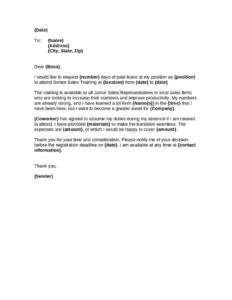
Request To Attend Training
Download a free Request to Attend Training form template to formally ask your manager for professional development approval and funding. Free PDF & DOCX download.
DOCX
0
likes
Download Files
- DOCX
A Request to Attend Training form is a short internal document an employee submits to ask an employer for approval to participate in a course, workshop, conference, or certification program. People most often use it to secure manager sign-off and funding for professional development before registering. It’s free to download here in both PDF and DOCX formats, with no signup required.
What Is a Request to Attend Training?
A Request to Attend Training is a formal written application that an employee fills out and routes to a supervisor or human resources for review. It documents the details of the proposed training, the business reasons for attending, and the costs involved so that a decision-maker can weigh the benefit against the budget and the employee’s workload. The form creates a clear paper trail showing who requested what, when, and why approval was granted or declined. Employers use it to keep professional development consistent, fair, and aligned with team goals, while employees use it to make a persuasive, well-organized case for time and money invested in their growth.
When Do You Need a Request to Attend Training?
This form is useful any time attending a learning event requires permission, paid time, or company funds. Common situations include:
- Registering for an external conference, seminar, or industry summit that has a registration fee.
- Enrolling in a certification or licensing course needed to perform or advance in your role.
- Requesting paid time away from regular duties to complete an online or in-person workshop.
- Asking the company to cover travel, lodging, or per-diem costs tied to off-site training.
- Pursuing skills development identified during a performance review or career-planning conversation.
- Joining a team training session, software bootcamp, or compliance course required for a new project.
Types of Training Requests
Not every request looks the same, and tailoring the form to the situation strengthens your case. Mandatory training covers compliance, safety, or regulatory courses the role legally requires, and these are usually approved quickly. Role-specific training builds skills directly tied to current duties, such as a software platform your team has adopted. Career-development training supports long-term growth and may require a stronger justification of return on investment. Knowing which category your request falls into helps you frame the business benefit appropriately and set realistic expectations about approval and funding.
What a Request to Attend Training Should Have
A complete request gives the approver everything needed to make a fast decision without follow-up questions. At minimum it should include the employee’s name, job title, and department; the name and provider of the training; the dates, location, and format; the total cost broken down by fees, travel, and materials; and a clear explanation of how the training benefits the employee’s role and the organization. A signature line for the employee and an approval section for the manager or HR complete the document and turn it into an auditable record.
How to Fill Out a Request to Attend Training
Work through the form in order so nothing is missed:
- Enter your details. Write your full name, job title, department, and the date you are submitting the request.
- Identify your supervisor. Add the name and title of the manager or HR contact who will review and approve the request.
- Describe the training. Record the course or event title, the provider or organizer, and a brief summary of what it covers.
- Add the schedule. List the start and end dates, total hours or days, the location or online platform, and whether it falls during working hours.
- Break down the cost. Itemize the registration fee, travel, accommodation, and materials, then total the amount you are requesting.
- State the justification. Explain how the training relates to your current duties or development goals and the expected benefit to the team.
- Sign and date. Add your signature, then leave the approval section blank for your manager to sign, date, and note any conditions.
Tips for Getting Your Request Approved
Submit the form well ahead of any registration deadline so your manager has time to review it and so early-bird pricing isn’t lost. Connect the training to a concrete goal — a project you support, a skill gap on the team, or an objective from your last review — rather than personal interest alone. Be transparent about costs and offer to share notes or run a short internal session afterward, which multiplies the value of the investment for the company. If budget is tight, mention lower-cost alternatives such as a virtual option or a single-day pass to show flexibility.
What Happens After You Submit
Once submitted, the form typically routes to your manager and sometimes to HR or finance for budget sign-off. The approver may accept it as written, approve it with conditions (for example, covering fees but not travel), request more information, or decline it. Keep a copy of the signed form for your records, as it documents the agreement on time off and reimbursement. After the training, many employers ask for the completion certificate and receipts to close out the request and process any reimbursement.
Common Mistakes to Avoid
- Leaving the cost section vague or omitting travel and materials, which delays approval.
- Submitting too late to meet the registration or early-bird deadline.
- Writing a weak justification that focuses on personal interest instead of business benefit.
- Forgetting to note whether the training conflicts with working hours or key deadlines.
- Skipping your signature or leaving out the approver’s name and details.
- Failing to keep a copy of the approved form for reimbursement and records.
Frequently Asked Questions
What is a Request to Attend Training form? It is an internal document an employee uses to formally ask an employer for permission and, often, funding to attend a course, workshop, or conference. It records the training details, costs, and business justification so a manager can decide whether to approve it. The completed form becomes a record of the agreement.
How do I fill out a Request to Attend Training? Start with your name, title, and department, then describe the training, its dates, location, and total cost. Add a justification explaining how it benefits your role and the organization, sign and date the form, and leave the approval section for your manager. Submit it before any registration deadline.
Does this form need to be signed by my manager? Yes — the value of the form comes from the approval section, where your supervisor or HR signs to authorize the time and any expenses. Without that signature the request is incomplete and you should not assume permission. Keep the signed copy for your records.
Is a Request to Attend Training legally binding? It is an internal administrative document rather than a formal contract, but a signed and approved form can establish that the employer agreed to cover time and costs. Treat any conditions noted in the approval section as part of that agreement. Company policy governs how it is used.
How much does this template cost? Nothing — this Request to Attend Training template is completely free to download in PDF and DOCX formats, with no signup or account required. You can edit the DOCX version to match your company’s branding, departments, and approval workflow.
Can I use this form for online or virtual training? Yes. Simply note the format as online in the location or schedule field and include the platform name and any access fees in the cost breakdown. The same justification and approval steps apply whether the training is in person or remote.
This template is a general example provided for informational purposes only and does not constitute legal, financial, or HR advice. Policies on training approval and reimbursement vary by employer and jurisdiction — consult your company’s HR department or a qualified professional before relying on this document.
Official resource: for the rules that apply to your situation, see the U.S. Department of Labor.
Related Forms
- Report of Absence for Military Duty
- Manual Timecard Semi-Monthly Mini
- Company Policy Explanation
- Employee Reference Request
- Organizational Chart
- Direct Deposit Authorization
Browse more in Employment.