
Project Timeline
Plan tasks, owners, and due dates with this free Project Timeline template—download in PDF or DOCX to keep your project on schedule.
PDF
DOCX
4 downloads
0
likes
Download Files
- DOCX
A Project Timeline is a simple scheduling document that lists every task in a project alongside its owner and due date so a team can see, at a glance, what needs to happen and when. People most often use it to keep a project on track and make sure no deadline slips through the cracks. You can download this template free in PDF or DOCX, with no signup required.
What Is a Project Timeline?
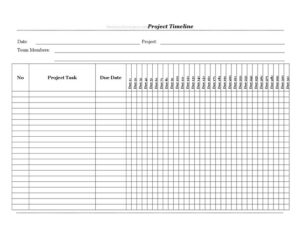
A Project Timeline is a planning and tracking tool that maps out the sequence of tasks required to complete a project, who is responsible for each one, and when it is due. It is typically created by a project lead, coordinator, or team manager at the start of a project and updated as work progresses. The document captures the project name, the date it was prepared, the team members involved, and a numbered list of tasks with their corresponding due dates. Unlike a detailed Gantt chart, this format is lightweight and easy to share, making it ideal for small teams, freelancers, and quick internal projects that need clarity without complex software.
When Do You Need a Project Timeline?
A Project Timeline is useful any time work involves multiple steps, deadlines, or contributors. Common situations include:
- Launching a new initiative — break a marketing campaign, product launch, or website build into ordered tasks with deadlines.
- Coordinating a team — when several people share responsibility, the timeline clarifies who owns which task.
- Client work — freelancers and agencies use it to set expectations and show clients exactly what will be delivered and by when.
- Event planning — track venue booking, vendor confirmations, invitations, and rehearsals against firm dates.
- Onboarding or training rollouts — sequence the steps needed to bring a new hire or system online.
- Status meetings — bring a single sheet that shows progress, upcoming due dates, and any tasks at risk.
Types of Project Timelines
While this template uses a clean task-and-date list, project timelines come in several styles. A chronological list like this one orders tasks by due date and is the easiest to maintain. A milestone timeline highlights only major checkpoints rather than every small task. A Gantt-style timeline shows tasks as horizontal bars across a calendar to visualize overlap and dependencies. For most small and medium projects, the simple list format strikes the best balance between detail and effort, which is why this template focuses on tasks, owners, and due dates rather than complex dependency mapping.
What a Project Timeline Should Have
A complete and useful Project Timeline includes a few essential elements:
- A project name so the document is clearly identified and easy to file.
- A preparation or revision date to show how current the schedule is.
- A list of team members responsible for the work.
- A numbered list of tasks in logical order.
- A clear description for each task that is specific enough to act on.
- A due date beside every task so accountability is unmistakable.
How to Fill Out a Project Timeline
Follow these steps to complete the template, working through each field in order:
- Date — enter the date you are creating or last updating the timeline. Update this whenever you revise the schedule so everyone knows they are looking at the latest version.
- Project — write the full name of the project, for example “Spring Newsletter Launch” or “Office Relocation.” Be specific enough that the document is recognizable on its own.
- Team Members — list everyone contributing to the project. Including names here makes it easy to assign tasks and follow up.
- No — number each task sequentially (1, 2, 3) so tasks can be referenced quickly in meetings and emails.
- Project Task — describe the specific work to be done in clear, action-oriented language, such as “Draft homepage copy” or “Confirm catering order.”
- Due Date — assign a firm completion date to each task. Order tasks so that earlier dependencies come before later ones, and leave buffer time before any hard deadline.
Tips for Keeping Your Timeline on Track
A timeline only helps if it stays current. Review it at the start of each week and mark which tasks are complete, in progress, or at risk. When a due date moves, update both the task date and the document date so the change is visible. Break large tasks into smaller numbered items so progress is easier to measure and momentum stays high. Share the timeline in a place everyone can access, and assign each task to a named team member so responsibility is never ambiguous. Finally, build in a little slack before major milestones—real projects rarely run perfectly on schedule, and a small buffer absorbs surprises.
Common Mistakes to Avoid
- Vague task descriptions — “work on website” tells no one what to actually do; write specific, actionable tasks instead.
- Unrealistic due dates — packing too many deadlines into one day sets the team up to miss them.
- No clear owner — list team members so each task can be tied to a responsible person.
- Forgetting to update the date field — an outdated timeline circulating among the team causes confusion about what is current.
- Ignoring dependencies — scheduling a task before the work it depends on creates bottlenecks.
- Setting it and forgetting it — a timeline that is never reviewed quickly becomes inaccurate and is ignored.
Frequently Asked Questions
What is a Project Timeline used for? It is used to plan and track the tasks that make up a project, showing who is responsible and when each task is due. Teams rely on it to stay organized, hit deadlines, and communicate progress in status meetings. It works for everything from marketing campaigns to event planning and client deliverables.
How do I fill out a Project Timeline? Start by entering the date and project name, then list your team members. Number each task, write a clear description of the work, and assign a due date to each one, ordering tasks so dependencies come first. Update the document as work progresses and due dates change.
Is this Project Timeline template free to download? Yes. You can download it free in both PDF and DOCX formats with no signup or payment required. The DOCX version is fully editable so you can add rows, adjust headings, or include your own branding.
How is a Project Timeline different from a Gantt chart? A Project Timeline like this one is a straightforward list of tasks with owners and due dates, easy to create and share. A Gantt chart adds a visual calendar of bars that shows task duration and overlap, which is helpful for complex projects but heavier to maintain. For most small and medium projects, the list format is faster and clear enough.
How often should I update the timeline? Review it at least once a week, and update it any time a task is completed or a due date shifts. Change the date field whenever you revise the document so the team always knows they are working from the most current version. Frequent updates keep the timeline trustworthy and useful.
Can I use this for a team project with multiple people? Absolutely. The Team Members field lets you list everyone involved, and the numbered task list makes it easy to assign and reference responsibilities. Share the completed timeline with the whole team so each person knows their tasks and deadlines.
This Project Timeline template is provided as a general example for informational purposes only and does not constitute legal, financial, or professional project-management advice. Requirements and best practices vary by organization and industry—consult a qualified professional where appropriate.
Related Forms
- Asset Inventory
- Cigar Tasting Log
- Observation Log
- Auction Buy List
- Inventory Count Sheet
- Computer Time Tracker
Browse more in Log and Inventory.