
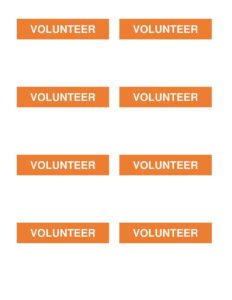
Volunteer Badges
Create professional volunteer ID badges fast with this free volunteer badges template, available as a free download in PDF and DOCX formats.
PDF
DOC
8 downloads
0
likes
Download Files
- DOC
A volunteer badges template is a ready-to-use layout for printing identification badges that volunteers wear at events, programs, and worksites. The single most common reason people use it is to quickly identify approved helpers to staff, attendees, and the public — and you can grab it here as a free download in PDF and DOCX, with no signup required.
What Is a Volunteer Badge?
A volunteer badge is a small printed identification card that shows a person is an authorized, recognized helper for an organization or event. It is typically issued by an event coordinator, nonprofit, school, church, or community group to people donating their time. The badge usually displays the volunteer’s name, the organization or event name, a role or assignment, and sometimes a photo or color code. Its purpose is twofold: it helps the public and staff quickly tell who is part of the official team, and it gives volunteers a clear sense of belonging and accountability. Unlike a paid-employee ID, a volunteer badge often emphasizes the program name and a friendly, approachable design while still communicating legitimacy.
When Do You Need a Volunteer Badge?
Volunteer badges are useful any time unpaid helpers interact with the public or move through restricted areas. Common situations include:
- Charity and community events — fun runs, food drives, festivals, and fundraisers where dozens of helpers need to be identifiable at a glance.
- Nonprofit and church programs — ushers, greeters, children’s ministry helpers, and outreach teams who serve regularly.
- Schools and PTAs — parent volunteers helping in classrooms, libraries, book fairs, or at sporting events.
- Conferences and conventions — registration desk staff, room monitors, and floor guides who direct attendees.
- Disaster relief and clean-up days — crews working in areas where authorized access and visible identification matter for safety.
- Hospitals, shelters, and care facilities — recurring volunteers who must be clearly distinguished from staff and visitors.
What a Volunteer Badge Should Have
An effective volunteer badge balances clear identification with quick readability from a short distance. Strong badges generally include the volunteer’s full name in large type, the organization or event name and logo, a role or assignment line, and a designation such as the word “Volunteer” so the person’s status is obvious. Many organizations add a color band or icon to indicate teams, shifts, or access levels, and some include a photo for higher-security settings. A validity date or event date keeps badges from being reused improperly, and a small line for an emergency or coordinator contact can be helpful. Leaving room for a clip, lanyard slot, or pin attachment keeps the design practical.
How to Fill Out a Volunteer Badge
Because badge needs vary by event, complete the template by adding the details that fit your program:
- Add your organization or event name at the top, along with a logo if you have one, so the badge looks official.
- Enter the volunteer’s full name in the largest, most prominent text field — this is what people read first.
- Specify the role or assignment, such as “Registration,” “Greeter,” “Setup Crew,” or “Team Leader.”
- Mark the status by keeping or adding the word “Volunteer” so the person is not mistaken for paid staff.
- Choose a color or team code if you use shifts, zones, or access tiers, and apply it consistently.
- Insert the date of the event or the badge’s valid-through date to discourage reuse.
- Add a photo where identity verification matters, and a coordinator contact line if useful.
- Print, cut, and attach to a lanyard, clip, or holder, then distribute at check-in.
Designing Badges for Quick Recognition
The best volunteer badges are legible from several feet away. Use a large, high-contrast font for the name and keep secondary details smaller so they do not compete. Color coding is one of the most powerful tools available: assigning each volunteer team or shift its own color lets coordinators and the public sort people instantly without reading fine print. If your event spans multiple days or zones, consider printing the date or zone in a bold band. Avoid overcrowding the badge — white space improves readability and makes the design look more professional. Standard badge sizes fit common lanyard holders, so check your holder dimensions before printing.
Printing and Distributing Badges
Print badges on heavier cardstock or laminate them so they survive a long day of wear. For larger events, batch-fill the template using a list of volunteer names so you are not retyping the layout each time. Bring blank spares and a marker to check-in so last-minute or walk-up volunteers can still be badged. Collect reusable badges and holders at the end of the event to save money and keep names from circulating afterward. Storing a digital copy of who received which badge can help with attendance records and thank-you notes later.
Common Mistakes to Avoid
- Tiny, hard-to-read names that defeat the purpose of identifying volunteers quickly.
- Forgetting the word “Volunteer” or status marker, which can confuse the public about who is in charge.
- Skipping a date on event badges, allowing old badges to be reused without authorization.
- Inconsistent color coding that makes team or shift identification unreliable.
- Overcrowding the design with logos, slogans, and fine print that bury the essential details.
- Printing on flimsy paper that tears, smudges, or curls before the event is over.
Frequently Asked Questions
What is a volunteer badge used for? A volunteer badge identifies an authorized helper to staff, other volunteers, and the public. It builds trust, helps coordinators manage teams, and lets attendees know who to approach with questions. It also gives volunteers a visible sense of being part of the official effort.
How do I fill out the volunteer badge template? Add your organization or event name and logo, type the volunteer’s full name in the largest field, list their role or assignment, and include a status label and date. You can also add a color code, photo, or contact line depending on your needs, then print and attach to a lanyard or clip.
Is this volunteer badge template free? Yes. You can download it here completely free in PDF and DOCX formats with no signup or payment required. The editable DOCX version lets you customize names, colors, and logos before printing.
Should a volunteer badge include a photo? A photo is optional and depends on your setting. For casual community events, a name and role are usually enough, but for higher-security environments like hospitals, schools, or restricted areas, adding a photo makes identity verification stronger.
What size should a volunteer badge be? Most badges are designed to fit standard lanyard holders, commonly around a credit-card or larger conference-badge size. Check the dimensions of your holders or clips before printing so the badge slides in cleanly and the name remains visible.
Can I reuse volunteer badges for multiple events? You can reuse the lanyards and holders, but it is best to print fresh inserts with the correct date and role for each event. Collecting badges at the end of an event also prevents old credentials from circulating and keeps your records accurate.
This volunteer badges template is provided as a general example for informational purposes only and is not legal, security, or compliance advice. Identification and access requirements vary by organization, venue, and jurisdiction — consult the appropriate coordinator, venue, or qualified professional to confirm what your program needs.
Related Forms
- Petsitting Instructions
- Housesitting Instructions
- Backstage Pass
- Individual RSVP Form
- Accident Claim Worksheet
- Petition Form Long
Browse more in Miscellaneous.