
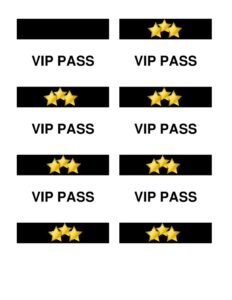
VIP Pass Small
Create polished access credentials fast with this free VIP Pass Small template, easy to customize and free download in PDF or DOCX format.
PDF
DOC
0
likes
Download Files
- DOC
A VIP Pass Small is a compact, printable access credential used to identify and admit guests, performers, staff, or sponsors who have been granted special entry privileges at an event. The single most common reason people use it is to control who gets backstage, into a lounge, or past a restricted checkpoint while keeping the design small enough to wear on a lanyard or clip to clothing. This template is free to download in PDF and DOCX, with no signup required.
What Is a VIP Pass Small?
A VIP Pass Small is a credential card — typically business-card or badge-sized — that signals a holder has elevated access at a gathering. Event organizers, promoters, venue managers, conference coordinators, and hospitality teams issue them to distinguish premium guests from general admission attendees. The pass documents who the holder is, what level of access they carry, and which event or dates it applies to. Because it is physically small, it is designed to be glanceable: a door attendant or security guard should be able to confirm validity in a second or two. The compact format makes it practical to print many at once, distribute quickly at check-in, and wear comfortably throughout a busy day or evening.
When Do You Need a VIP Pass Small?
This template fits any situation where a portable, easy-to-verify access badge keeps an event running smoothly. Common scenarios include:
- Concerts and live shows — granting artists, crew, and premium ticket holders backstage or pit access.
- Conferences and trade shows — marking speakers, exhibitors, press, and sponsors with elevated privileges.
- Private parties and galas — admitting invited guests to a restricted lounge, VIP table, or after-party.
- Sporting events — identifying box-seat holders, hospitality guests, or field-level access.
- Nightclubs and launch events — fast-tracking entry past general queues for select patrons.
- Corporate functions — distinguishing executives, partners, or honored guests at a company gathering.
Types of VIP Passes
Even within the small format, passes vary by purpose. An access pass emphasizes which zones the holder may enter. A hospitality pass highlights perks like complimentary food, drinks, or a reserved area. A working pass identifies staff, vendors, or crew who need behind-the-scenes movement. A time-limited pass applies only to a specific session, day, or window. Choosing the right emphasis helps you decide which details to make most prominent on the small surface area.
What a VIP Pass Small Should Have
To be useful and hard to counterfeit, a small VIP pass should clearly present a few essentials: the event name or logo, the access level or category (for example, “VIP,” “All Access,” or “Backstage”), the holder’s name or a guest number, the valid date or dates, and a unique identifier such as a serial or pass number. Many organizers also add a color band or icon to indicate access zones, a small space for a signature or authorization, and security touches like a watermark, foil, or QR code. Keeping the layout uncluttered ensures the most important field — the access level — reads instantly from a short distance.
How to Fill Out a VIP Pass Small
Because the surface is small, prioritize clarity over decoration. Work through the template field by field:
- Add the event name and logo at the top so the pass is immediately tied to your function.
- Enter the access level or category in large, bold text — this is the field security checks first.
- Fill in the holder’s name or, for transferable passes, a guest number or seat reference.
- Set the valid date or date range so the pass cannot be reused after the event.
- Assign a unique pass number for tracking, reconciliation, and replacing lost credentials.
- Indicate the access zones using a color, label, or checkbox if your event has multiple restricted areas.
- Add an authorization line — an organizer signature or stamp — to mark the pass as officially issued.
- Include any security element such as a QR code or serial, then print, trim to size, and laminate or slip into a holder.
Design and Production Tips
Because a small pass is read at a glance, contrast matters: use a dark, legible font on a light field for the access level and event name. Print a short batch first and test it on a lanyard or clip to confirm the text is readable at arm’s length. If your event spans multiple zones, assign a distinct color to each level so attendants do not have to read fine print. For higher-stakes events, sequential numbering and a quick-scan QR code make it far easier to spot duplicates and deactivate lost passes. Laminating or using durable cardstock keeps passes intact through a long day of handling.
Distributing and Tracking Passes
Decide before the event whether passes are tied to named individuals or transferable. Named passes deter sharing and help with security, while numbered, unnamed passes speed up bulk distribution. Keep a simple log matching each pass number to its recipient so you can reconcile at the end of the night and quickly invalidate anything lost or stolen. Collect or void passes after single-day events to prevent reuse at recurring functions.
Common Mistakes to Avoid
- Overcrowding the layout — too much text shrinks the access level and slows verification.
- Omitting the date — undated passes can be reused at later events, undermining control.
- Skipping unique numbers — without serials you cannot track or deactivate a lost pass.
- Poor contrast or tiny fonts — credentials that are hard to read at a checkpoint cause bottlenecks.
- No authorization mark — passes without a signature or stamp are easier to forge.
- Flimsy material — thin paper tears and smudges, making valid passes look suspect.
Frequently Asked Questions
What is a VIP Pass Small used for? It is a compact credential that grants and displays special access at an event, such as backstage, lounge, or restricted-zone entry. It lets staff verify privileged guests quickly and keeps premium areas controlled.
How do I fill out the VIP Pass Small template? Add your event name and logo, set the access level prominently, enter the holder’s name or guest number, fill in the valid dates, and assign a unique pass number. Then add an authorization mark and any security element before printing and trimming to size.
Is a VIP Pass Small legally binding? No, it is not a contract or legal document — it is an event credential. Its authority comes from the issuing organizer and the access rules they set, not from law.
Can I customize the design for my event? Yes. The DOCX version is fully editable so you can drop in your logo, change colors, adjust access labels, and add zones, QR codes, or serial numbers to match your event.
How much does this template cost? Nothing — it is a free download here in both PDF and DOCX formats, with no signup or account required.
How can I make the passes harder to counterfeit? Use sequential pass numbers, an organizer signature or stamp, a distinctive color scheme per access zone, and optional security touches like a QR code, watermark, or foil. Laminating and durable cardstock also make valid passes easier to recognize.
This template is provided as a general example for informational purposes only and does not constitute legal, security, or professional advice. Event access and credentialing requirements vary by venue and jurisdiction; consult the appropriate venue staff or a qualified professional to ensure your passes meet your specific needs.
Related Forms
- Articles of Incorporation
- Testimonial Form
- Business Purchase Proposal
- Corporate Minutes
- Accident Claim Worksheet
- Auction Bid Sheet
Browse more in Miscellaneous.