
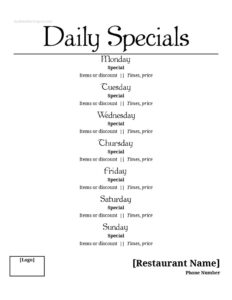
Specials Menu
Use our free Specials Menu template to showcase daily features, soups, and chef's picks in minutes — a clean, editable free download in PDF and DOCX.
DOCX
0
likes
Download Files
- DOCX
A Specials Menu is a short, frequently updated list that highlights a restaurant’s daily or weekly featured dishes, drink promotions, and limited-time offerings. Most operators use it to move fresh ingredients, spotlight the chef’s creativity, and give servers a quick reference for upselling. You can download this Specials Menu template free in both PDF and DOCX formats, with no signup required.
What Is a Specials Menu?
A Specials Menu is a supplementary menu that sits alongside your standard offerings and changes often — sometimes daily, sometimes by service period. It is typically created by the kitchen team, manager, or chef and printed fresh for each shift or displayed as a tabletop card, chalkboard transcription, or insert. Its purpose is to feature seasonal produce, reduce food waste by using surplus stock, test new recipes before adding them permanently, and create a sense of urgency around items that won’t be available tomorrow. Unlike a permanent menu, a Specials Menu is designed to be quick to edit, easy to reprint, and visually distinct so guests notice the day’s highlights.
When Do You Need a Specials Menu?
A Specials Menu earns its place in almost every type of dining operation. Common situations where it proves useful include:
- Daily kitchen features — when the chef wants to showcase a soup of the day, a fresh catch, or a rotating entrée built around the best ingredients that arrived that morning.
- Seasonal menus — to spotlight produce or proteins at their peak, such as a summer berry dessert or a fall squash bisque.
- Reducing waste — to sell through surplus inventory or near-par stock before it spoils, often at a feature price.
- Holiday and event service — for Valentine’s Day prix-fixe options, brunch specials, or game-day appetizer deals.
- Happy hour and drink promotions — to list discounted cocktails, wine pours, or beer flights available during set hours.
- Recipe testing — to trial a potential permanent dish and gauge guest demand before committing it to the main menu.
What a Specials Menu Should Have
An effective Specials Menu is short and scannable. Whether you keep it to a single card or a full insert, the strongest versions include a clear heading or date so guests and staff know it’s current, individual dish names that sound appetizing, brief descriptions naming key ingredients, prices for each item, and any limited-availability or time-window notes (for example, “available until sold out” or “served 4–6 p.m.”). Grouping items by course — starters, mains, desserts, and drinks — helps guests navigate quickly. Many restaurants also add allergen flags, dietary symbols (vegetarian, gluten-free), and a line about the source of a featured ingredient to add appeal and transparency.
How to Fill Out a Specials Menu
This template is intentionally flexible so you can adapt it to any service. Work through it in this order:
- Add the title and date. Label the sheet clearly (for example, “Today’s Specials” or “Chef’s Features”) and write the date or day so it’s obvious the list is current.
- Create your section headings. Decide whether to group by course — appetizers, soups, entrées, desserts, beverages — and add a heading for each group you’ll use.
- Enter each dish name. Use descriptive, appetizing names that hint at flavor or preparation, such as “Pan-Seared Atlantic Salmon” rather than just “Salmon.”
- Write a short description. List the main components, sides, and any standout flavors in one or two lines so servers can describe the dish accurately.
- Set the price. Place a clear price beside each item; for prix-fixe or combo offers, note what’s included.
- Add availability notes. Mark time windows, quantity limits, or “while supplies last” where relevant.
- Flag dietary details. Add symbols or notes for vegetarian, vegan, gluten-free, or common allergens.
- Proofread and print. Double-check spelling, prices, and the date before printing a fresh copy for each shift.
Design and Presentation Tips
Because specials change so often, presentation matters as much as the content. Keep the layout uncluttered with generous spacing so guests can read it at a glance, and use one consistent font that matches your brand. If you print tabletop cards, choose durable cardstock that holds up to spills and handling. For dishes you most want to sell, place them near the top or in a highlighted box — diners’ eyes tend to land there first. Photos can boost orders, but only use high-quality images; a poor photo does more harm than none. If you also list specials on a chalkboard or social media, copy the exact wording and price from this sheet so guests never encounter a mismatch when they sit down.
Keeping Specials Profitable
A Specials Menu should support both creativity and margins. Before listing a feature, confirm its food cost and set a price that protects your target margin while remaining attractive. Brief your service team on each item — its ingredients, preparation, allergens, and any pairing suggestions — so they can sell it confidently. Track how many of each special sell during a shift; consistent winners may deserve a spot on the permanent menu, while slow movers can be retired or reworked. Updating the sheet daily also keeps your kitchen disciplined about using fresh and surplus inventory.
Common Mistakes to Avoid
- Forgetting to update the date — leaving yesterday’s specials in place confuses guests and frustrates servers.
- Listing items you can’t deliver — never feature a dish unless the kitchen has the ingredients and prep time to make it.
- Vague or missing prices — every item should show a clear price to avoid awkward conversations at the table.
- Overcrowding the sheet — too many specials dilute the impact and slow down the kitchen.
- Skipping allergen and dietary notes — omitting these creates safety risks and lost sales among guests with restrictions.
- Not briefing staff — servers who can’t describe a special won’t sell it, no matter how good it looks on paper.
Frequently Asked Questions
What is a Specials Menu used for? A Specials Menu highlights a restaurant’s daily or limited-time featured dishes and drinks alongside the standard menu. Operators use it to spotlight seasonal ingredients, reduce food waste, test new recipes, and encourage guests to try something beyond the regular offerings.
How do I fill out the Specials Menu template? Start by adding a title and the current date, then group your items by course and enter each dish name, a short description, and a price. Finish by noting availability windows or dietary flags, proofreading carefully, and printing a fresh copy for the shift.
How often should a Specials Menu be updated? That depends on your operation — many kitchens update daily to reflect fresh deliveries and surplus stock, while others rotate weekly or by service period. The key is to refresh the date and items whenever the offerings change so guests and staff always see accurate information.
Should I include prices and allergen information? Yes. Listing a clear price for every special prevents confusion at the table, and noting common allergens or dietary symbols protects guests and helps servers recommend items confidently.
Can I edit this template to match my restaurant’s branding? Absolutely. The DOCX version is fully editable, so you can change fonts, add your logo, adjust section headings, and reformat the layout to match your brand before printing or sharing.
Is this Specials Menu template really free? Yes — you can download it free in both PDF and DOCX formats with no signup or payment required. Use it for a single day’s service or as a reusable template you update each shift.
This Specials Menu template is provided as a general example for informational purposes only and does not constitute legal, food-safety, or business advice. Allergen labeling, pricing display, and menu regulations vary by jurisdiction — consult the appropriate health authority or a qualified professional to ensure your menu meets local requirements.
Related Forms
- Weekly Sales Report
- Food Charity Donation Log
- Menu Template
- Shift Preferences Log
- Dinner Menu
- No Outside Food Or Drink Sign
Browse more in Restaurant.