
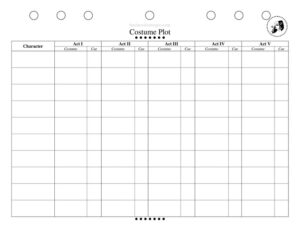
Costume Changes
Track every quick change with a free Costume Changes sheet template, keeping cast and crew organized backstage; download free in PDF and DOCX.
PDF
DOCX
7 downloads
0
likes
Download Files
- DOCX
A Costume Changes sheet is a backstage tracking document that lists every costume a performer wears, when each change happens, and who assists. Wardrobe teams and stage managers use it most often to coordinate fast quick-changes during live performances so nothing is missed under pressure. You can download this Costume Changes template free in both PDF and DOCX formats, with no signup required.
What Is a Costume Changes Sheet?
A Costume Changes sheet is a production paperwork document that maps out a single performer’s wardrobe journey through a show, scene by scene. It is typically created by the wardrobe supervisor or stage manager and shared with dressers, the cast member, and the running crew. The sheet documents each costume look, the scene or cue that triggers a change, the time available to complete it, and any accessories, wigs, or quick-rig garments involved. In practice it acts as both a planning tool during tech rehearsals and a real-time checklist during performances, ensuring every actor hits the stage in the right outfit at the right moment without confusion in a dark, fast-moving backstage environment.
When Do You Need a Costume Changes Sheet?
Any production with multiple looks or tight timing benefits from a written change plan. Common situations include:
- Quick-change shows: When a performer has only 30 to 90 seconds to swap an entire costume offstage and needs a dresser ready with garments pre-set.
- Large ensemble musicals: Where dozens of cast members rotate through many looks and the wardrobe crew must track who changes where and when.
- Repertory and touring: When the same actors perform different roles or shows on alternating nights and the crew needs a quick reference per production.
- Tech and dress rehearsals: To time each change, identify bottlenecks, and assign dressers before opening night.
- Understudy and swing prep: So a replacement performer can learn the full costume track quickly and accurately.
- Quick-change booth staffing: To plan which dressers cover which station and confirm every garment is pre-set in the right spot.
What a Costume Changes Sheet Should Have
A complete sheet leaves no room for guesswork backstage. The essentials are the performer or character name, the show or production title, and a row for each costume look in performance order. Every row should note the scene, act, or song that the change relates to, the cue or moment that signals it, and the location of the change (onstage exit, quick-change booth, or dressing room). It should list the full outfit, including base garments, shoes, accessories, wigs, and microphone considerations, along with the dresser assigned and any special notes such as pre-rigged snaps, Velcro, or hidden zippers. Timing notes for fast changes are critical.
How to Fill Out a Costume Changes Sheet
Because this template is a flexible grid, build it out to match your production. Follow these steps:
- Header: Enter the production title, performer’s real name, and the character(s) they play at the top.
- List looks in order: Create one row for each costume, numbered in the sequence the audience will see them.
- Add the cue: For each row, note the scene, act, or song and the specific cue line or stage action that triggers the change.
- Record the location: Specify where the change happens u2014 stage-left booth, dressing room, or onstage reveal.
- Describe the costume: Detail every piece, from underlayers to shoes, wigs, hats, and accessories.
- Assign a dresser: Write the name of the crew member responsible, especially for quick changes.
- Note the time: Estimate the available change window in seconds or minutes.
- Flag special handling: Add notes on rigging, mic packs, or anything fragile.
- Review in tech: Update the sheet as timings are tested during rehearsal.
Organizing Quick Changes Efficiently
The fastest changes succeed because of preparation, not speed. Use the sheet to identify which changes are under one minute and treat those as priorities for staffing and pre-setting. Pre-rig garments by laying them out in the order they go on, fasten shoes loosely, and pre-thread belts. Note on the sheet whether a costume needs two dressers or a quick-rig garment with breakaway closures. During tech, walk each change in real time and adjust the listed window if it runs long. Color-coding rows by act or by dresser station can make a busy sheet scannable in dim backstage light. Keeping the sheet posted at each quick-change station gives everyone the same reference.
Costume Plot vs. Change Sheet
People sometimes confuse a costume plot with a costume changes sheet. A costume plot is a broad chart showing which characters wear which costumes across the whole show, often used by the designer for the big picture. A costume changes sheet, by contrast, is an action-oriented running document focused on the mechanics of getting one performer in and out of clothes at the right cues. Many productions use both: the plot for design and tracking inventory, and the change sheet for the live backstage choreography. Treat this template as your operational tool for performance nights.
Common Mistakes to Avoid
- Listing looks out of order: Rows should follow the performance sequence, not the order garments were designed.
- Vague cues: u201cAct 2u201d is not enough u2014 name the exact line or action that triggers the change.
- Forgetting accessories: Wigs, gloves, mic packs, and shoes are the items most often left behind.
- Unrealistic timing: Estimating a change window without testing it in tech leads to missed entrances.
- No assigned dresser: A fast change with no named crew member is a recipe for chaos.
- Not updating after changes: Blocking and costume edits happen throughout rehearsals; an outdated sheet causes errors on opening night.
Frequently Asked Questions
What is a Costume Changes sheet used for? It tracks every costume a performer wears throughout a show, along with the cue, location, timing, and dresser for each change. Wardrobe crews use it to coordinate quick changes and ensure performers are dressed correctly for each scene. It is most valuable during live performances where there is no time to improvise.
Who fills out the Costume Changes sheet? Usually the wardrobe supervisor or stage manager creates it, often in collaboration with the costume designer and dressers. The performer may also review their own sheet to confirm the track is accurate. During tech rehearsals the whole running crew helps refine timing and notes.
How do I handle a very fast quick change on the sheet? Flag the row clearly with the available time in seconds and note that it requires pre-rigging and possibly two dressers. Describe any breakaway closures, Velcro, or magnets that speed the change. Then rehearse it repeatedly during tech and adjust the sheet until the timing is reliable.
Is this the same as a costume plot? No. A costume plot shows the overall design and which character wears what across the production, while a changes sheet focuses on the live mechanics of changing one performer at specific cues. Many shows use both documents together for complete coverage.
Can I customize this template for my production? Yes. The DOCX version is fully editable so you can add columns for mic packs, dressing stations, or actor notes, and create one sheet per cast member. Print copies to post at each quick-change station backstage.
Is the Costume Changes template free to download? Yes, you can download it free in both PDF and DOCX formats with no signup required. Use the PDF for quick printing or the DOCX to tailor the columns to your specific show before printing copies for the crew.
This Costume Changes template is provided as a general example for informational purposes only and is not professional production, safety, or legal advice. Backstage practices and requirements vary by venue, union, and production u2014 consult your stage management team and qualified professionals for your specific needs.
Related Forms
- Comp Ticket Request Form
- Script Assignment Tracker
- Focus Chart
- Pre-Show Checklist
- Line Notes Breakdown
- Audition Sheet Musical
Browse more in Theater.