
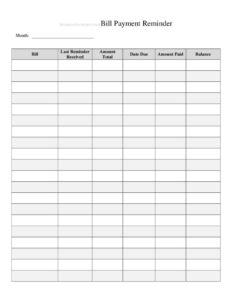
Bill Payment Reminder
Track due dates and avoid late fees with our free Bill Payment Reminder template, available as a free download in PDF and DOCX formats.
PDF
DOCX
0
likes
Download Files
- DOCX
A Bill Payment Reminder is a simple tracking sheet that helps you record what you owe, when each bill is due, and whether you’ve paid it — so nothing slips past its deadline. People most often use it to avoid late fees and missed payments by keeping every recurring and one-time bill in one organized place. You can download it free in PDF and DOCX, with no signup required.
What Is a Bill Payment Reminder?
A Bill Payment Reminder is a personal or household log used to monitor upcoming and outstanding bills. It’s typically created and maintained by an individual, a family member managing the budget, a roommate splitting expenses, or a small-business owner tracking accounts payable. The form documents each obligation — the payee, amount, due date, and payment status — in a single, scannable list. Its purpose is straightforward: turn a scattered pile of statements and mental notes into a reliable schedule so payments go out on time. Unlike a full budget, it focuses narrowly on timing and completion, answering the two questions that matter most: what is due, and has it been paid yet?
When Do You Need a Bill Payment Reminder?
This log is useful any time you’re juggling more than a couple of regular obligations or sharing financial responsibilities with others. Common situations include:
- Managing monthly household bills — rent or mortgage, utilities, internet, phone, and insurance all fall on different dates.
- Splitting expenses with roommates or family — everyone can see what’s due and who is responsible for paying.
- Running a small business or side hustle — tracking vendor invoices, subscriptions, and recurring software fees.
- Recovering after a missed payment — when late fees or service interruptions prompt you to get organized.
- Handling finances for a relative — caregivers and power-of-attorney holders use it to manage someone else’s bills accurately.
- Seasonal or quarterly obligations — property taxes, annual memberships, or insurance premiums that are easy to forget.
What a Bill Payment Reminder Should Have
An effective reminder log doesn’t need to be complicated, but it should capture enough detail that you never have to dig through paperwork to know your status. The essentials are the name of the biller or payee, the amount owed, the due date, the payment method, the date you actually paid, and a status indicator (paid, pending, or overdue). Many people also add an account or reference number, the billing period or month, and a notes column for partial payments, autopay flags, or confirmation numbers. A monthly total at the bottom helps you see your overall outflow at a glance and plan around paydays.
How to Fill Out a Bill Payment Reminder
Because this is a flexible log, fill it in row by row as bills arrive. Follow these steps:
- List the payee or biller — write the company or person you owe, such as “City Electric” or “Landlord.”
- Enter the account or reference number — record it once so you can confirm payments quickly later.
- Note the billing period — the month or date range the charge covers, which prevents double-paying.
- Record the amount due — copy the figure exactly from the statement, including cents.
- Write the due date — the deadline by which payment must be received, not just postmarked.
- Choose a payment method — autopay, bank transfer, check, card, or cash, so you know how it will be handled.
- Update the status — mark each bill pending, paid, or overdue as you work through the list.
- Fill in the date paid and any confirmation — log the actual payment date and a confirmation number in the notes.
- Total the column — add up amounts to see your monthly obligation and reconcile against your account.
Tips for Staying Ahead of Due Dates
The log works best when you pair it with a routine. Set a fixed day each week to review the sheet and pay anything due in the next seven days — this buffer protects you from weekend and holiday processing delays. Sort entries by due date rather than by payee so the most urgent items rise to the top. For recurring bills, you can pre-fill the next month’s rows as soon as you mark the current ones paid, creating a rolling schedule. If you use autopay, still log those bills and flag them clearly; autopay can fail when a card expires or a balance runs low, and an entry on your sheet reminds you to verify the charge actually went through.
Bill Reminder vs. a Full Budget
It’s worth distinguishing this tool from a complete budget. A budget allocates income across categories and tracks spending against targets over time. A Bill Payment Reminder is narrower: it concerns only the bills you must pay and whether they’re handled. Many people keep both — the reminder ensures nothing is missed, while the budget shows whether the totals fit their income. Used together, the reminder feeds real numbers into the budget, and the budget gives context to the obligations on the reminder. If you only have time for one, the reminder is the faster win because it directly prevents late fees and service shutoffs.
Common Mistakes to Avoid
- Logging the statement date instead of the due date — always record when payment must arrive, which is the figure that triggers late fees.
- Forgetting to update status after paying — an unmarked row looks unpaid and can lead to paying twice.
- Omitting autopay bills — they still belong on the sheet so you can confirm they processed.
- Not recording confirmation numbers — without proof, disputing a “missed” payment becomes a hassle.
- Letting the log fall out of date — a reminder only helps if you review it on a consistent schedule.
- Skipping the monthly total — you lose the early warning that this month’s bills exceed available cash.
Frequently Asked Questions
What is a Bill Payment Reminder used for? It’s a simple tracking sheet that lists your bills, their due dates, amounts, and payment status in one place. The goal is to make sure every payment goes out on time so you avoid late fees, interest charges, and service interruptions.
How do I fill out a Bill Payment Reminder? Add one row per bill, listing the payee, account number, amount due, due date, and payment method. As you pay each one, mark its status and record the date paid and a confirmation number, then total the column to see your monthly obligation.
Is the Bill Payment Reminder free to download? Yes. You can download it free from Business Forms Pro in both PDF and DOCX formats, with no signup or payment required. The DOCX version is fully editable so you can add or remove columns to fit your needs.
Should I include bills that are on autopay? Absolutely. Even automatic payments can fail if a card expires or a balance is too low. Listing autopay bills and flagging them lets you quickly verify each charge actually processed.
Can I use this for a small business? Yes. Many small-business owners and freelancers use it to track vendor invoices, subscriptions, and recurring fees. For more detailed accounting, you may eventually want dedicated accounts-payable software, but this log is an excellent starting point.
How often should I update the reminder? Update it whenever a new bill arrives and again each time you pay one. A good habit is reviewing the whole sheet once a week to catch anything due in the next several days before it becomes overdue.
This template is a general example provided for informational purposes only and is not financial, tax, or legal advice. Billing terms, due dates, and late-fee policies vary by provider and jurisdiction — review your own statements and consult a qualified professional for guidance specific to your situation.
Related Forms
- Side Income Log
- Beneficiaries List
- Inventory Cards
- Casino Earnings Log
- Supplier Schedule
- Inventory Schedule
Browse more in Log and Inventory.