
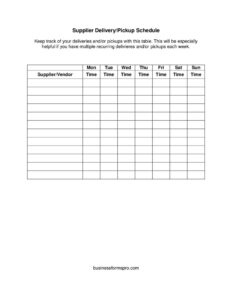
Supplier Schedule
Track vendors, lead times, and delivery dates with this free Supplier Schedule template—organize your supply chain and download free in PDF or DOCX.
PDF
DOCX
6 downloads
0
likes
Download Files
- DOCX
A Supplier Schedule is a working document that lists your vendors alongside the items they supply, order and delivery dates, lead times, and contact details so your team always knows who is delivering what and when. Most businesses use it to keep procurement organized and prevent stockouts or missed deliveries. You can download this Supplier Schedule template free in PDF or DOCX, with no signup required.
What Is a Supplier Schedule?
A Supplier Schedule is an organized log that maps each of your suppliers to the goods or services they provide and the timeline on which they deliver them. It is typically maintained by purchasing managers, inventory coordinators, operations staff, or small business owners who juggle multiple vendors. The document captures key details such as supplier names, contact information, product lines, order frequency, lead times, expected delivery dates, and pricing or order quantities. Rather than scattering this information across emails and spreadsheets, a Supplier Schedule centralizes it into one reference that the whole team can use. It supports smoother reordering, better cash-flow planning, and quicker problem-solving when a shipment is delayed or a vendor changes terms.
When Do You Need a Supplier Schedule?
A Supplier Schedule becomes essential the moment you rely on more than a handful of vendors or need predictable replenishment. Common situations include:
- Managing recurring orders — when you reorder the same materials weekly or monthly and need to time purchases against lead times.
- Coordinating multiple suppliers — when several vendors feed into one product or location and deliveries must be sequenced.
- Planning around lead times — when some items take days and others take weeks, and you must order early to avoid running out.
- Preventing stockouts — when inventory levels depend on reliable, scheduled deliveries to keep shelves and production lines full.
- Onboarding new vendors — when you add a supplier and want to document their terms, contacts, and delivery cadence from day one.
- Budgeting and forecasting — when finance needs visibility into upcoming purchases and expected costs across the supply base.
What a Supplier Schedule Should Have
A complete Supplier Schedule turns raw vendor data into an actionable timeline. The strongest versions include the following elements:
- Supplier identity — company name, account number, and a primary contact with phone and email.
- Items supplied — a clear description or SKU for each product or service the vendor provides.
- Order details — quantity ordered, unit price, and order frequency or reorder point.
- Timeline fields — order date, lead time, and expected or confirmed delivery date.
- Status tracking — a column to mark whether an order is pending, shipped, received, or delayed.
- Notes — space for special terms, minimum order quantities, or quality observations.
How to Fill Out a Supplier Schedule
Because this is a flexible log, fill it out one row per supplier or per scheduled order. Follow these steps:
- Add a header. Enter your business name, the period the schedule covers, and the date you last updated it so everyone knows the version is current.
- List the supplier. Record the vendor’s company name, account number, and the main contact person with phone and email.
- Describe the item. Note the product or service, including a SKU or part number if you use one, so there is no confusion about what is being ordered.
- Enter the order quantity and price. Add how many units you typically order and the agreed unit cost to support budgeting.
- Record the order date. Mark when the purchase order was or will be placed.
- Add the lead time. State how long the supplier needs between order and delivery.
- Set the delivery date. Calculate or confirm the expected arrival based on the order date plus lead time.
- Update the status and notes. Mark each entry as pending, in transit, received, or delayed, and add any relevant remarks.
Tips for Keeping Your Schedule Accurate
A Supplier Schedule only helps if it reflects reality. Review it on a fixed cadence—weekly for fast-moving inventory, monthly for slower items. After each delivery, immediately update the status field so the document shows what has actually arrived versus what is still outstanding. Track actual delivery dates against promised ones over time; a vendor that consistently slips becomes easy to spot, which strengthens your position when renegotiating terms or sourcing a backup supplier. Color-coding or a simple status column makes overdue orders jump out at a glance. If you maintain the DOCX version, consider converting recurring entries into a template row you can copy, so adding a new scheduled order takes seconds rather than minutes.
Supplier Schedule vs. Purchase Order
It is easy to confuse a Supplier Schedule with a purchase order, but they serve different roles. A purchase order is a transactional document that authorizes a single, specific purchase and acts as a commitment between buyer and seller. A Supplier Schedule, by contrast, is an ongoing planning and tracking tool that summarizes many orders and relationships across time. You might issue dozens of purchase orders that all feed into one Supplier Schedule. Think of the purchase order as the individual transaction and the schedule as the bird’s-eye view that keeps your whole procurement rhythm visible and coordinated.
Common Mistakes to Avoid
- Letting it go stale — an out-of-date schedule is worse than none because it creates false confidence; update it after every change.
- Omitting lead times — without lead times you cannot calculate realistic delivery dates or order early enough.
- Vague item descriptions — generic labels cause the wrong product to be ordered; always include SKUs or part numbers.
- Missing backup contacts — relying on one contact per vendor leaves you stranded if that person is unavailable.
- Ignoring delivery performance — failing to log actual versus promised dates hides chronic delays.
- No status column — without a clear status, it is impossible to tell at a glance which orders still need attention.
Frequently Asked Questions
What is a Supplier Schedule used for? It is used to track which vendors supply which items, when orders are placed, how long delivery takes, and when goods are expected to arrive. This gives procurement and operations teams a single reference for managing replenishment and avoiding stockouts.
How do I fill out a Supplier Schedule? Start by adding your business details and the period covered, then create one row for each supplier or scheduled order. Fill in the vendor’s contact information, the item, quantity and price, order date, lead time, delivery date, and current status, updating each entry as orders progress.
Is a Supplier Schedule a legally binding document? No, a Supplier Schedule is an internal planning and tracking tool, not a contract. The binding commitments live in your purchase orders, supply agreements, or contracts with each vendor; the schedule simply organizes and summarizes that activity.
How often should I update my Supplier Schedule? Update it whenever an order is placed, shipped, received, or delayed, and review the whole document on a regular cadence—weekly for fast-moving inventory and monthly for slower items. Frequent updates keep the schedule trustworthy and useful.
What is the difference between a Supplier Schedule and a purchase order? A purchase order authorizes a single specific purchase, while a Supplier Schedule is an ongoing log that summarizes many orders and vendor relationships over time. The schedule provides the overview; the purchase order handles the individual transaction.
How much does this Supplier Schedule template cost? Nothing—it is completely free to download in both PDF and DOCX formats with no signup required. You can use the editable DOCX version to customize columns and add your own branding.
This Supplier Schedule template is a general example provided for informational purposes only and does not constitute legal, financial, or tax advice. Procurement practices and contractual requirements vary by business and jurisdiction, so consult a qualified professional before relying on this document for any formal agreement.
Related Forms
- Inventory Tag
- Software Inventory
- Retirement Income Sources
- Website Password Tracker
- Bill Reminder Tracker
- Prospect List
Browse more in Log and Inventory.