
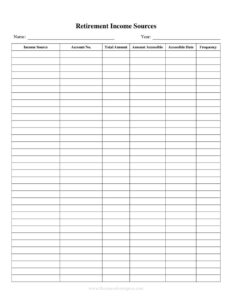
Retirement Income Sources
Track every stream of retirement income in one place with our free Retirement Income Sources log template — organized, clear, and free download in PDF and DOCX.
PDF
DOCX
1 downloads
0
likes
Download Files
- DOCX
A Retirement Income Sources log is a simple worksheet that lists every stream of money you expect to receive in retirement — pensions, Social Security, annuities, withdrawals, and more — so you can see your total monthly and annual income at a glance. People most often use it when planning a budget for life after work or reviewing whether their savings will last. It’s completely free to download here in both PDF and DOCX formats, with no signup required.
What Is a Retirement Income Sources Log?
A Retirement Income Sources log is an organizing tool that documents each source of income a retiree (or soon-to-be retiree) will draw on, along with the amount, frequency, and start date of each. It is typically completed by an individual or couple, sometimes with the help of a financial planner, accountant, or family member. Rather than juggling statements from a pension provider, the Social Security Administration, and several investment accounts, the log brings everything onto one page. Its purpose is clarity: by laying out fixed income (like pensions) next to variable income (like portfolio withdrawals), you can compare projected income against expenses and spot gaps before they become problems.
When Do You Need a Retirement Income Sources Log?
This log is useful at many points in the retirement journey, not just on day one. Common situations include:
- Pre-retirement planning — estimating total income two to five years before you stop working to confirm you can afford to retire.
- Building a retirement budget — matching guaranteed and discretionary income against monthly living costs.
- Coordinating a couple’s income — combining two pensions, two Social Security benefits, and shared investment accounts into one picture.
- Deciding when to claim benefits — comparing how delaying Social Security or a pension changes your total income.
- Meeting with a financial advisor — arriving with a complete inventory so the conversation focuses on strategy, not data gathering.
- Annual reviews — updating amounts each year as cost-of-living adjustments, required minimum distributions, or new income streams take effect.
Common Types of Retirement Income
Most retirees draw from a mix of the following categories, and the log gives each its own line:
- Guaranteed income — Social Security, employer or government pensions, and annuities that pay a set amount.
- Account withdrawals — distributions from 401(k), 403(b), IRA, or Roth accounts.
- Investment income — dividends, interest, and capital gains from taxable brokerage accounts.
- Real estate income — rent from properties or income from a reverse mortgage.
- Part-time work or consulting — earnings that supplement other sources, especially in early retirement.
What a Retirement Income Sources Log Should Have
A complete log makes it easy to total your income and understand its reliability. The key elements are the name of each income source, the type or category (guaranteed vs. variable), the amount per payment, the frequency (monthly, quarterly, annual), the start date or claim age, and any notes such as cost-of-living adjustments or end dates. A good template also includes a column for whether the income is taxable and a row to total monthly and annual figures. Together these fields turn a scattered set of statements into a single, decision-ready summary.
How to Fill Out a Retirement Income Sources Log
Work through your statements one source at a time and record each on its own line:
- List the income source name. Write a clear label such as “Social Security (John),” “State Teacher Pension,” or “Fidelity IRA withdrawal.”
- Choose the type or category. Note whether it is guaranteed (pension, annuity, Social Security) or variable (investment withdrawals, rental income).
- Enter the payment amount. Use the gross figure from the most recent statement or benefit estimate.
- Record the frequency. Indicate monthly, quarterly, or annual so amounts can be standardized later.
- Add the start date or claim age. Show when the income begins — for example, Social Security at age 67 or pension payments next March.
- Mark whether it’s taxable. Flag sources that are taxed differently, such as Roth withdrawals versus traditional IRA distributions.
- Write notes. Capture details like annual increases, survivor benefits, or a known end date.
- Total your income. Convert everything to a monthly and annual figure and add the rows for your bottom-line picture.
Turning the Log Into a Plan
Once the log is complete, compare your total monthly income to your expected expenses. If guaranteed income alone covers essentials like housing, food, and insurance, you have a stable foundation and can treat variable income as flexible. If there is a gap, the log helps you see exactly how much you need to draw from savings — and for how long that draw is sustainable. Many people revisit the log each year and after major events such as a market downturn, a move, or the start of required minimum distributions, keeping their plan grounded in current numbers rather than outdated assumptions.
Keeping Your Log Accurate Over Time
Retirement income is not static, so treat the log as a living document. Cost-of-living adjustments raise Social Security and some pensions; investment withdrawals shift with account balances; and part-time income may end. Set a recurring reminder — for instance, every January — to update each figure from the latest statement. Keep a saved copy of prior versions so you can see how your income picture has changed year over year, which is valuable both for your own peace of mind and for conversations with an advisor.
Common Mistakes to Avoid
- Mixing gross and net figures. Decide whether you’re tracking before- or after-tax amounts and stay consistent across all rows.
- Forgetting smaller sources. Dividends, interest, or occasional consulting income add up and belong on the log.
- Ignoring start dates. Listing a benefit that won’t begin for several years can overstate your current income.
- Overlooking taxes. Treating all income as equal hides the real spendable amount after taxes.
- Not converting frequencies. Comparing monthly and annual figures without standardizing leads to budgeting errors.
- Letting it go stale. An un-updated log gives a false sense of security as amounts change each year.
Frequently Asked Questions
What is a Retirement Income Sources log used for? It is used to gather every stream of retirement income — pensions, Social Security, annuities, account withdrawals, and more — into one organized worksheet. This lets you total your expected income and compare it against your living expenses so you can plan with confidence.
How do I fill out the Retirement Income Sources template? List each source on its own line with its name, type, payment amount, frequency, start date, and a note about taxes or adjustments. Then convert each amount to monthly and annual figures and add the rows to find your total income.
Should I record gross or net income? Either approach works as long as you are consistent. Many people start with gross amounts from their statements and add a separate note or column for taxes, since tax treatment varies widely between Roth, traditional, and pension income.
Is this log legally binding or official? No. It is a personal planning and organizing tool, not a legal or government document. It does not change your benefits or accounts — it simply helps you see and manage them in one place.
How often should I update it? Reviewing it at least once a year is a good habit, ideally early in the year when cost-of-living adjustments take effect. You should also update it after major changes such as starting a new benefit, a large market move, or beginning required minimum distributions.
Is the template really free to download? Yes. You can download the Retirement Income Sources log free in both PDF and DOCX formats with no signup required, and edit the DOCX version to add or remove columns to fit your situation.
This template is provided as a general example for informational purposes only and does not constitute financial, tax, or legal advice. Retirement income rules, benefit calculations, and tax treatment vary by jurisdiction and individual circumstances — consult a qualified financial advisor or tax professional before making decisions.
Related Forms
- Inventory Cards Spreadsheet
- Volunteer Hours Tracker
- Hotel Reservation Request
- Elder Care Daily Log
- Club Tracking Payments
- Quarterly Sales Record
Browse more in Log and Inventory.