
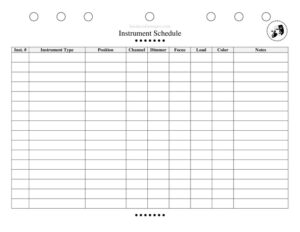
Instrument Schedule
Download a free Instrument Schedule template for theater and pit orchestras to track every instrument, player, and assignment with a clean PDF or DOCX.
PDF
DOCX
5 downloads
0
likes
Download Files
- DOCX
An Instrument Schedule is a planning document used in theater and orchestra productions to list every musical instrument required for a show, who plays it, and when. The most common reason people reach for one is to organize the pit orchestra or stage band before rehearsals begin, so nothing is forgotten on opening night. You can download it free in PDF and DOCX formats with no signup required.
What Is an Instrument Schedule?
An Instrument Schedule is a structured chart, usually maintained by a music director, conductor, or stage manager, that documents the full instrumentation of a production. It records each instrument, the musician assigned to it, the doubling requirements, and the scenes, numbers, or acts in which each instrument is used. In musical theater especially, a single player may cover several instruments, so this schedule becomes the master reference that keeps the pit organized. It is part inventory, part personnel roster, and part cue sheet, giving everyone from the producer to the librarian a shared picture of what instruments are needed and who is responsible for each one across the run of the show.
When Do You Need an Instrument Schedule?
This form earns its place at almost every stage of a production’s musical life. Common situations include:
- Casting the pit orchestra — confirming how many players you need and which instruments each one must cover before contracts go out.
- Planning doublings — mapping which reed or keyboard player switches between instruments, and which scenes those switches happen in.
- Renting or sourcing instruments — building a clear list of required instruments so you know what to rent, borrow, or hire.
- Coordinating rehearsals — letting the music director see at a glance who is needed for which numbers, so call times can be staggered.
- Stage setup and load-in — helping the technical crew position chairs, stands, amps, and microphones for the right instruments.
- Touring or transfers — handing off a complete instrumentation reference when a production moves to a new venue or a new musical team takes over.
What an Instrument Schedule Should Have
A complete Instrument Schedule should make it instantly clear what is needed, who provides it, and where it is used. The core elements typically include the production title and date or run, a list of every instrument by name, the player assigned to each, any doubling or secondary instruments per chair, the scenes or musical numbers in which each instrument appears, and notes on ownership (player-owned versus rented). Many schedules also track amplification needs, special equipment such as mutes or mallets, and a column for status so you can mark each instrument as confirmed, pending, or sourced. The goal is a single page anyone on the team can scan without asking follow-up questions.
How to Fill Out an Instrument Schedule
Because this template is a flexible chart, build it row by row to match your production:
- Add the production details at the top — show title, venue, music director, and the rehearsal or performance dates the schedule covers.
- List each chair or position in the first column, such as Reed 1, Violin, Trumpet, Keyboard 1, or Percussion.
- Enter the primary instrument for that chair, then add any doublings (for example, Reed 1 covering flute, clarinet, and piccolo).
- Name the assigned player for each chair, leaving the field blank until casting is confirmed.
- Record the scenes or numbers where that instrument is required so you can plan staggered calls.
- Note the source — player-owned, theater-provided, or rented — and add a vendor or contact if applicable.
- Mark equipment needs such as amplification, music stands, lights, or mutes.
- Update the status column as instruments and players are confirmed, and re-circulate the schedule after every change.
Tips for an Accurate Pit Orchestra Schedule
Treat the Instrument Schedule as a living document rather than a one-time list. Cross-check it against the published orchestration that comes with your rental score, since licensed musicals specify exact instrumentation that you cannot change without permission. Color-code or flag doublings so the music director can confirm a single player can realistically cover all the switches in the time the score allows. If you are working in a small venue, note physical constraints early — a tight pit may not fit a full drum kit or an acoustic piano, which can change your sourcing plan. Finally, share the schedule with the librarian so the correct number of parts is prepared for each chair.
Instrument Schedule vs. a Rehearsal Schedule
It is easy to confuse the two, but they answer different questions. An Instrument Schedule focuses on what instruments are needed and who plays each one, serving as the instrumentation master list. A rehearsal schedule focuses on when people are called and what material is covered in each session. The two work together: once your Instrument Schedule confirms which players are needed for which numbers, you can build a smarter rehearsal schedule that calls only the musicians required for each block, saving time and budget.
Common Mistakes to Avoid
- Ignoring the licensed orchestration — altering instrumentation without permission from the rights holder can violate your performance agreement.
- Forgetting doublings — listing only the primary instrument hides switches that affect setup and player availability.
- Leaving the source column blank — assuming a player owns an instrument they actually need to rent leads to last-minute scrambles.
- Not updating after casting changes — a stale schedule causes wrong call times and missing parts.
- Overlooking equipment — failing to note amps, stands, or lights means the crew can’t prep the pit properly.
- Skipping space constraints — booking instruments that physically won’t fit the venue’s pit or stage.
Frequently Asked Questions
What is an Instrument Schedule used for? It is used to organize all the instruments a theater or orchestra production needs, listing each instrument, its assigned player, any doublings, and the scenes where it appears. It serves as the master reference for casting the pit, sourcing instruments, and coordinating rehearsals so nothing is overlooked before opening night.
Who fills out the Instrument Schedule? It is typically maintained by the music director, conductor, or stage manager, often with input from the librarian and producer. Whoever owns the document should keep it current and re-circulate it whenever players, instruments, or rehearsal plans change.
How do I handle doublings on the schedule? List the primary instrument for each chair first, then add the secondary instruments that player covers in the same row, along with the numbers where switches occur. This makes it clear how many instruments one musician must bring and helps confirm that the doublings are physically achievable in the time the score allows.
Does an Instrument Schedule need to match the licensed score? Yes — for licensed musicals, the rights holder specifies exact instrumentation in the rental materials, and changing it usually requires written permission. Always build your schedule against the official orchestration to stay compliant with your performance agreement.
Can I edit this template for my own production? Absolutely. The DOCX version is fully editable, so you can add or remove rows, rename chairs, and insert columns for amplification, status, or vendor contacts to fit any size production, from a small cabaret band to a full pit orchestra.
Is this Instrument Schedule template free to download? Yes, you can download it free in both PDF and DOCX formats with no signup required. Use the PDF for quick printing and distribution, and the DOCX when you want to customize the columns and fill in your own production details.
This Instrument Schedule template is provided as a general example for informational purposes only and is not legal, contractual, or licensing advice. Instrumentation rules and performance requirements vary by production and licensing agreement — consult your rights holder, music director, or a qualified professional for guidance specific to your show.
Related Forms
- Scene Breakdown Action
- Post-Show Checklist
- Rehearsal Schedule Month
- Preliminary Props List
- Costume Inventory
- Scene Breakdown
Browse more in Theater.