
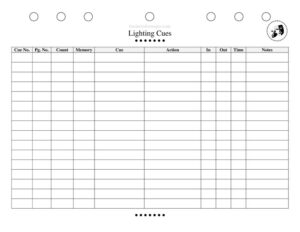
Lighting Cues Sheet
Track every light change in your show with our free Lighting Cues Sheet template, available as a free download in PDF and DOCX for stage productions.
PDF
DOCX
4 downloads
0
likes
Download Files
- DOCX
A Lighting Cues Sheet is the document a lighting board operator and stage manager use to record every lighting change in a production — when it happens, what it looks like, and how it executes. The most common reason people reach for one is to keep complex shows running smoothly so no cue is missed during a live performance. You can download this Lighting Cues Sheet free in PDF and DOCX, with no signup required.
What Is a Lighting Cues Sheet?
A Lighting Cues Sheet is a structured running document that lists each lighting cue in the order it occurs throughout a show. It is typically created by the lighting designer in collaboration with the stage manager and used by the board operator during rehearsals and performances. The sheet captures the cue number, the moment it fires (its trigger or “go” point), the look it creates, the channels or fixtures involved, and the fade timing. Together these details let an operator reproduce the exact lighting state at the exact moment, performance after performance. It serves as both a planning tool during tech week and a reliable reference once the show opens.
When Do You Need a Lighting Cues Sheet?
Almost any production with more than a couple of lighting changes benefits from a written cue sheet. Common situations include:
- Tech rehearsals — when the lighting designer is building looks and needs to log each cue as it is set and numbered.
- Plays and musicals — where blackouts, scene transitions, and special effects must hit precise lines or beats.
- Touring shows — so a new local crew can recreate the design accurately in an unfamiliar venue.
- School and community theater — where volunteer operators need clear, written guidance rather than relying on memory.
- Concerts and live events — for syncing color washes, spotlights, and intensity changes to songs or speaker segments.
- Remounts and revivals — when a production returns months later and the original cues must be rebuilt from documentation.
What a Lighting Cues Sheet Should Have
A complete cue sheet gives an operator everything needed to fire a cue confidently and on time. Key elements include a clear production title and date, sequential cue numbers, a description of the trigger or “go” point, a description of the visual look, the fixtures or channels affected, intensity levels, fade-in and fade-out times, and a notes column for follow spots, special effects, or warnings. Page numbers and act/scene labels keep long shows organized. The sheet should be legible under low light at the booth, with enough white space to add handwritten changes during tech.
How to Fill Out a Lighting Cues Sheet
- Header: Enter the production name, venue, performance date, and the name of the lighting designer or operator at the top of the sheet.
- Act and scene: Label the section so cues are grouped by where they fall in the show.
- Cue number: Assign each cue a sequential number (1, 2, 3 — or 1.5 for inserts) in the order it fires.
- Trigger / go point: Write the exact line, sound, or stage action that prompts the cue, such as “on blackout” or “as actor crosses center.”
- Look description: Note the visual result — “warm full stage,” “cold spot DSR,” or “slow fade to black.”
- Channels / fixtures: List the units or channel numbers involved and their intensity percentages.
- Timing: Record the fade-up and fade-down times in seconds.
- Notes: Add reminders for follow spots, autofollows, effects, or any caution about timing.
Cue Types and Timing Conventions
Lighting cues come in several recognizable forms, and noting the type helps an operator anticipate the action. A standard cue changes the look from one state to another. A blackout drops all light, often quickly, to mark a scene break. A fade gradually raises or lowers intensity over a set count. An autofollow fires automatically after the previous cue completes, while a follow cue waits a fixed delay. Timing is usually written in seconds — a “3-count fade” means roughly three seconds. Some boards allow separate up and down fade times, so a cue might read “5/3,” meaning five seconds to bring lights up and three to take others down. Recording these conventions consistently keeps the whole sheet readable.
Tips for a Reliable Cue Sheet
Treat the cue sheet as a living document during tech week. Update it immediately whenever a cue is added, deleted, or renumbered so the paper version always matches the board. Use a pencil during rehearsals and finalize in ink or a clean printout before opening. Keep a backup copy with the stage manager’s prompt book so a single lost page never derails a performance. Number your pages and date each revision so everyone is working from the same version. When in doubt, write more detail rather than less — the operator who needs the sheet may not be the person who built the cues.
Common Mistakes to Avoid
- Vague triggers: Writing “after the speech” instead of the exact final word leaves the operator guessing.
- Skipping fade times: Omitting timing forces the operator to improvise, producing inconsistent looks.
- Out-of-order numbering: Renumbering cues without updating the whole sheet creates confusion mid-show.
- Illegible handwriting: A sheet that can’t be read in booth lighting is useless during a live run.
- No backup copy: Relying on one paper sheet risks losing the entire cue list.
- Forgetting follow spots: Leaving manual operators off the notes column causes missed pickups.
Frequently Asked Questions
What is a Lighting Cues Sheet used for? It is used to document every lighting change in a production so a board operator can reproduce the design accurately at each performance. It records cue numbers, triggers, looks, channels, and fade times in performance order. Both the lighting designer and stage manager rely on it during tech and the run.
How do I fill out a Lighting Cues Sheet? Start with the production header, then label the act and scene, and list each cue in sequence with a number. For every cue, write the trigger, the look, the channels and intensities, and the fade timing, plus any notes. Update the sheet immediately whenever cues change during rehearsal.
Who creates the lighting cue sheet? The lighting designer usually builds the cues and their looks, often working alongside the stage manager who calls the show. The board operator then uses the finished sheet to execute each cue. On smaller productions, one person may handle all three roles.
What does a fade time like “5/3” mean? It indicates separate up and down fade durations — in this example, lights fade up over five seconds while others fade down over three seconds. Many lighting boards support split timing like this to make transitions feel natural. Recording it on the sheet keeps the timing consistent every night.
Is this Lighting Cues Sheet free to download? Yes. You can download this template free in both PDF and DOCX formats with no signup required. The DOCX version is fully editable so you can add columns, adjust spacing, or tailor it to your board and production.
Can I use this template for any kind of show? Yes. It works for plays, musicals, dance, concerts, and live events of any size. Because the format is general, you can adapt the columns to match your lighting console, the complexity of your design, and whether you use manual follow spots.
This Lighting Cues Sheet template is a general example provided for informational purposes only and is not professional or technical advice. Equipment, terminology, and production practices vary by venue and console — consult your lighting designer, technical director, or a qualified professional for your specific show.
Related Forms
- Sound Cues Sheet
- Preliminary Props List
- Props List
- Prop Pre-Set Checklist
- Contact Sheet Individual
- Props Preset By Act
Browse more in Theater.