
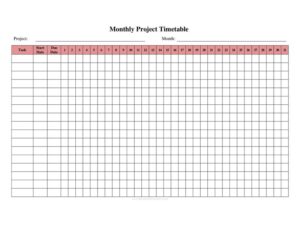
Monthly Project Timetable
Plan and track project tasks with our free Monthly Project Timetable template, an easy-to-use schedule available as a free download in PDF and DOCX.
PDF
DOC
3 downloads
0
likes
Download Files
- DOC
A Monthly Project Timetable is a planning document that lays out every task, milestone, and deadline of a project across the days or weeks of a single month. People reach for it most often when they need a clear, at-a-glance view of who is doing what and when within a defined timeframe. It is free to download here in both PDF and DOCX formats, with no signup required.
What Is a Monthly Project Timetable?
A Monthly Project Timetable is a structured schedule that organizes the activities of a project across a one-month period. It is used by project managers, team leads, freelancers, students, and small business owners to map tasks against calendar dates, assign responsibility, and monitor progress. The document typically documents the project name, the month it covers, individual tasks or phases, their start and end dates, the people responsible, and a status indicator. Its purpose is to turn an abstract plan into a concrete, time-bound roadmap so everyone involved can see deadlines, spot scheduling conflicts early, and keep the project moving forward without surprises or missed handoffs.
When Do You Need a Monthly Project Timetable?
This timetable is useful any time work needs to be coordinated against a calendar within a defined month. Common situations include:
- Launching a marketing campaign where content, design, and ad placement all have staggered deadlines in the same month.
- Managing a construction or renovation phase that must hit weekly inspection or delivery dates.
- Coordinating a product release with development, testing, and rollout tasks that depend on one another.
- Planning an event such as a conference or fundraiser with vendor bookings, invitations, and rehearsals to track.
- Running a classroom or research project where students or team members each own a portion of the work.
- Tracking recurring monthly operations like reporting cycles, maintenance schedules, or onboarding programs.
Types of Monthly Project Timetables
Although the core layout stays the same, the timetable can be adapted in several ways. A task-based version lists discrete to-do items in rows, ideal for short, action-heavy projects. A milestone-based version focuses on major checkpoints and review dates, useful for longer initiatives broken into stages. A resource-based version groups rows by person or team so each contributor sees their own slice of the work. Many teams blend these approaches, using one timetable to capture tasks, owners, and milestones together. Choosing the right emphasis depends on how complex the project is and how many people need to read it.
What a Monthly Project Timetable Should Have
A complete and useful timetable generally includes the following elements:
- A clear project title and the month and year the schedule covers.
- A list of tasks, phases, or milestones, each described briefly but specifically.
- Start and end dates (or target completion dates) for every task.
- The person or team responsible for each item.
- A status or progress column such as Not Started, In Progress, or Complete.
- Space for notes, dependencies, or priority levels to flag what must happen before something else can begin.
How to Fill Out a Monthly Project Timetable
Follow these steps to complete the template field by field:
- Enter the project name at the top so the document is easy to identify when filed alongside others.
- Add the month and year this timetable covers; create a separate sheet for each month of a multi-month project.
- List each task or milestone in its own row, keeping descriptions short and action-oriented (for example, “Draft launch email”).
- Set the start date for each task in the corresponding column.
- Set the end or due date so the duration is visible at a glance.
- Assign an owner by naming the person or team accountable for each item.
- Mark the status using a consistent label such as Not Started, In Progress, or Done.
- Note dependencies or priorities in the notes column so blockers are obvious.
- Review the full month for overlaps, gaps, or overloaded days before sharing it with your team.
Tips for Keeping the Timetable Accurate
A timetable only helps if it stays current. Update statuses at a fixed cadence, such as the end of each week, so the document reflects reality rather than intentions. Use consistent date formats throughout to avoid confusion between team members in different regions. When a deadline slips, adjust the affected task and any tasks that depend on it, rather than leaving a chain of out-of-date dates. Color coding or simple symbols can make the status column readable at a glance, and a short notes column is invaluable for explaining why something moved. Finally, keep a copy of the original plan so you can compare what you intended against what actually happened — that comparison is often the most useful lesson for planning the next month.
How It Differs from a Gantt Chart or To-Do List
A Monthly Project Timetable sits between a simple to-do list and a full Gantt chart. A to-do list captures what needs doing but rarely shows dates or ownership clearly. A Gantt chart visualizes overlapping task bars across time but can be heavy to maintain for small projects. The monthly timetable gives you the date-driven structure of a Gantt chart in a lighter, easy-to-edit format that anyone can read without specialized software. For one-month projects or rolling monthly planning, it is often the most practical middle ground.
Common Mistakes to Avoid
- Listing vague tasks like “work on project” that no one can mark complete; break work into specific, measurable items.
- Leaving the owner blank, which lets tasks fall through the cracks because no one feels responsible.
- Ignoring dependencies so a downstream task is scheduled before the work it relies on is finished.
- Overloading certain dates with too many deadlines, creating unrealistic crunch periods.
- Never updating the status column, which quickly makes the timetable misleading.
- Forgetting to label the month and year, causing confusion when several monthly sheets are stored together.
Frequently Asked Questions
What is a Monthly Project Timetable used for? It is used to organize a project’s tasks, deadlines, and responsibilities across a single month. Teams rely on it to coordinate who does what and when, to spot scheduling conflicts early, and to track progress against planned dates.
How do I fill out a Monthly Project Timetable? Start by entering the project name, month, and year, then list each task in its own row. Add start and end dates, assign an owner, mark the status, and note any dependencies, then review the whole month for overlaps before sharing it.
Is this template free to download? Yes. You can download the Monthly Project Timetable here for free in both PDF and DOCX formats, with no signup or payment required. The editable DOCX version lets you customize rows, columns, and labels to fit your project.
Can I use it for a project that lasts several months? Absolutely. Simply create a separate timetable for each month of the project, carrying forward any unfinished tasks. This keeps each sheet focused and readable while still giving you a complete record of the whole project.
What is the difference between this and a Gantt chart? A Gantt chart shows overlapping task bars across a timeline and often requires specialized software, while this timetable is a lighter, table-based schedule anyone can read and edit. For short or recurring monthly work, the timetable is usually quicker to maintain.
How often should I update it? Update the timetable at a regular interval, such as the end of each week or after any major deadline, so the status column reflects current reality. Frequent small updates are far more useful than one big revision at the end of the month.
This template is provided as a general example for informational purposes only and does not constitute project management, legal, or business advice. Project requirements and best practices vary by organization and industry — adapt the timetable to your needs and consult a qualified professional where appropriate.
Related Forms
- Petsitter Daily Log
- Hurricane Emergency Checklist
- Inventory Report
- Website Password Tracker
- Cash Register Log
- Used Truck Inventory Card
Browse more in Log and Inventory.