
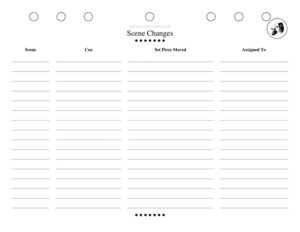
Scene Changes
Plan and track every transition with a free Scene Changes sheet for theater productions—organize props, set moves, and cues with a free download.
PDF
DOCX
10 downloads
0
likes
Download Files
- DOCX
A Scene Changes sheet is the production document that maps every transition in a show—what set pieces move, who moves them, which props come on or off, and exactly when it all happens. Stage managers, technical directors, and crew chiefs use it to keep changeovers fast, safe, and consistent from rehearsal through closing night. It’s free to download here in both PDF and DOCX, with no signup required.
What Is a Scene Changes Sheet?
A Scene Changes sheet is a working reference, usually maintained by the stage manager or assistant stage manager, that documents each transition between scenes or units in a theatrical production. It records what needs to happen during a changeover: scenery that strikes or sets, furniture and props that move, set dressing that resets, and the personnel assigned to each task. Rather than relying on memory or scattered notes, the crew works from a single shared document so that every blackout, shift, and reveal lands the same way every performance. It complements the prompt book, run sheets, and prop lists, but focuses specifically on the physical choreography of moving the stage from one picture to the next.
When Do You Need a Scene Changes Sheet?
Any production with more than a single static set benefits from documenting its transitions. Common situations include:
- Multi-scene plays and musicals where the stage must reconfigure several times—living room to courtroom to street.
- Fast changeovers in a blackout that must be completed in seconds while the audience can’t see, demanding precise crew choreography.
- Shows with heavy scenery—wagons, flats, rolling platforms, or fly-in pieces—that require coordinated muscle and timing.
- Tech rehearsals, when the team is building and refining each transition and needs a place to capture decisions before they’re lost.
- Touring or repertory productions, where new crew at each venue need a clear reference to run the show safely.
- Student, community, or amateur theater, where volunteers rotate and a written plan keeps everyone on the same page.
What a Scene Changes Sheet Should Have
A useful Scene Changes sheet captures both the what and the who of every transition. Key elements include the production title and a revision date so everyone works from the current version; a row or block for each scene change identifying the scenes it moves between; a description of the cue or trigger that starts the change; the set pieces, furniture, and props involved, noting whether each moves on or off; the crew or actor assigned to each task and their starting position; and the destination or storage location for every item. Many sheets also note the approximate duration, whether the change happens in a blackout or in view of the audience, and any safety considerations such as low light, moving scenery, or trip hazards.
How to Fill Out a Scene Changes Sheet
- Label the production. Enter the show title, performance venue, and a revision date or version number at the top so outdated copies are easy to spot.
- Identify the transition. For each row, write which scene the change moves from and which scene it moves to, plus a scene number or page reference.
- Note the trigger. Record the cue that starts the change—a blackout, a line of dialogue, a music sting, or a stage manager’s standby and “go.”
- List items to strike. Detail every piece that comes off: name it, who carries it, and where it goes offstage.
- List items to set. Detail every piece that comes on: name it, who brings it, and its exact placement, ideally referencing spike marks.
- Assign personnel. Put a name or crew position next to each task so there are no gaps or collisions.
- Add timing and notes. Estimate how long the change should take and flag any safety or sequencing notes, then update the sheet as tech refines it.
Tips for Running Smooth Transitions
The best scene changes are rehearsed as carefully as the scenes themselves. Walk each transition slowly first, then build speed only once the path is clear and safe. Use spike tape and glow tape generously so crew can find marks in the dark, and assign a single person to each item rather than letting tasks float. Keep travel paths short and unobstructed, and stagger crew entrances so people aren’t crossing the same lane at the same moment. Whenever the choreography changes in rehearsal, update the sheet immediately and re-distribute it; a sheet that’s out of date is worse than no sheet at all because it breeds false confidence.
How It Fits With Other Production Paperwork
The Scene Changes sheet sits alongside the prompt book, the prop list, the run sheet, and the shift plot. The prop list inventories everything that exists; the Scene Changes sheet tells you when and how each item moves. Crew run sheets often derive directly from this document—each crew member gets a personalized list pulled from the master. Keeping the master sheet authoritative and dating every revision prevents conflicting versions from circulating among the team during the high-pressure days of tech week.
Common Mistakes to Avoid
- Leaving tasks unassigned, so a prop simply doesn’t make it onstage because everyone assumed someone else had it.
- Vague placements like “stage left” instead of referencing exact spike marks, which leads to inconsistent set positions.
- Forgetting the storage destination for struck items, causing offstage clutter and lost props.
- Not updating the sheet after rehearsal changes, leaving the crew working from stale choreography.
- Ignoring safety in blackout changes—no glow tape, crossing traffic, or moving scenery without spotters.
- Overloading one person with too many tasks in a short change instead of distributing the work evenly.
Frequently Asked Questions
What is a Scene Changes sheet used for? It documents every transition in a production—what scenery and props move, who moves them, and when. The crew uses it to run consistent, safe changeovers from tech rehearsal through the final performance, so the stage resets the same way every night.
Who fills out the Scene Changes sheet? Typically the stage manager or assistant stage manager creates and maintains it, often in collaboration with the technical director and crew chiefs. It evolves throughout tech rehearsals as transitions are built, timed, and refined, and the SM keeps the master copy current.
How is it different from a prop list? A prop list inventories every item in the show and where it’s stored or preset. A Scene Changes sheet focuses on movement—telling you which items shift during each transition, who handles them, and where they go. The two documents work together.
Should crew members each have their own version? Yes, individual run sheets are usually pulled from the master Scene Changes sheet so each crew member sees only their assigned tasks in sequence. The master sheet remains the authoritative reference, and personalized run sheets reduce confusion during fast changes.
How detailed should each entry be? Detailed enough that a substitute crew member could run the change correctly. Name each item, the person responsible, the starting and ending positions, the triggering cue, and any safety notes. Over-specifying is far safer than leaving gaps that cause missed cues.
Is this Scene Changes template free to download? Yes. You can download it free in both PDF and DOCX formats with no signup required. Use the editable DOCX to customize rows, columns, and headings for your specific production and venue.
This Scene Changes template is a general example provided for informational purposes only and is not professional, technical, or safety advice. Stage practices, venue rules, and safety requirements vary by production and location—consult your venue’s technical staff and a qualified production professional to ensure safe, appropriate procedures for your show.
Related Forms
- Preliminary Script Analysis
- Pre-Show Checklist
- Sound Cues Sheet
- Preliminary Props List
- Blank Schedule Ongoing
- Lighting Inventory Sheet
Browse more in Theater.