
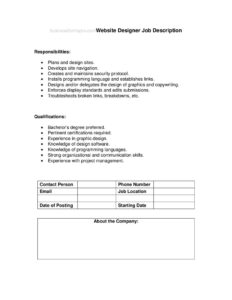
Website Designer Job Description
Download a free Website Designer job description template in PDF and DOCX to outline responsibilities, qualifications, and hire faster with a clear posting.
PDF
DOCX
0
likes
Download Files
- DOCX
A Website Designer job description is a structured document that defines the role, duties, and required skills of a web designer so employers can attract and evaluate qualified candidates. The most common reason people use it is to create a clear, consistent job posting before advertising an open design position. You can download this template free in both PDF and DOCX formats, with no signup required.
What Is a Website Designer Job Description?
A Website Designer job description is a hiring and reference document that explains what a website designer does, what they are accountable for, and what background they need to succeed. It is typically written by a hiring manager, HR specialist, or small-business owner and used to post openings on job boards, brief recruiters, and set expectations during onboarding. The document usually centers on two core sections: Responsibilities, which describes the day-to-day work, and Qualifications, which lists the education, experience, and technical skills required. A well-written version helps candidates self-select, gives interviewers a consistent rubric, and later becomes a baseline for performance reviews.
When Do You Need a Website Designer Job Description?
This template is useful any time you are formalizing a design role or clarifying what an existing one involves. Common situations include:
- You are posting a new opening on a job board, your careers page, or LinkedIn and need polished, professional copy.
- You are briefing a recruiter or staffing agency and want them to source candidates against precise criteria.
- You are converting a freelancer or contractor into a full-time employee and need a formal role definition.
- You are setting up a performance review and want a documented set of expectations to measure against.
- You are restructuring a marketing or product team and need to distinguish a designer’s duties from those of a developer or UX researcher.
- You are standardizing HR documentation so every role in the company has a consistent, on-file description.
What a Website Designer Job Description Should Have
A complete and effective job description goes beyond a job title and a few bullet points. Strong versions include a short role summary that frames the position within the team, a clear Responsibilities section covering both creative and technical tasks, and a Qualifications section that separates required skills from preferred ones. It should specify the tools and technologies you expect candidates to know — for example, design software, content management systems, and front-end basics — along with the level of experience, reporting relationships, and any portfolio expectations. Including the work arrangement, location, and how to apply rounds out the posting and reduces back-and-forth with applicants.
How to Fill Out a Website Designer Job Description
This template keeps the structure simple with two primary sections. Follow these steps to complete it:
- Add the job title at the top — “Website Designer,” or a more specific variant such as “Senior Website Designer” or “UI/Web Designer.”
- Write a brief role summary of one to three sentences describing where the role sits and its overall purpose.
- Complete the Responsibilities section as a bulleted list. Include duties such as designing page layouts and mockups, creating wireframes, selecting color schemes and typography, ensuring responsive and mobile-friendly designs, collaborating with developers and content teams, and maintaining brand consistency across the site.
- Complete the Qualifications section with both required and preferred items: education or equivalent experience, proficiency in design tools, knowledge of HTML/CSS, familiarity with CMS platforms, a portfolio of past work, and soft skills like communication and attention to detail.
- Add logistics — employment type, location or remote status, reporting line, and application instructions.
- Review for clarity, then save or export as PDF or DOCX for posting.
Responsibilities vs. Qualifications: Getting the Balance Right
The two sections of this template serve different purposes, and confusing them is a common error. Responsibilities describe what the person will do — verbs and outcomes, such as “design and update web pages” or “optimize images for performance.” Qualifications describe what the person must bring — skills, experience, and credentials. Keep responsibilities action-oriented and grouped logically, and keep qualifications honest by distinguishing must-haves from nice-to-haves. An overly long requirements list can discourage strong candidates who meet most but not all criteria, while a vague responsibilities section attracts mismatched applicants and wastes everyone’s time during screening.
Tips for Attracting Strong Candidates
Beyond the core fields, a few choices make your posting more effective. Lead with the most exciting aspects of the role and your company so the description reads like an invitation, not a checklist. Be concrete about the tools, the type of websites the designer will work on, and the team they will join. If you can, signal growth opportunities, the design process you follow, and whether the role leans more visual, technical, or both. Always request a portfolio, since for designers it is more telling than a résumé alone. Finally, use inclusive, plain language and avoid jargon that screens out capable people unnecessarily.
Common Mistakes to Avoid
- Mixing duties and requirements — listing skills under responsibilities or tasks under qualifications confuses readers.
- Overloading the qualifications list with too many “required” items, which narrows your candidate pool and may deter strong applicants.
- Being vague about tools and scope — failing to name the design software, CMS, or front-end skills you actually expect.
- Forgetting the portfolio request, which is essential for evaluating a designer’s real ability.
- Omitting logistics like location, remote policy, employment type, and how to apply.
- Copying a generic template without tailoring it to your team, products, and actual day-to-day work.
Frequently Asked Questions
What is a Website Designer job description used for? It is used to define and advertise a web design role, attract qualified candidates, brief recruiters, and set clear expectations for the person hired. It also serves as a reference for interviews, onboarding, and later performance reviews. Having it documented keeps everyone aligned on what the role involves.
How do I fill out this template? Start with the job title and a short summary, then complete the Responsibilities section with the designer’s day-to-day duties and the Qualifications section with required and preferred skills. Add logistics such as employment type, location, and application instructions. Tailor every line to your actual team and projects rather than leaving generic placeholders.
What is the difference between a Website Designer and a Web Developer? A website designer typically focuses on the visual layout, user interface, color, typography, and overall look and feel of a site. A web developer focuses on building and coding the functionality behind the scenes. Some roles overlap, so your description should clarify exactly where your position falls on that spectrum.
Should I list specific software in the qualifications? Yes — naming the design tools, CMS platforms, and any front-end skills you expect helps candidates self-assess and improves the quality of applications. Be clear about which are required versus preferred. This prevents mismatched applicants and shortens your screening time.
Is this job description legally binding? A job description is generally a guidance and hiring document rather than a binding contract, though employment laws and at-will rules vary by location. It is good practice to keep it accurate and updated, since it can be referenced in performance discussions. For employment-law specifics, consult a qualified HR or legal professional.
How much does this template cost? It is completely free to download here in both PDF and DOCX formats, with no signup or payment required. You can edit the DOCX version freely to match your company’s needs. Use it as many times as you like for different roles.
This template is provided as a general example for informational purposes only and does not constitute legal, HR, or employment advice. Hiring and employment requirements vary by jurisdiction and industry. Consult a qualified human resources or legal professional to ensure your job descriptions and postings comply with applicable laws.
Official resource: for the rules that apply to your situation, see the U.S. Department of Labor.
Related Forms
- Secretary Job Description
- Business Systems Analyst Job Description
- Landscaper Job Description
- Internet Marketing Director Job Description
- Call Center Operator Job Description
- Quality Assurance Engineer Job Description
Browse more in Job Descriptions.