
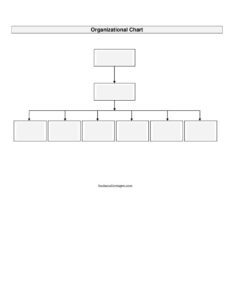
Organizational Chart
Download a free Organizational Chart template in PDF and DOCX to map reporting lines, roles, and team structure — free download, no signup needed.
PDF
DOCX
15 downloads
0
likes
Download Files
- DOCX
An Organizational Chart is a visual diagram that maps out who reports to whom inside a company, department, or team. People most often use one to clarify reporting lines and responsibilities during onboarding, restructuring, or planning. You can download this Organizational Chart template free in both PDF and DOCX formats, with no signup required.
What Is an Organizational Chart?
An Organizational Chart, sometimes called an “org chart” or organogram, is a document that shows the internal structure of an organization by displaying job titles, names, departments, and the relationships between them. It is typically created and maintained by HR, an office manager, or a department head. The chart documents the chain of command, illustrating which roles are senior, which are peer-level, and which report upward. It is used to communicate structure clearly to employees, new hires, executives, and outside partners. Rather than describing hierarchy in paragraphs, an org chart conveys it instantly through boxes and connecting lines, making complex reporting relationships easy to understand at a glance for everyone involved.
When Do You Need an Organizational Chart?
An Organizational Chart is useful in many everyday business situations. Common scenarios include:
- Onboarding new employees: Help new hires understand who their manager is, who their teammates are, and how their role fits into the bigger picture.
- Company restructuring: Visualize proposed changes to departments, reporting lines, or leadership before rolling them out.
- Hiring and workforce planning: Identify gaps, open positions, and roles that may be over- or under-staffed.
- Investor or board presentations: Show stakeholders a clear, professional snapshot of how the company is organized.
- Mergers and acquisitions: Compare two organizations’ structures and plan how teams will be combined.
- Internal communication: Give employees a reference for finding the right contact across departments.
Types of Organizational Charts
There is no single correct format — the right one depends on your company’s structure and goals. Common types include:
- Hierarchical: The classic top-down pyramid with leadership at the top and staff cascading below. Best for traditional companies with clear chains of command.
- Flat (horizontal): Shows few or no middle-management layers, common in startups and small teams.
- Matrix: Displays employees reporting to more than one leader, such as a project manager and a functional manager.
- Divisional: Organizes the chart around product lines, regions, or markets rather than functions.
What an Organizational Chart Should Have
A clear, useful Organizational Chart should include a few essential elements regardless of format. At minimum, it should show each person’s full name and job title, the department or team they belong to, and connecting lines that indicate reporting relationships. Many charts also add contact details, photos, location, or employee ID for larger organizations. A title block identifying the company name, the date the chart was prepared, and a version number keeps the document current and trustworthy. Finally, consistent box shapes, colors, and spacing make the chart easy to read and professional in appearance.
How to Fill Out an Organizational Chart
This template is designed to be flexible, so you can adapt the boxes and lines to match your organization. Follow these steps:
- Add your company details: Enter the organization or department name and the date in the title area so readers know what the chart covers and how recent it is.
- Start at the top: Place your most senior role — such as CEO, owner, or director — in the top box, filling in the person’s name and title.
- Add the next level: Create boxes for the leaders or managers who report directly to the top role, entering each name and title.
- Connect the lines: Draw lines from each manager down to the box of the senior leader they report to.
- Fill in teams and staff: Add boxes for individual contributors under their respective managers, grouping by department where helpful.
- Label departments: Use headings or color coding to distinguish teams such as Sales, Operations, Finance, or HR.
- Review and finalize: Check that every reporting line is accurate, then save the file and share it with your team.
Keeping Your Org Chart Up to Date
An organizational chart is only valuable when it reflects reality, so treat it as a living document rather than a one-time project. Each time someone is hired, promoted, transferred, or leaves, update the chart and bump the version date so colleagues always reference the current structure. Many teams review the chart on a regular schedule — quarterly, for example — alongside headcount planning. Storing the editable DOCX version in a shared drive lets the appropriate person make quick edits, while exporting a clean PDF gives you a polished, read-only copy to distribute. Avoid letting multiple conflicting versions circulate by designating a single owner responsible for maintaining the official chart.
Common Mistakes to Avoid
- Letting it go stale: An outdated chart confuses new hires and erodes trust; update it whenever roles change.
- Overcrowding the page: Cramming too many boxes onto one chart makes it unreadable — split large organizations into department-level charts.
- Inconsistent titles: Mismatched or unofficial job titles create confusion; use the same titles your HR records use.
- Unclear reporting lines: Crossing or ambiguous lines defeat the purpose; keep connections clean and logical.
- Forgetting dotted-line relationships: If employees report to more than one leader, note it clearly so the structure is accurate.
- No date or version: Without a date, readers can’t tell whether the chart is current.
Frequently Asked Questions
What is an organizational chart used for? It is used to visually communicate a company’s internal structure, showing job titles, names, and who reports to whom. Businesses rely on it for onboarding, planning, restructuring, and helping employees understand where they fit within the organization.
How do I create an organizational chart? Start with the most senior role at the top, then add boxes for each person who reports to them, connecting the boxes with lines to show reporting relationships. This template gives you a ready-made starting layout in both PDF and DOCX so you can edit names, titles, and departments directly.
Is an organizational chart a legal document? No, an org chart is an internal reference and communication tool rather than a binding legal contract. It documents structure but does not create employment terms or obligations on its own.
What’s the difference between a hierarchical and a flat org chart? A hierarchical chart has many layers of management arranged top-down, which suits larger or traditional companies. A flat chart has few management layers and is common in startups and small teams where most staff report to a small leadership group.
How often should I update my org chart? Update it whenever someone is hired, promoted, moved, or leaves, and review it on a regular schedule such as quarterly. Always change the date or version number so everyone knows it reflects the current structure.
Is this organizational chart template free? Yes, you can download this Organizational Chart template completely free in PDF and DOCX formats with no signup required. The DOCX version is fully editable so you can customize boxes, names, and titles to fit your organization.
This Organizational Chart template is a general example provided for informational purposes only and does not constitute legal, financial, or HR advice. Organizational needs and recordkeeping requirements vary by company and jurisdiction — consult a qualified professional for guidance specific to your situation.
Official resource: for the rules that apply to your situation, see the U.S. Department of Labor.
Related Forms
- Grievance Report
- Salary Verification Letter
- Report of Absence for Military Duty
- Shift Change Request
- Salary Review Request
- Employee Reference Request
Browse more in Employment.