
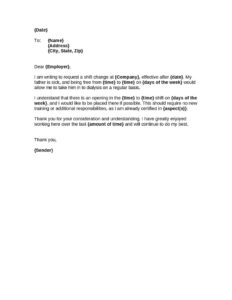
Shift Change Request
Download a free Shift Change Request form template in PDF and DOCX to formally request a schedule change, swap, or shift adjustment with your employer.
DOCX
8 downloads
0
likes
Download Files
- DOCX
A Shift Change Request is a simple workplace form an employee uses to formally ask a manager or scheduler to adjust, swap, or move an assigned work shift. People most often use it when a personal commitment, medical appointment, or coworker swap conflicts with the posted schedule. You can download this Shift Change Request template free in both PDF and DOCX, with no signup required.
What Is a Shift Change Request?
A Shift Change Request is a short, standardized document that records an employee’s wish to modify their scheduled hours and gives a supervisor a clear, written basis to approve or deny the change. It is typically initiated by the employee and routed to a manager, team lead, or HR. The form documents the original shift, the requested change, the reason, and any coworker who has agreed to cover or swap. By putting the request in writing, both the employee and employer avoid the confusion of verbal arrangements, keep a paper trail for payroll and attendance, and ensure that coverage on the floor is never accidentally left short.
When Do You Need a Shift Change Request?
This form is useful any time a posted schedule needs to be adjusted in an orderly, trackable way. Common situations include:
- Coworker shift swaps — two employees agree to trade shifts and need management sign-off to make it official.
- Medical or dental appointments that fall during a scheduled shift and require a later start or earlier finish.
- Family obligations such as childcare, school events, or caring for a relative.
- Education and exams — students who work part-time often need a one-time move around class or test dates.
- Transportation problems like a car repair or public transit disruption that affects a single shift.
- Permanent availability changes when an employee wants to move from nights to days or change recurring days off going forward.
One-Time vs. Recurring Requests
Some shift change requests cover a single date — for example, swapping next Friday’s evening shift for a colleague’s morning shift. Others ask for an ongoing adjustment, such as no longer being available on Sundays. Noting clearly whether the change is a one-off or a permanent schedule adjustment helps the scheduler decide quickly and update the rota correctly.
What a Shift Change Request Should Have
A complete and useful Shift Change Request captures enough detail that a manager can act on it without follow-up questions. The essentials are:
- Employee name, job title or department, and employee ID if your workplace uses one.
- The date the request is submitted.
- The original scheduled shift — date, day, and start/end times.
- The requested new shift — date, day, and start/end times.
- A clear, brief reason for the request.
- The name of any coworker agreeing to cover or swap, with their signature.
- Space for the supervisor’s decision, signature, and date.
How to Fill Out a Shift Change Request
Follow these steps to complete the form clearly and improve your chances of a quick approval:
- Enter your details. Write your full name, job title or department, and employee ID. This identifies you on the schedule.
- Add the submission date. Date the form so the manager knows how much notice you are giving.
- List your original shift. Record the exact date, day of the week, and the start and end times you are currently scheduled to work.
- Specify the requested shift. State the new date, day, and start/end times you would like instead, or note if you simply need the shift off.
- Give the reason. Briefly explain why — “dental appointment,” “shift swap with coworker,” or “childcare.” Keep it honest and concise.
- Name a cover or swap partner. If a colleague has agreed to take the shift, write their name and have them sign to confirm.
- Sign and date. Add your signature, then submit the form to your supervisor for the approval section.
Tips for Getting Your Request Approved
A polite, well-prepared request is far more likely to be granted. Submit the form as early as possible — most workplaces appreciate at least a week’s notice for non-emergencies. Whenever you can, line up a coworker to cover before you submit, since a request that already solves the coverage gap is easy for a manager to approve. Be specific about times rather than writing “sometime in the afternoon,” and avoid requesting changes during known busy periods if you have flexibility. Keep a copy of the completed, signed form for your own records in case there is ever a payroll or attendance discrepancy.
Shift Change Request vs. Time-Off Request
These two forms are related but not identical. A time-off request asks to be excused from work entirely for a period — vacation, sick leave, or personal days — and usually ties into paid-leave balances. A Shift Change Request, by contrast, is about rearranging when you work rather than not working at all: you still complete your hours, just on a different shift or through a swap. Using the correct form keeps payroll and scheduling records accurate and prevents your hours from being logged as leave when you actually worked.
Common Mistakes to Avoid
- Submitting too late — last-minute requests are harder to staff around and more likely to be denied.
- Leaving out exact times — vague entries force the manager to chase you for details and slow approval.
- Assuming a verbal “yes” is enough — always get the supervisor’s signature on the form.
- Forgetting the swap partner’s signature when relying on a coworker to cover.
- Not keeping a copy of the approved form for your own records.
- Mixing up a swap with time off — be clear whether you are changing your shift or requesting leave.
Frequently Asked Questions
What is a Shift Change Request form used for? It is used to formally ask your employer to adjust, move, or swap a scheduled work shift. The form documents your current shift, the change you want, and the reason, giving your manager a clear written basis to approve or deny the request.
How much notice should I give for a shift change? Notice requirements vary by employer, but giving as much advance notice as possible greatly improves your odds of approval. For non-emergencies, many workplaces prefer at least a week; for urgent situations, submit the form as soon as you reasonably can and explain the circumstances.
Do I need a coworker to cover my shift? Not always, but it helps. If a colleague has agreed to take or swap your shift, naming them and getting their signature makes the change easy to approve because coverage is already arranged. For permanent availability changes, the scheduler will usually handle coverage instead.
Is an approved Shift Change Request legally binding? The form itself is an internal workplace document rather than a contract. Once signed by your supervisor, it serves as official authorization for the change and a record for payroll and attendance, but its weight depends on your employer’s policies and any applicable employment agreement.
What’s the difference between a shift change and time off? A shift change rearranges when you work while you still complete your hours, often by swapping with a coworker. Time off means being excused from work entirely, which may draw on vacation or sick-leave balances. Use this form only when you intend to work, just at a different time.
Is this Shift Change Request template free? Yes. You can download the Shift Change Request template free in both PDF and DOCX formats with no signup required, then customize the fields to match your company’s scheduling and approval process.
This template is a general example provided for informational purposes only and is not legal, HR, or employment advice. Workplace scheduling rules, notice requirements, and approval procedures vary by employer and jurisdiction. Consult your company’s HR department or a qualified professional for guidance on your specific situation.
Official resource: for the rules that apply to your situation, see the U.S. Department of Labor.
Related Forms
- Hourly Wage Chart
- First Warning Notice Employee Behavior
- Injury Report
- Consent To Drug Test
- Arrival And Departure Record
- Employee Separation Report
Browse more in Employment.