
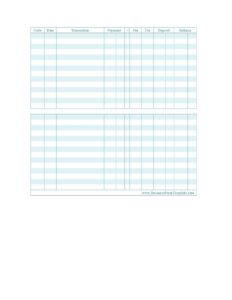
Check Register
Free printable check register in PDF & DOCX. Learn what a check register is, how to fill one out, and how to reconcile it — download and start tracking.
PDF
4 downloads
0
likes
Download Files
A check register is a simple log for recording every deposit, withdrawal, and fee in your checking account so you always know your true balance. Download the free printable check register below in PDF or DOCX and start tracking. No signup or email required.
What Is a Check Register?
A check register is a running record of the money moving in and out of a bank account. Each row captures one transaction — the date, who it was to or from, the amount paid or deposited, any fee, and the new balance. Keeping one by hand lets you catch errors the bank misses, avoid overdrafts, and know your *available* balance rather than just the bank’s posted total. It’s the modern version of the paper register that used to come with a checkbook, and it works for debit cards and electronic payments just as well as for checks.
Why Keep a Check Register in the Age of Online Banking?
Your banking app shows a balance, but it shows the bank’s view — which doesn’t include checks that haven’t cleared, payments still pending, or charges that post a day or two late. A register reflects *your* reality the moment money is committed, so you don’t spend the same dollars twice. It also makes errors and fraud obvious: if a charge appears that isn’t in your register, you’ll spot it immediately instead of weeks later. For anyone living close to their balance, that gap between “app balance” and “real balance” is exactly where overdraft fees happen.
Who Uses a Check Register?
- Individuals tracking a personal checking account by hand
- Small businesses and sole proprietors keeping a clean cash record
- Anyone trying to catch bank errors, double charges, or forgotten subscriptions
- Couples or roommates sharing an account who need one source of truth
- Budgeters who want a running total for tax time
How to Fill Out a Check Register
- For each transaction, enter a code — a check number, “DEP” for a deposit, “DC” for a debit-card purchase, and so on — and the date.
- Write a short transaction description: who you paid or who paid you.
- Record the amount as a payment (money out) or a deposit (money in).
- Add any fee or tax tied to the transaction.
- Tick the cleared column (the “x”) once the transaction appears on your statement.
- Update the balance: subtract payments and fees, add deposits, and carry the new total to the next row.
How to Reconcile With Your Bank Statement
Reconciling means making your register agree with the bank. Once a month, when your statement arrives, go line by line: check off every transaction in your register that also appears on the statement, and add anything the bank recorded that you missed — interest, fees, or automatic payments. Then compare the ending balances. If they match, you’re reconciled. If they don’t, the difference is almost always an uncleared item, a missed fee, or a simple math slip in your running balance. Finding it now is far easier than untangling it months later.
Common Mistakes to Avoid
- Logging only paper checks and forgetting debit-card and automatic payments
- Math slips when carrying the balance forward — recheck each running total
- Skipping fees, which quietly throws your balance off
- Not marking transactions cleared, which makes reconciliation harder
- Letting entries pile up instead of recording them as they happen
Common Check Register Codes
The “code” column is shorthand for how money moved, and using it consistently makes your register easy to scan. Common codes include a check’s number for paper checks, DEP for a deposit, DC or DEB for a debit-card purchase, ATM for cash withdrawals, EFT or ACH for electronic transfers, and FEE or SC for bank service charges. You can use any system you like — the point is to be consistent, so that months later you can tell at a glance what each line represents without hunting for a receipt.
Paper Register vs. Banking App
A banking app and a check register aren’t competitors; they answer different questions. The app tells you what the bank has processed, while the register tells you what you’ve actually committed, including payments that haven’t cleared yet. Using both gives you the full picture: reconcile your register against the app once a month and you’ll catch anything that slips through either one. If you prefer to go fully digital, the same columns work just as well in a spreadsheet, with formulas handling the running balance for you.
Tips to Keep Your Register Accurate
Record transactions the moment they happen, not from memory at the end of the week. Keep receipts until each item clears, so you can resolve any mismatch. Enter exact amounts, including cents, and never round. And when you find an error, fix it with a clear note rather than scribbling over it, so your running balance stays trustworthy and easy to audit later.
Frequently Asked Questions
What is a check register? It’s a log of every deposit, payment, and fee in a checking account, with a running balance so you always know how much you really have.
How do you fill out a check register? Record each transaction’s date, description, and amount as a payment or deposit, add any fees, then update the running balance. The template above has a column for each.
How do you reconcile a check register? Compare it to your bank statement, check off every transaction that has cleared, add anything you missed, and confirm your ending balance matches the bank’s after accounting for pending items.
How often should you update your check register? Ideally every time money moves, and reconcile it at least once a month when your statement arrives.
Is a check register the same as balancing a checkbook? They go hand in hand — the register is the record you keep, and balancing (reconciling) is the monthly step of matching it against the bank.
How much does this check register cost? It’s free to download in PDF and DOCX.
Related Forms
Account Reconciliation Form · Monthly Bank Reconciliation · Bill Tracker · Cash Receipts · Account Statement
This template is provided for general informational purposes only and is not financial advice. Always verify balances against your official bank records.
Related Forms
- Travel Expenses
- Expense Reimbursement Request Report
- Business Trip Details List
- Expense Report
- Mileage Reimbursement Form
- Balance Sheet Blank
Browse more in Expense Reports.